25
Categories:voice,video,besteffortandbackground.WMMfunctionisnotusedto
guaranteetransmissionspeed.
WirelessTrafficShaping
PlaceaChecktoenableWirelessTrafficShapingfunction.
IncomingTrafficLimit
Specifythewirelesstransmissionspeedfordownloading.
OutgoingTrafficLimit
Specifythewirelesstransmissionspeedforuploading.
Auction:ChangingWirelessAdvancedSettingsmaycauseinsufficientwirelessconnectionquality.
Pleaseremainallsettingsasdefaultunlessyouhaveacknowledgedallchangingthatyouhavemade.
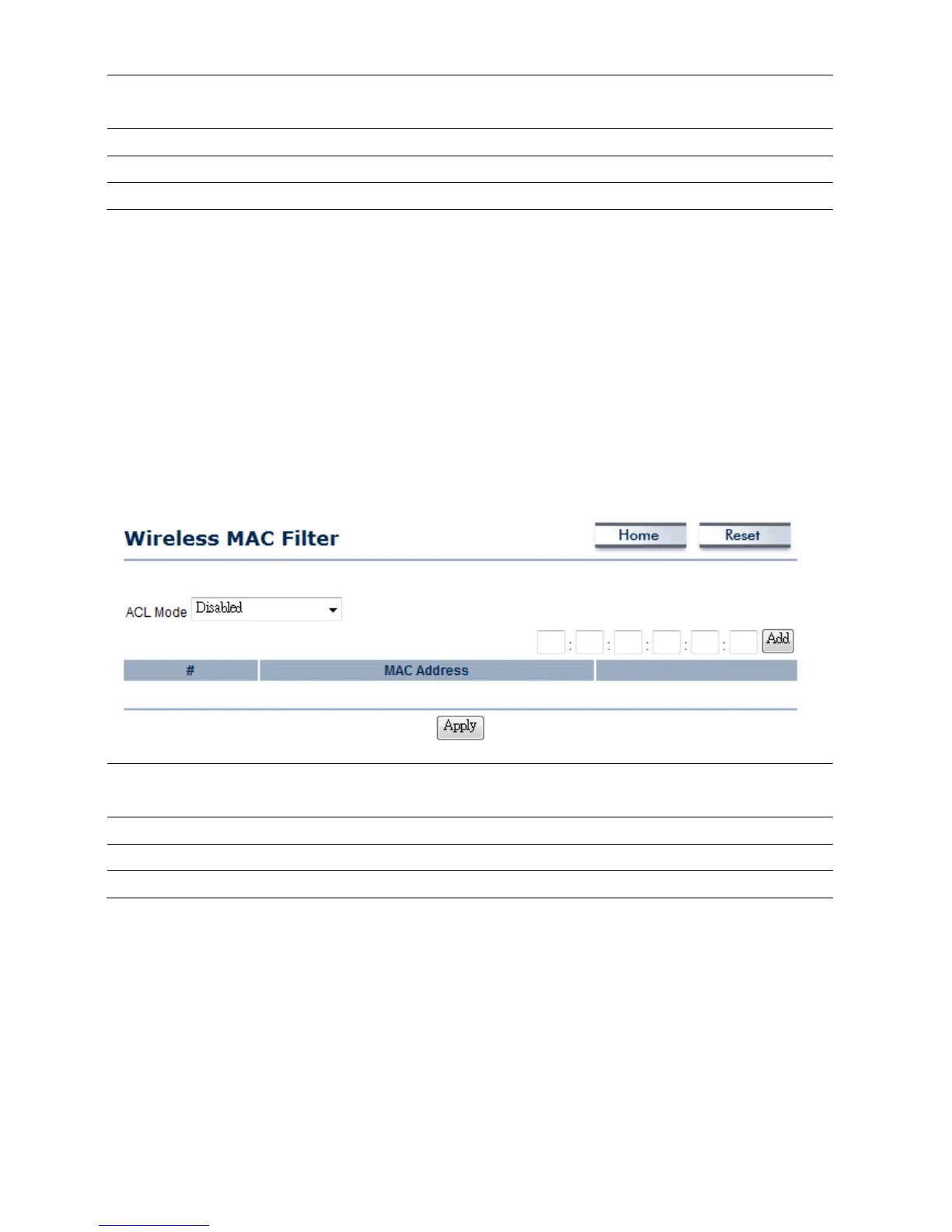
4.5WirelessMACFilter
WirelessMACFiltersisusedtoAlloworDenywirelessclients,bytheirMACaddresses,accessingthe
Network.YoucanmanuallyaddaMACaddresstorestrictthepermissiontoaccessM36.Thedefault
settingisDisableWirelessMACFilters.
0.
ACLMode
ACLModecanhelptodenyorallowcertainClienttoaccessthenetwork.Select
Disable,DenyMACinthelistorAllowMACinthelistfromthedropdownlist.
MACAddressFilter
SpecifytheMA Caddressmanually.
Add
PressAddtoaddtheMACaddressinthetable.
Apply
PressApplytoapplythechange s.













 To Next Page