17
4.3WirelessSecuritySettings
WirelessSecuritySettingssectionwillguideyoutotheentireSecuritymodesconfiguration:WEP,
WPA‐PSK,WPA2‐PSK,WPA‐PSKMixed,WPA,WPA2,andWPAMixed.
WearestronglyrecommendedthatusesWPA2‐PSKasyoursecuritysettings.
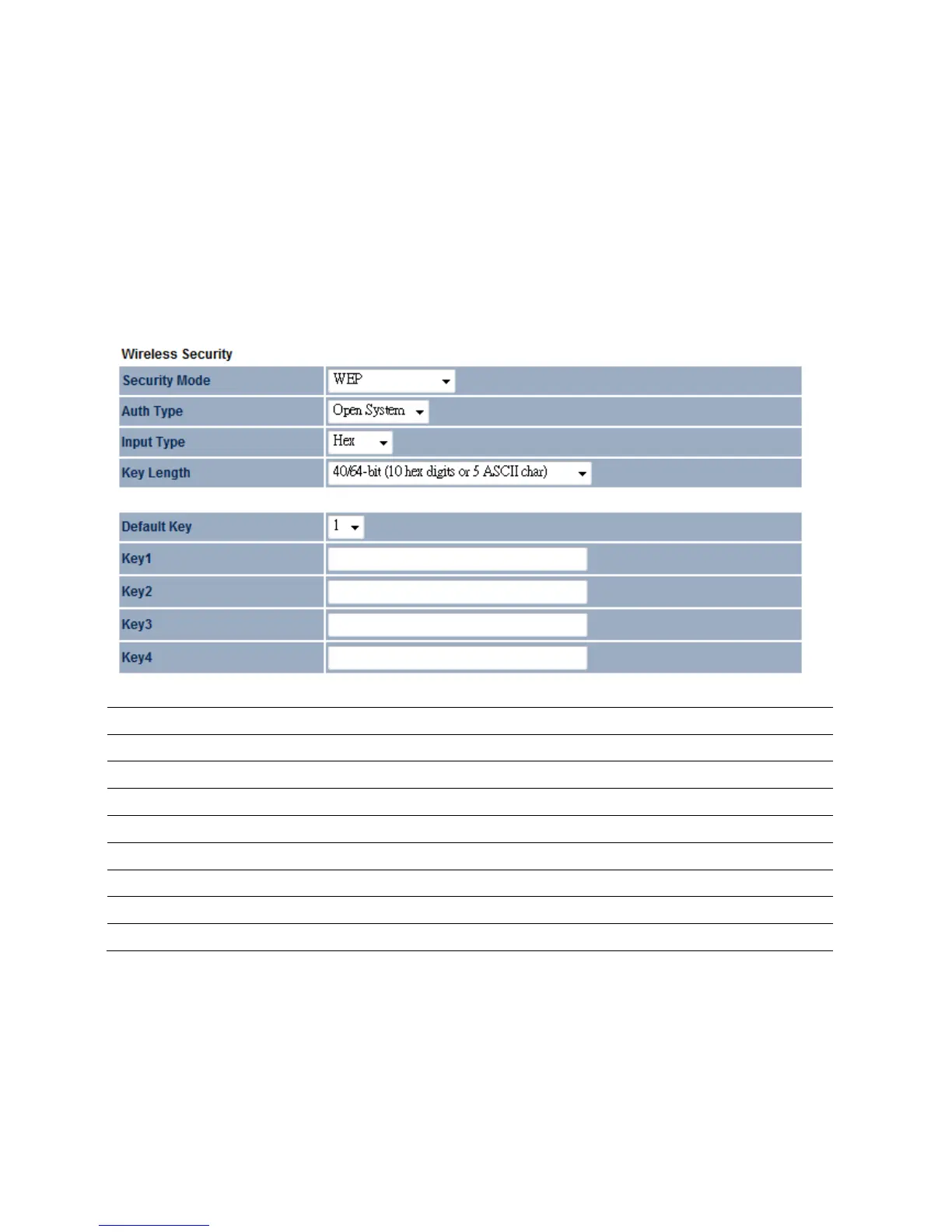
4.3.1WEP
SecurityMode
SelectWEPfromthedropdownlisttobegintheconfiguration.
AuthType
SelectAuthTypeinOpenSystemorShared.
InputType
SelectInputTypeinHexorASCII.
KeyLength
SelectKeyLengthin64/128/152bitpasswordlength.
DefaultKey
Selectthedefaultindexkeyforwirelesssecurity.
Key1
SpecifypasswordforsecuritykeyindexNo.1.
Key2
SpecifypasswordforsecuritykeyindexNo.2.
Key3
SpecifypasswordforsecuritykeyindexNo.3.
Key4
SpecifypasswordforsecuritykeyindexNo.4.













 To Next Page