35
5 LAN Settings
This section will guide you to the Local Area Network (LAN) settings
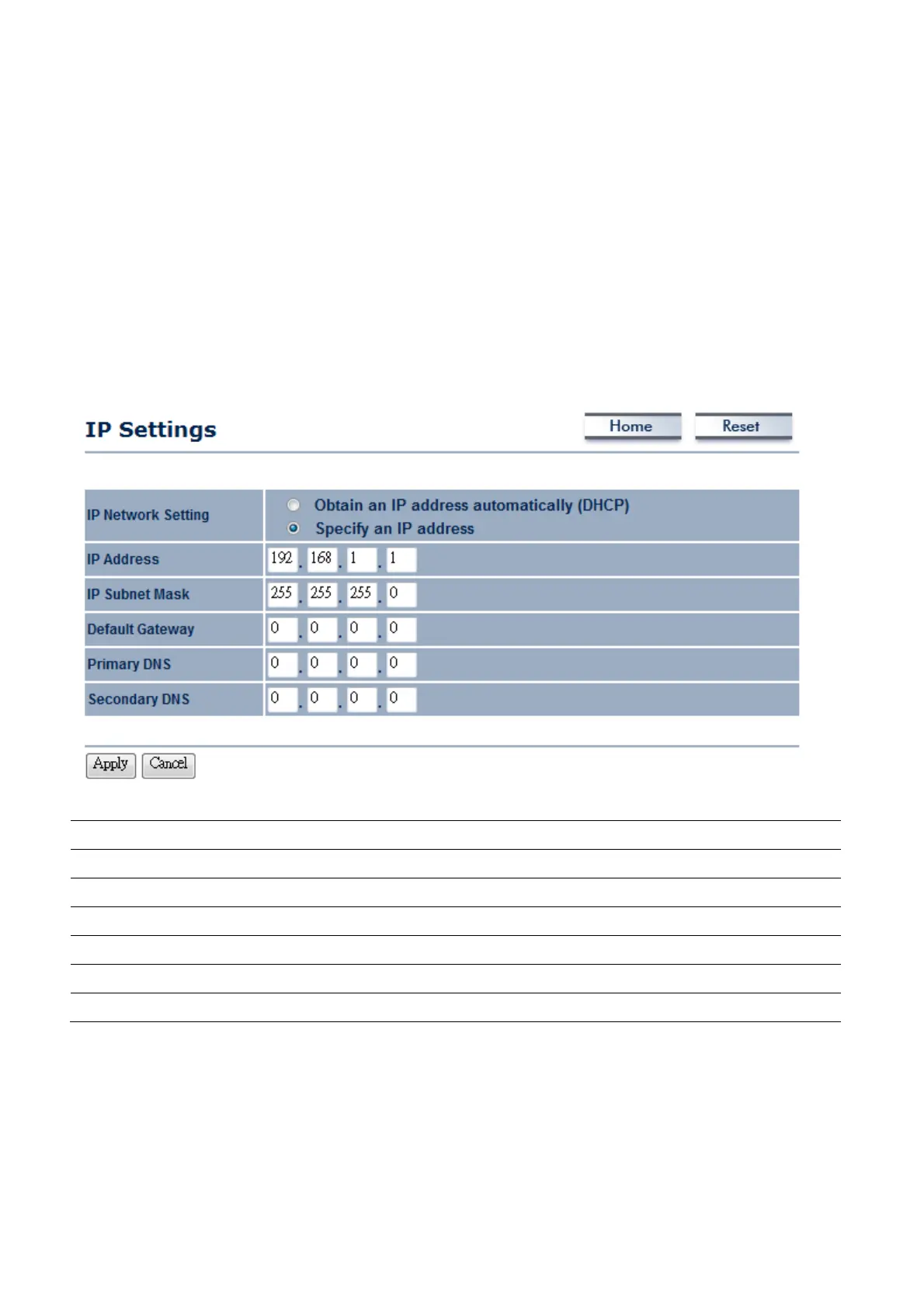
5.1 System → IP Settings
This section is only available for Non-Router Mode. IP Settings allows you to setup LAN port IP
address.
Auction: Changing LAN IP Address will change LAN Interface IP address. Webpage will automatically
redirect to the new IP address after Apply.
IP Network Setting
Select Radio button for Obtain an IP address automatically or Specify an IP address.
IP Address
Specify LAN port IP address.
IP Suet Mask
Specify Subnet Mask.
Default Gateway
Specify Default Gateway
Primary DNS
Specify Primary DNS
Secondary DNS
Specify Secondary DNS
Apply / Cancel
Press Apply to apply the changes or Cancel to return previous settings.
Auction: Obtain an IP address automatically is not a DHCP server. It means automatically get IP
address when device connected to a device or services which has DHCP server.














 To Next Page