Chapter
4
Note:
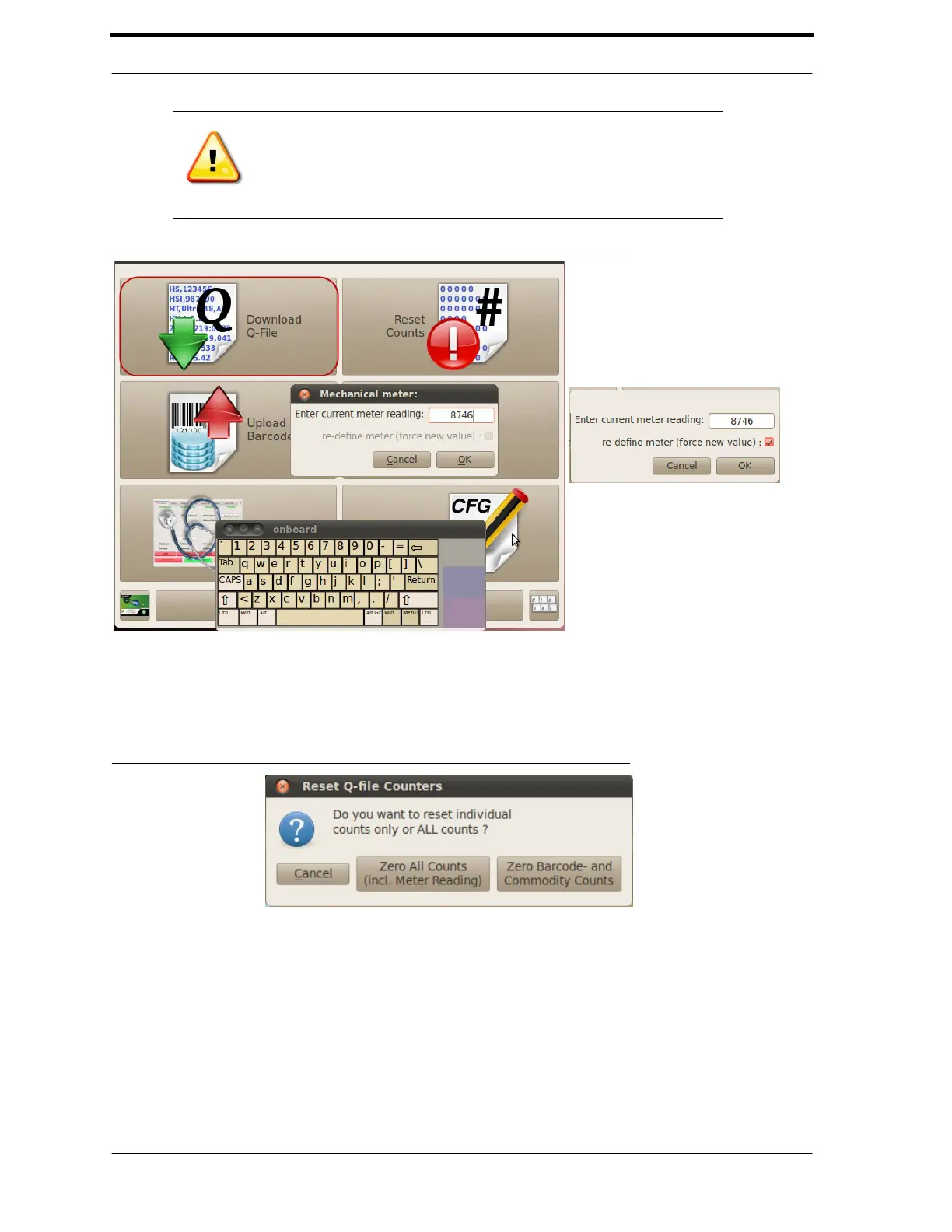
If the software count doesn’t match what you entered, you will get
an error. In this case, check to make sure that your entry is correct.
If it is correct, check the re-define meter
check box, as shown in
Figure 4-3.
FIGURE 4-3. Download Q-File Dialog Boxes
2.
Reset Counts. Do this only if your supervisor instructs you to. You will see a
message (as shown in Figure 4-4) asking if you want to reset individual
counts or all counts. Once you choose an option, you will see a
confirmation message.
FIGURE 4-4. Reset Counts Dialog Box
3.
Upload Barcodes. Use this option to search the Jump Drive for the RVM’s
bar code table and upload it to the machine. It uploads the appropriate file for
that particular machine based on the file name. To activate the new barcode
database, restart the RVM software. To do this, go into the Diagnostic
Program and tap the green Restart RVM
RVMRVM
RVM Software
button or tap on the RVM
RVMRVM
RVM
(re
(
re(re
(re-
--
-)start
)start)start
)start
icon on the Desktop.



 To Next Page