4.
RVM Software. This
5.
Start Diagnostic. This
described in Section 4.4
6.
Edit Parameters. This
4.3.3.
Exiting Service
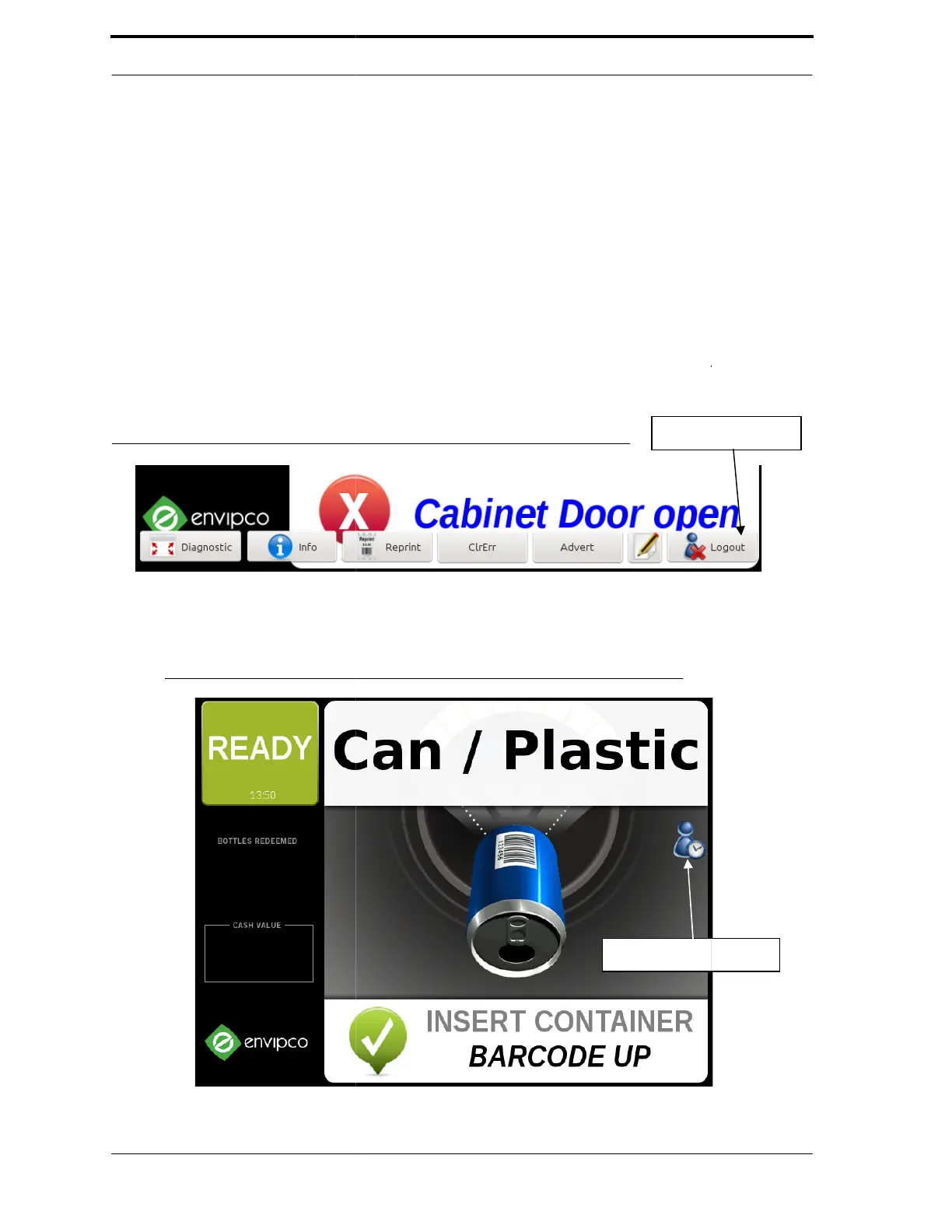
To exit Service Mode with default log in, gototheMisctabandpressRestart
Mode, go to the Technician
button to exit Service Mode, as
Mode, Service Mode times out five
the display indicates that Service
FIGURE 4-5. Exiting Service Mode
FIGURE 4-6. Service Mode
is not yet implemented.
option starts the Diagnostic Program, which is
on page 4-6.
option is not yet implemented.
ToexitServiceModewithdefaultlogin, go to the Misc tab and press Restart
RVM Software. To
screen, and tap Release Jump Drive. You will then
in Figure 4-5. If you do not tap the option to exit
after removing the Jump Drive. In this case,
will time out. This screen is shown in Figure 4-
Out Screen
Service
a
icon on



 To Next Page