Chapter
4
4.4.6.
Config Tab
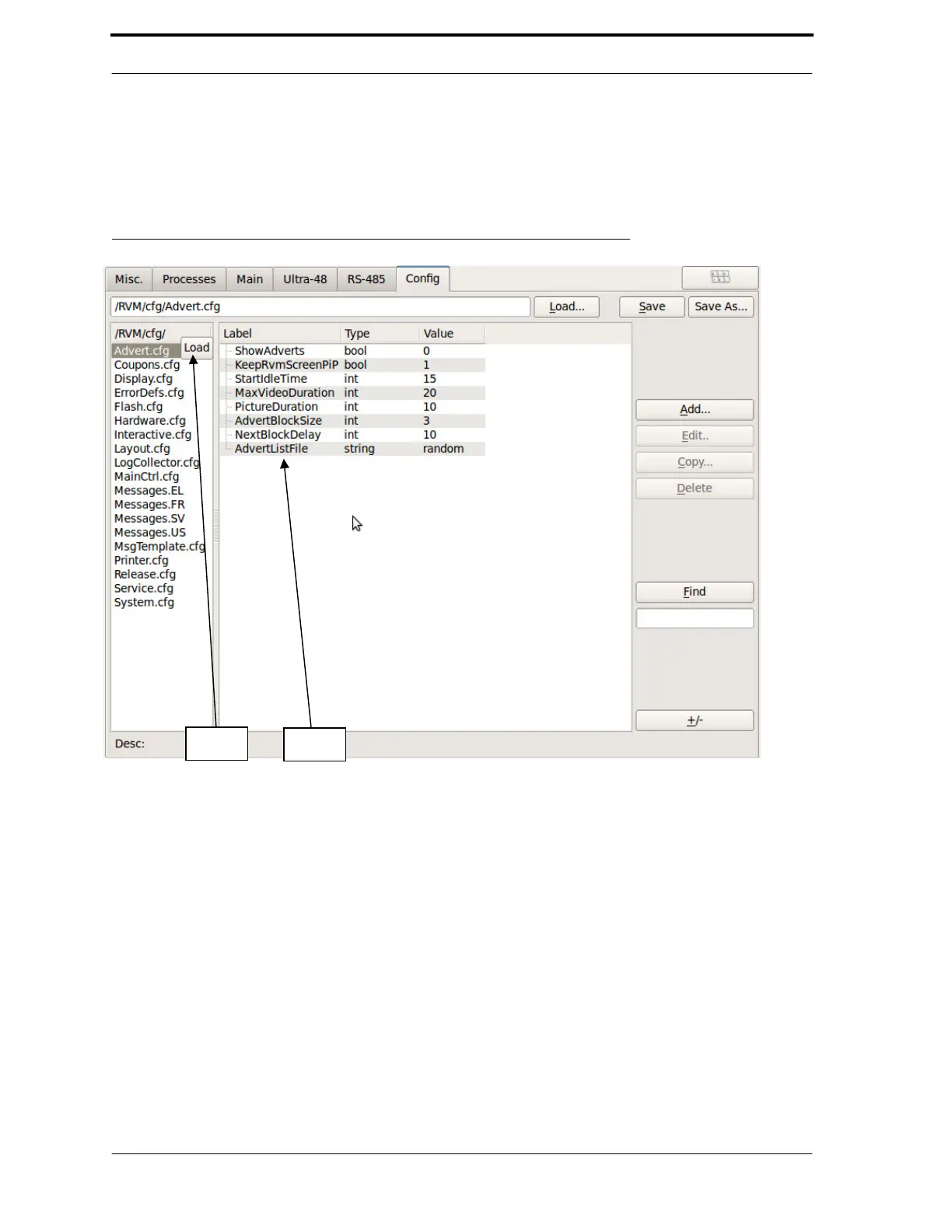
The Config tab allows advanced users to edit the RVM’s configuration files. Any changes that you
save to the files in this tab are permanently written to the configuration files. Figure 4-13 shows the
Config tab as it appears when you tap on it.
FIGURE 4-13. Diagnostics - Config Tab
As shown in Figure 4-13, this tab lists all of the configuration files, which are stored in the
/RVM/cfg/ directory. You can use the Load, Save, and Save As buttons to load and save
configurations in other locations.
To load a configuration file, tap on the desired file, and click the Load button that is on or next to
the file name, as shown in Figure 4-14. Once you have done this, the configuration entries populate
the middle of the screen.
Each entry has a Label, Type, and Value. The type may be one of the following:
•
••
• section (a collection of entries)
•
••
• int (a whole number)
•
••
• bool (an on/off switch)
•
••
• string (letters and/or numbers)
To expand or collapse all of the sections at once, click the +/- button on the lower right of the
window.



 To Next Page