5-5
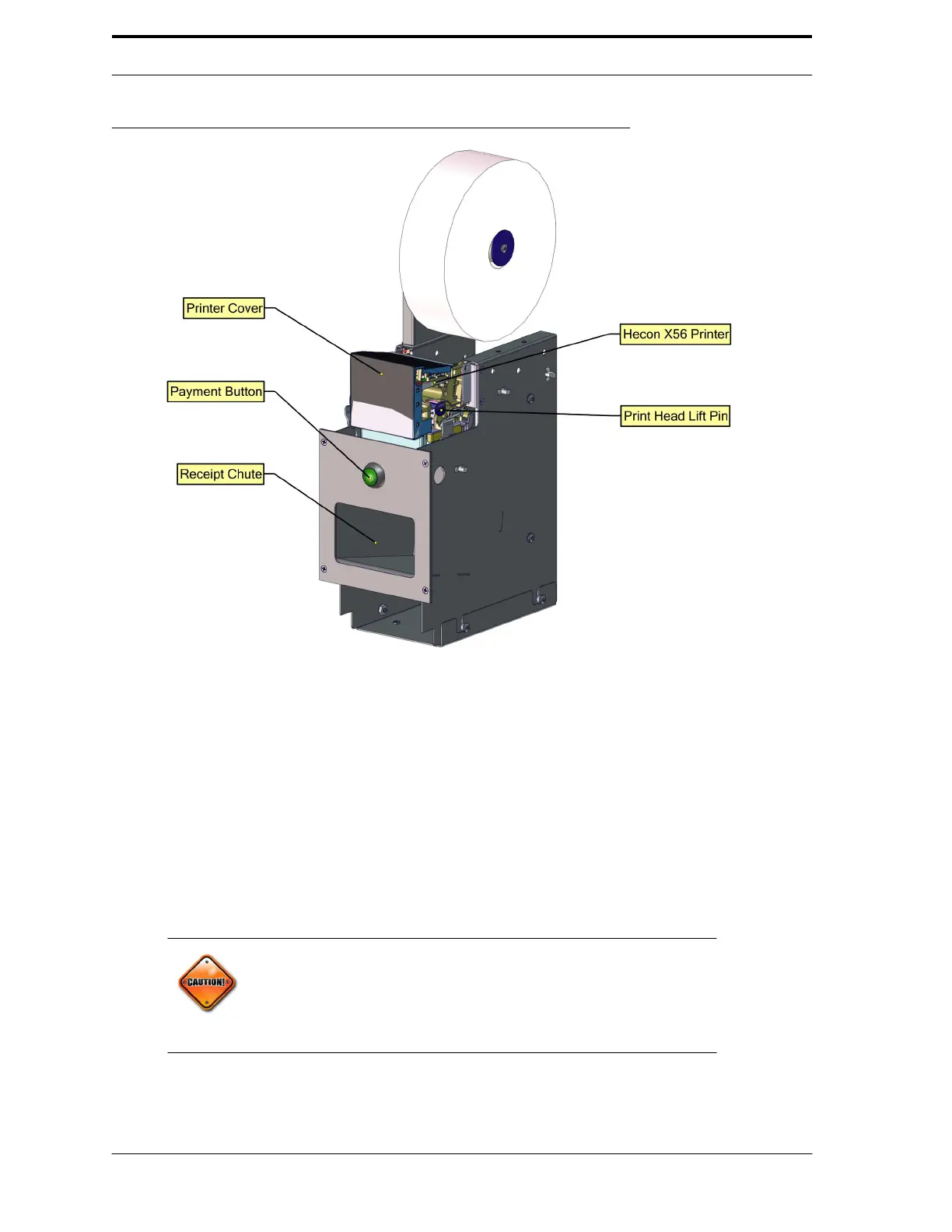
FIGURE 5-2.Hecon X56 Printer
5.3.7.
AC Motor Control Box
Visually inspect the power cord and receptacle for damage. If needed, replace the damaged parts or
call for electrical service.
5.3.8.
Sensor Display Unit
Follow these procedures to keep the In-Feed unit in working order:
1.
Clean the conveyor belts using Cleaning Mode. See Section 5.3.1 “Cleaning
Mode” on page 5-2.
Caution!
When cleaning a glass machine, use compressed air to remove glass
dust from sensor lenses, scanner windows, and reflector targets
before cleaning them with a cloth or paper towel. Otherwise, the dust
will scratch the surfaces and damage the equipment.
2.
Clean the scanner windows with an ammonia free glass cleaner and a soft
cloth. Do not use any
other cleaner on the scanners, as streaks can interfere
with scanner function.



 To Next Page