4.4.
Diagnostic
The Diagnostic Program allows
section correspond with the tabs in
•
••
•
Processes
•
••
•
Misc
•
••
•
Main
•
••
•
Ultra-48
•
••
•
RS-485
•
••
•
Config
4.4.1.
Processes Tab
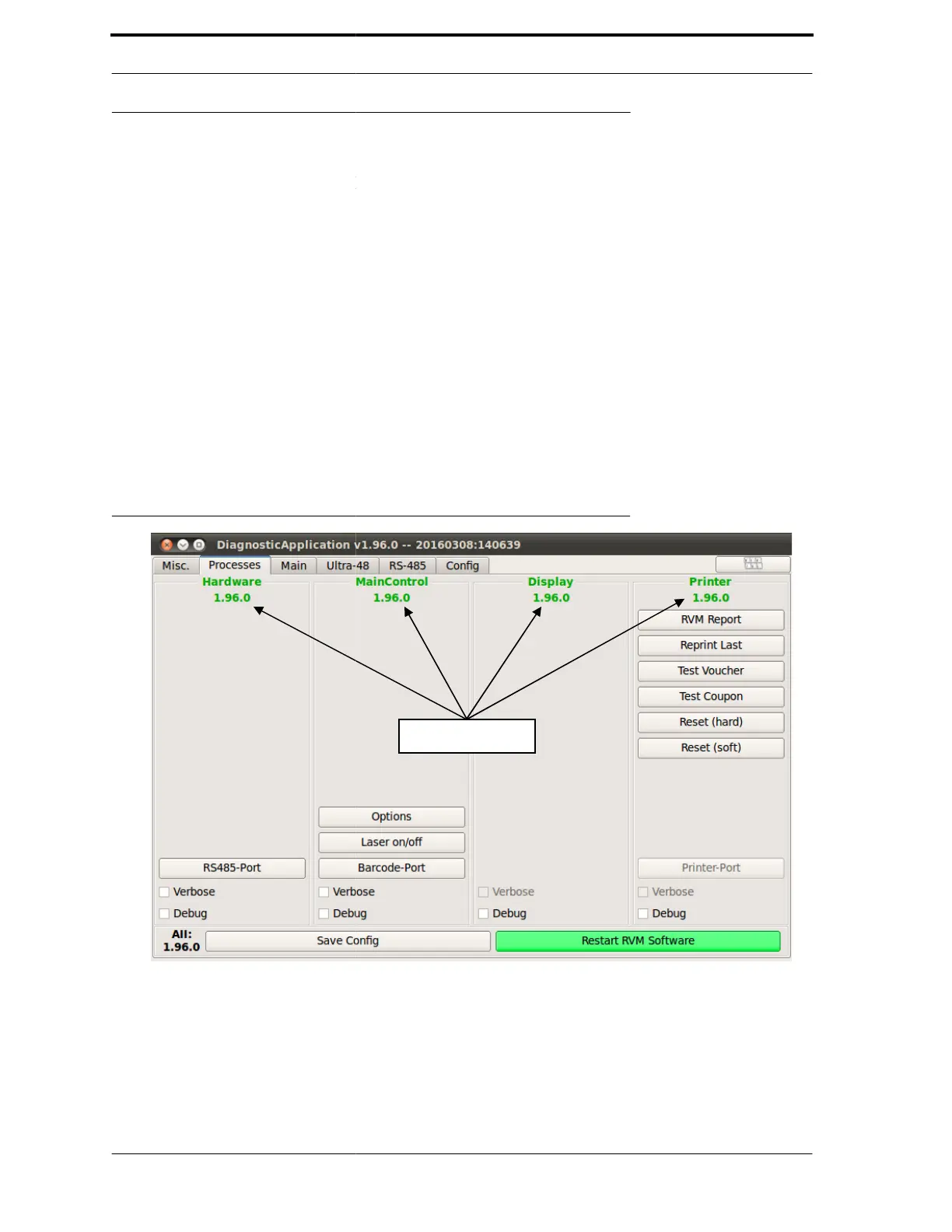
The Processes tab, shown in Figure
column provides options for a
options for each. The Save Config
FIGURE 4-7. Diagnostics -
1.
Hardware Process -
which are conveyed
RS-485 port on the PC
errors.
Chapter
4
to test components and configure the RVM. The
Diagnostic Program:
-7, gives an overview of FLEX’s software processes.
process. It displays the version of each process
is not used in the field.
Tab
the internal data communications of the
an RS-485 serial bus. The RS
RSRS
RS485-Port
button resets
Its purpose is to diagnose internal communica
in this
Each
some
,



 To Next Page