Chapter
4
4.4.2.
Misc Tab
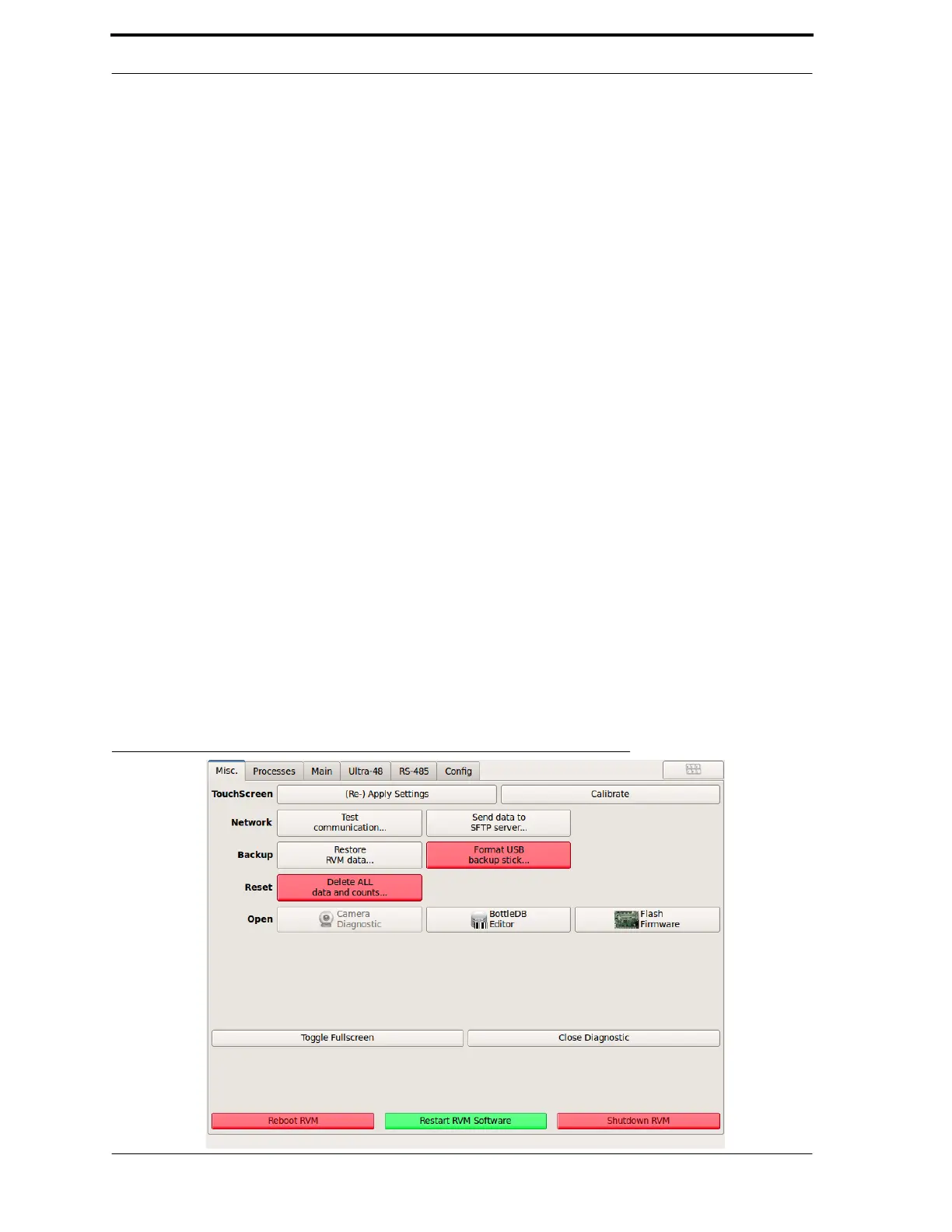
The Misc tab, shown in Figure 4-8, gives the following options:
•
••
• Touchscreen options
- You can Re-apply
the touch screen settings or Calibrate
the touch screen.
•
••
• Test Communication
- Tests the RVM’s communications with the other RVMs on
the local area network and its connection to Envipco’s servers. The test takes up to
5 minutes, and a window pops up to show the communication statistics.
•
••
• Send data to SFTP server
- Creates RVM Qfiles and transmits the zipped file to
Envipco’s servers.
•
••
• Restore RVM data
- Restores RVM data from a back USB stick.
•
••
• Format USB backup stick
- Format’s a USB stick to be used as a backup stick.
•
••
• Delete ALL data and counts
- Clears all counts for installation once testing is completed.
•
••
• Camera Diagnostics
- For use with shape system. Allows for calibration, camera
and laser line setup. Refer to section 6 for setup and calibration.
•
••
• Bottle DB Editor
- Used to view barcodes in the database. These files should not be edited
at the machine.
•
••
• Flash Firmware
- Facilitates firmware updates of the circuit boards (Light
Curtain, MC1, MC5)
•
••
• Toggle Fullscreen
- Minimizes the Diagnostic Program screen to access the Linux
desktop.
•
••
• Close Diagnostic
- Exits the Diagnostic Program.
•
••
• Reboot RVM - Restarts the RVM by shutting down and then restoring power to
the machine.
•
••
• Restart RVM
software
- Restarts the RVM software without removing power from
the machine.
•
••
• Shutdown RVM
- Powers down the machine.
FIGURE 4-8. Diagnostics - Miscellaneous Options Tab



 To Next Page