4.4.3.
Main Tab
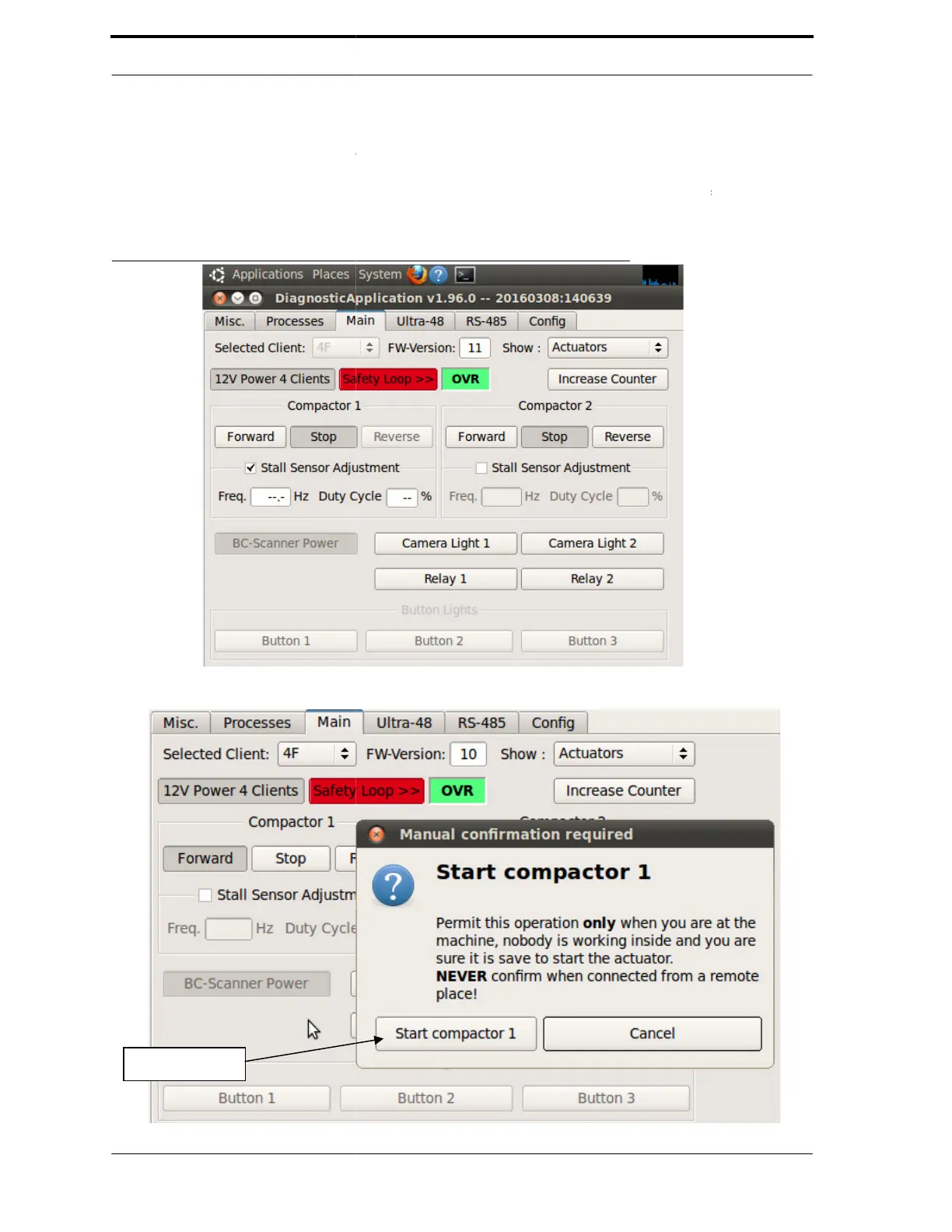
The Main tab, shown in Figure 4-9,
board: safety interlock,
Actuators. Click on Actuators
to
Thresholds” on page 4-17 for
FIGURE 4-9. Diagnostics - Main Tab
Compactor Start Info Screen Conformation
contains options for the processes controlled by the
relays, and lights. The default screen shows the
to Sensors or Thresholds. See Section 4.5
about sensors and thresholds.
Compactor Start Info Screen Conformation
1
for the
and



 To Next Page