2.
Main Control Process - Controls all of the other software processes. It also directly
controls the RVM’s barcode scanners.
•
••
• Options - Allows you to turn on Accept Mode or Reject Mode for testing
purposes. These options force the machine to accept all containers or to reject
all containers.
•
••
• Laser on/off
- Turns the barcode scanner on and off.
•
••
• Barcode-Port
- Resets the barcode scanner port of the PC board.
3.
Display Process - Controls the video display. There are no options in this section.
4.
Printer Process - Controls the printer.
•
••
• Reprint Last
- Reprints the last voucher.
•
••
• Test Voucher
- Prints a test voucher.
•
••
• Test Coupon
- Prints a test coupon, if one is configured.
•
••
• Reset (hard)
- Resets the printer by removing and restoring power to it.
•
••
• Reset (soft)
- Resets the printer’s software.
•
••
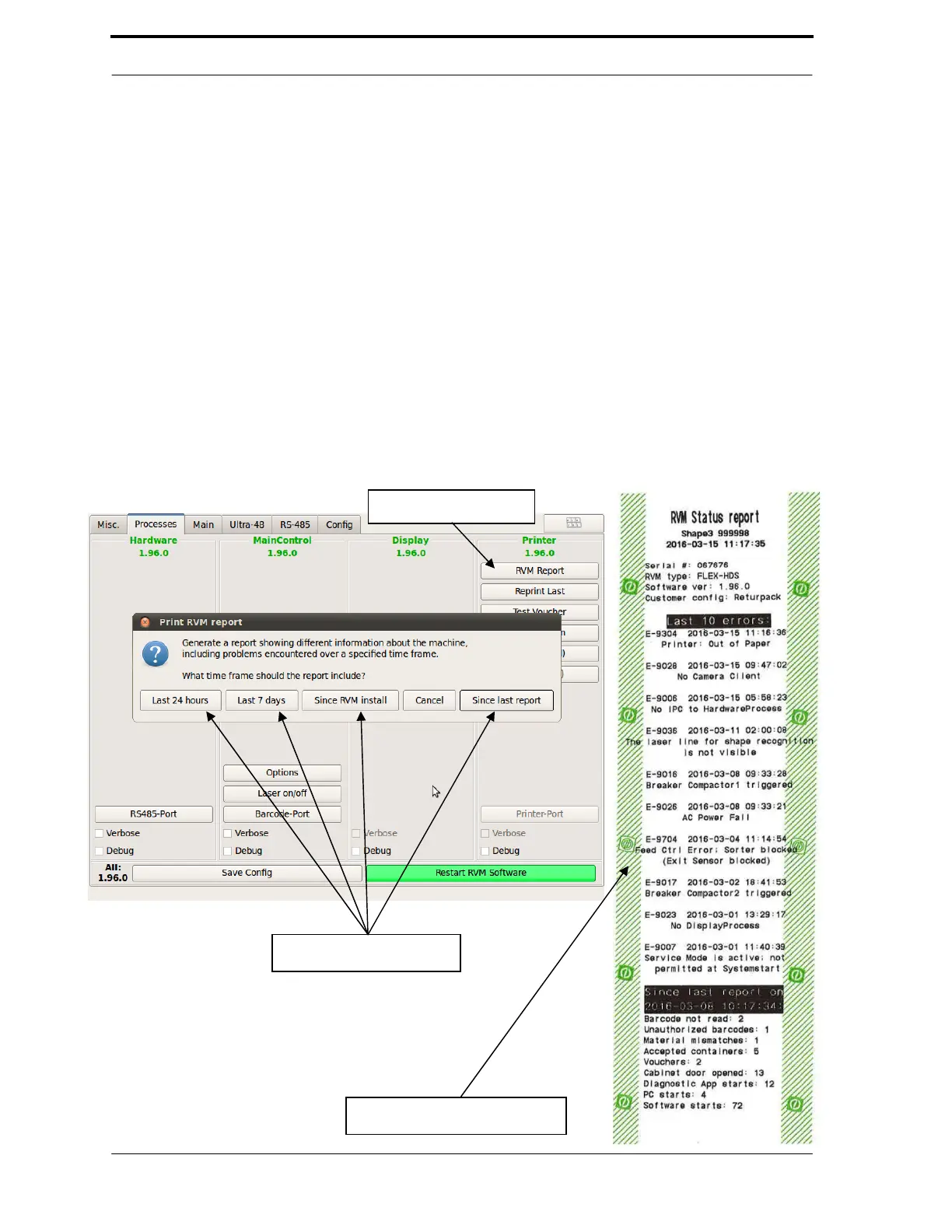
• RVM Report
- Prints a report voucher for the time period selected. See example
below.
Choose Report Options



 To Next Page