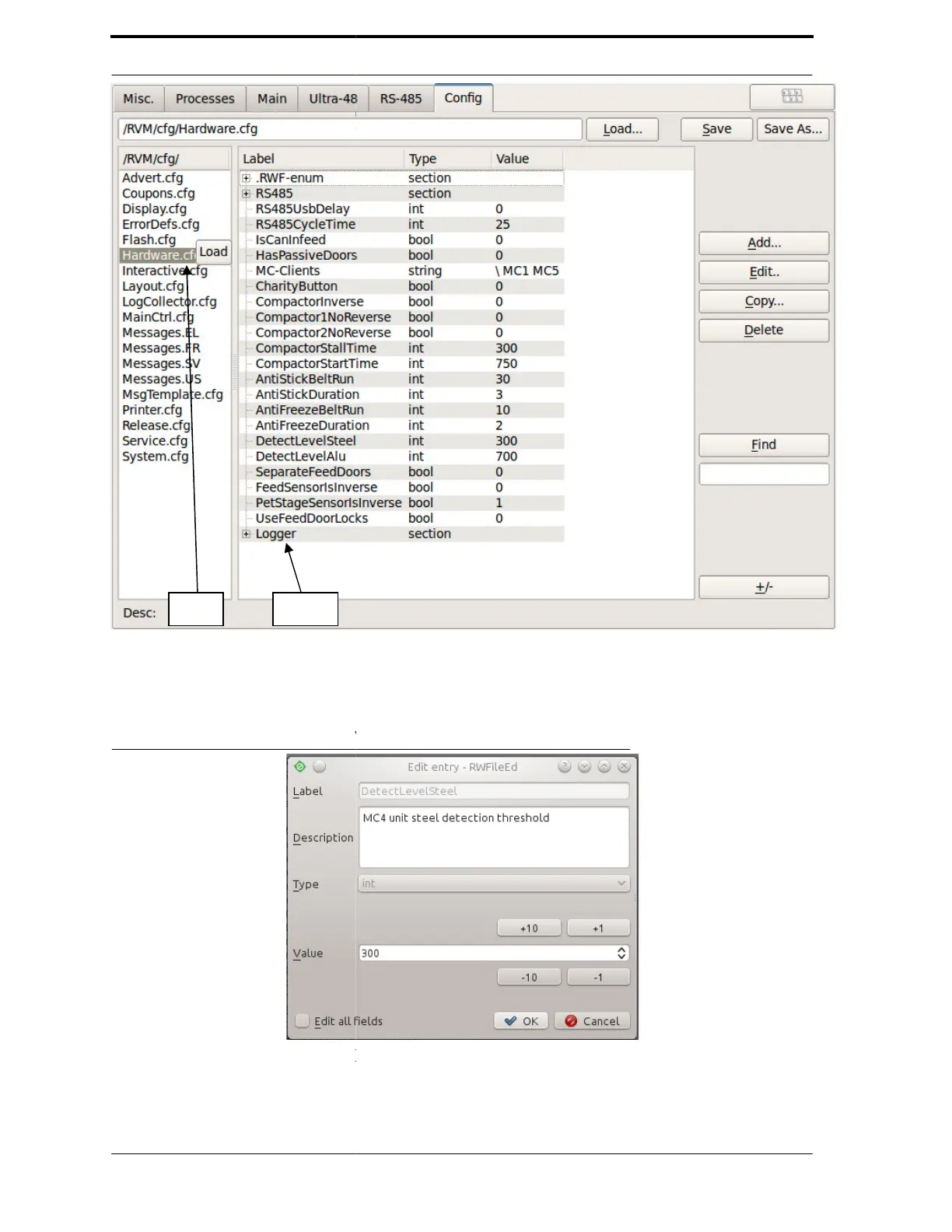
FIGURE 4-14. Loading a
To edit an option, highlight the line
edit window, as shown in Figure 4-
-1 but- tons to increase or decrease
FIGURE 4-15. Edit Configuration
To add an entry to the file, click on
fill in the fields for Label,
File
then click the Edit... button to the right. You will
For entries that are integers, you can use the +10,
value as desired.
Add... button. You will see a similar window
, Type, and Value.
see the
, -10, or
you can



 To Next Page