EPS NEXUS Manual V1.5.2 EN WWW.EPSBV.EU 10
3.2 Filter pump connections
• For instructions on system configurations and settings see page 37
o It may be necessary to configure the pump used for proper system operation.
• Always follow the instructions of the respective device.
3.2.1 Single speed:
3.2.2 Pentair SuperFlo/Whisperflo VS/VS2
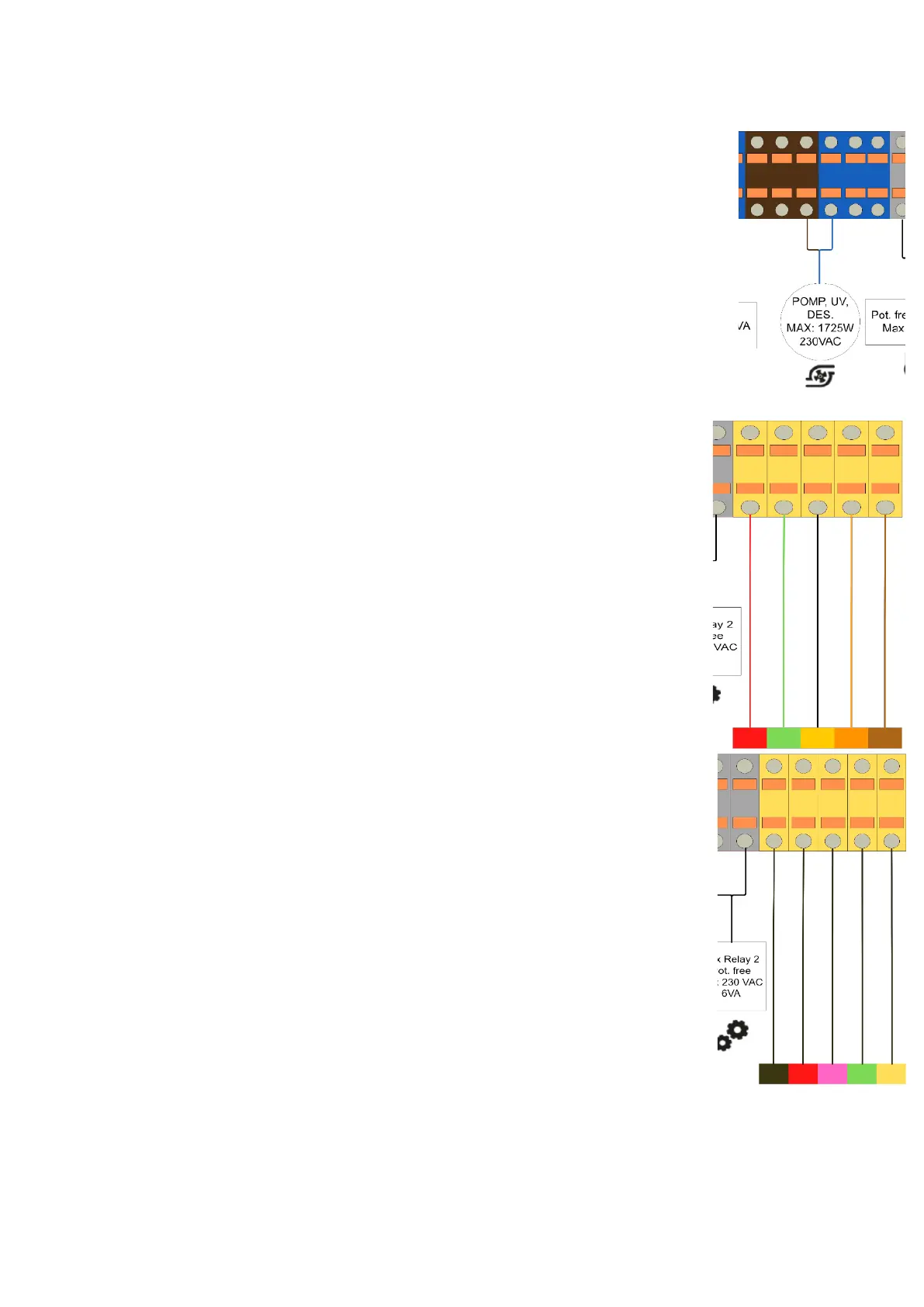
In addition to the power supply as described 'electrical overview', the communication cable needs to be
connected. The connection blocks are on the right and are visualized below.
• To activate the external control mode:
1. Stop the pump by pressing the Start/Stop button.
2. Activate External Control Only mode by pressing and hold the Start/Stop button for 3
seconds.
3. If successful, the LED next to Ext. Control Only will illuminate. See Figure 7.
4. The Start/Stop button must be pressed again to allow the pump to run.
• Turn off prime mode:
o Once priming has begun, the speed can be adjusted between 3450 and 1700 RPM using
the "+" and "-" arrows. If it is adjusted below 1700 RPM, priming mode is disabled and the
pump immediately starts running scheduled speed.
3.2.3 DAB E-swim
Configuration on Nexus: Zodiac FloProVS
In addition to the power supply as described 'electrical overview', the communication cable needs to be
connected. The connection blocks are on the right and are visualized below.
Follow the steps in the manual of the DAB E-swim under 6C. External control
Switch off prime mode!


 To Next Page