EPS NEXUS Manual V1.5.2 EN WWW.EPSBV.EU 18
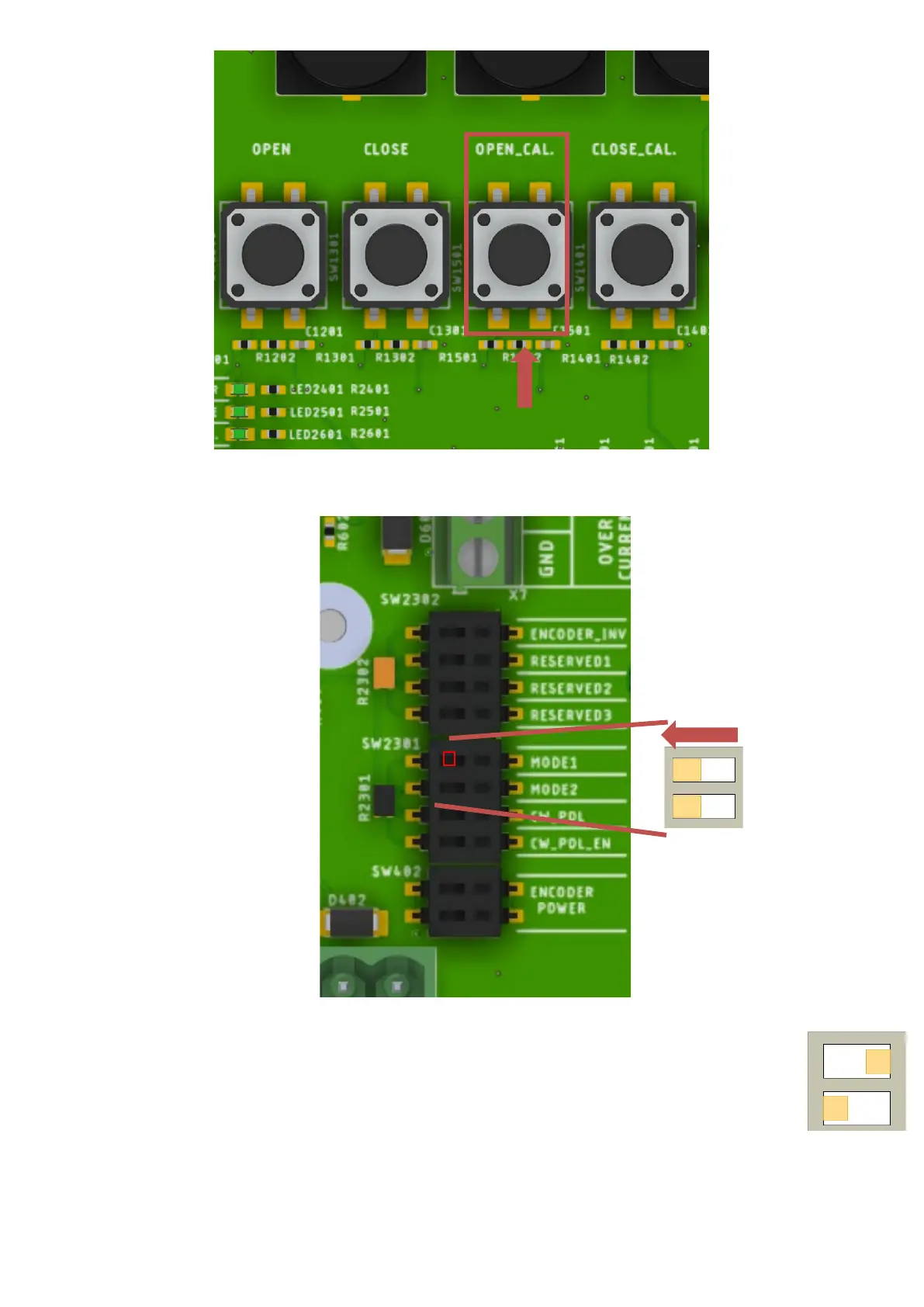
When the open position is reached press the 'OPEN_CAL.' Button.
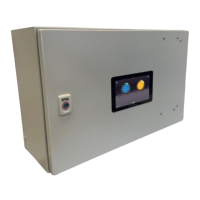
Return the dipswitch to normal mode and check that the "Calibration needed" light has gone out. After this, the calibration is complete and
the deck can be operated via the "open" and "close" buttons, among others.
.4.3 Failed calibration
If something goes wrong during a calibration procedure, the following steps should be followed
1. Make sure mode 1 is to the right and mode 2 is to the left (Step 2 of the calibration procedure and as shown here)
2. Close the deck with the close button for a bit by pressing the button for a second.
3. Press the close_cal. Button
4. Using the 'open' button, open the deck back a bit by pressing the button for a second.
5. Press the open_cal. Button
6. The procedure is now complete, but with an incorrect calibration, move the mode1 dipswitch back to the left and start the
calibration procedure again at '1)'.


 To Next Page