EPS NEXUS Manual V1.5.2 EN WWW.EPSBV.EU 51
5.12 Cover
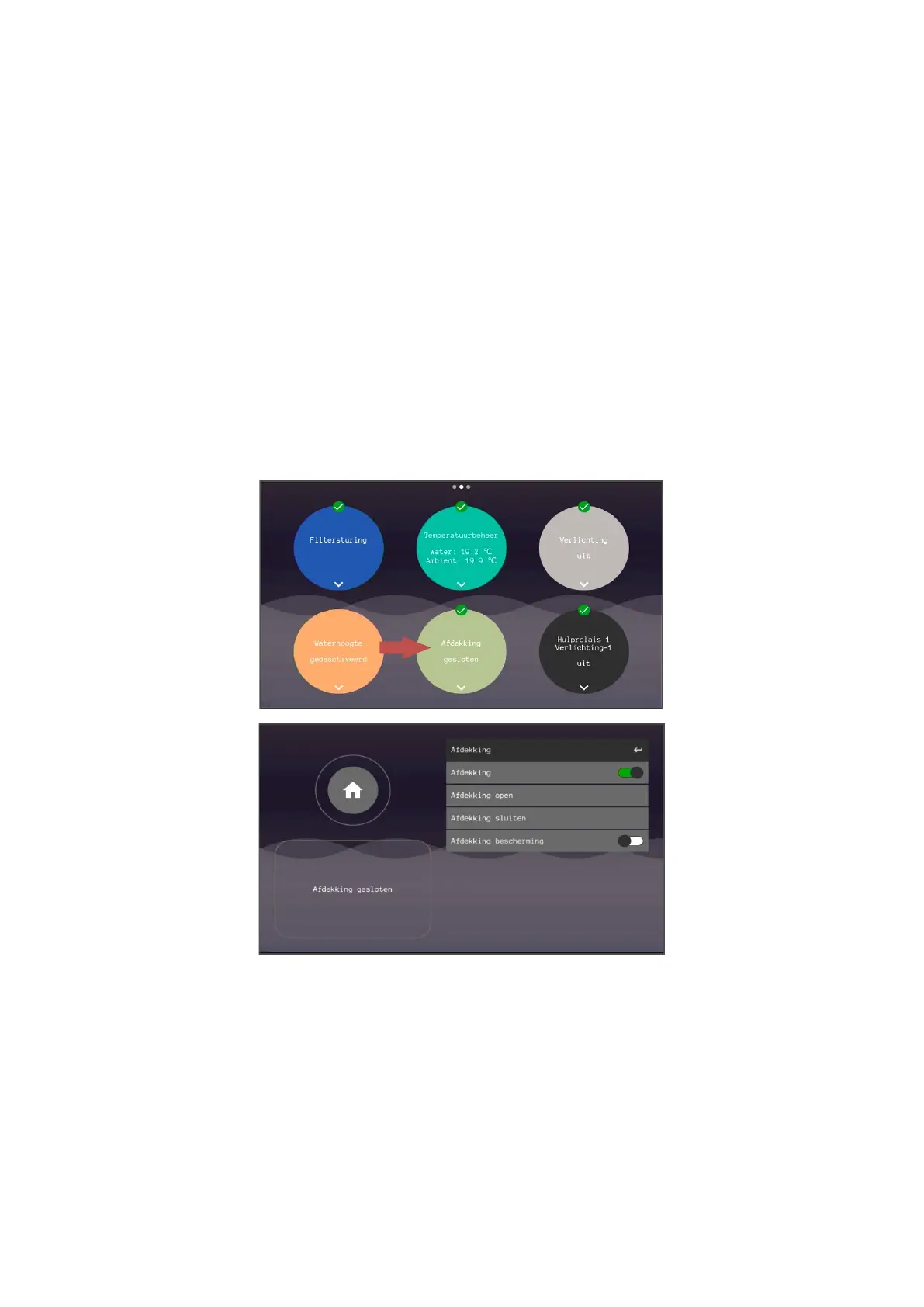
The cover can be operated via the touchscreen. For this, the connection for the open/close buttons of the deck control box must be
connected to the IO unit. The system gives a pulse when operating the deck via the touchscreen. In this action, the system always asks
whether the pool is visible and safe.
To cancel a deck movement, press open or close again.
In case of a deck movement, the filter pump will be switched off for 2 minutes.
1. Cover protection
This feature only works with a water height sensor. The deck is blocked when the water height is too high or too low for 2 minutes and is
released again at water height: high, low or ok.
Note! The cover protection can be switched off, be aware that if the water level is incorrect damage to the cover can occur when used in this
situation. So only turn off this protection if you are sure that the deck is allowed to move.
2. Lighting
The pool lighting can be switched off automatically via the sensor input when the deck is closed. This control has a 5-minute delay, which
means that the lighting goes out 5 minutes after closing the deck.
3. Always follow the instructions of the respective device
4. If the pool installation does not have a cover, the user can switch off this control completely by means of the on/off
slider "Cover".


 To Next Page