EPS NEXUS Manual V1.5.2 EN WWW.EPSBV.EU 46
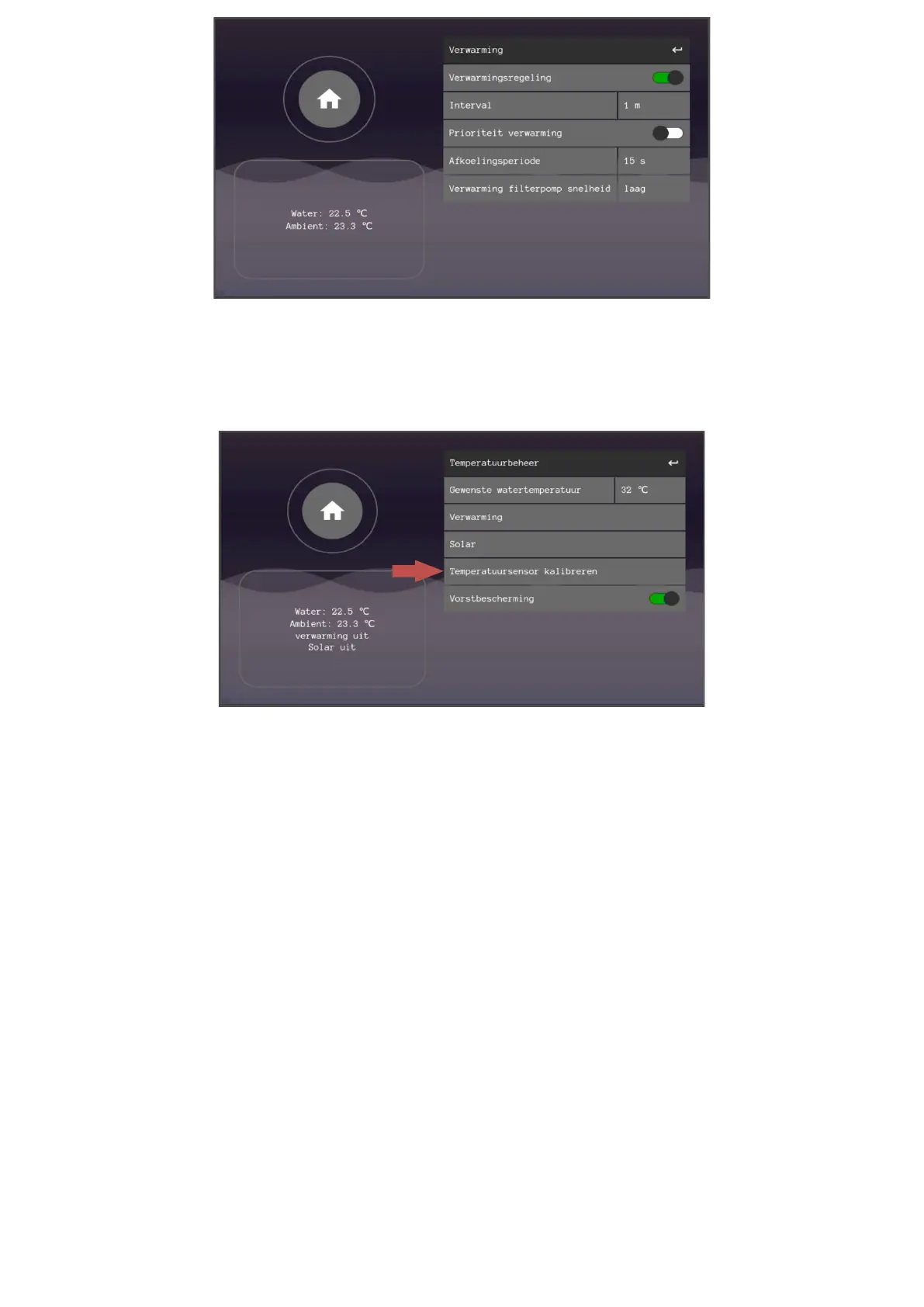
5.9.1 Temperature sensor calibration
1. Go to temperature management
2. Press the relevant sensor
3. Press the line in the pop-up and enter the PIN code 1237
4. Calculate and fill in the temperature difference of the displayed temperature and the actual temperature. In the event of a major
deviation, you should inspect the sensor for defects.


 To Next Page