EPS NEXUS Manual V1.5.2 EN WWW.EPSBV.EU 38
5.7.3 Examples filtering schemes
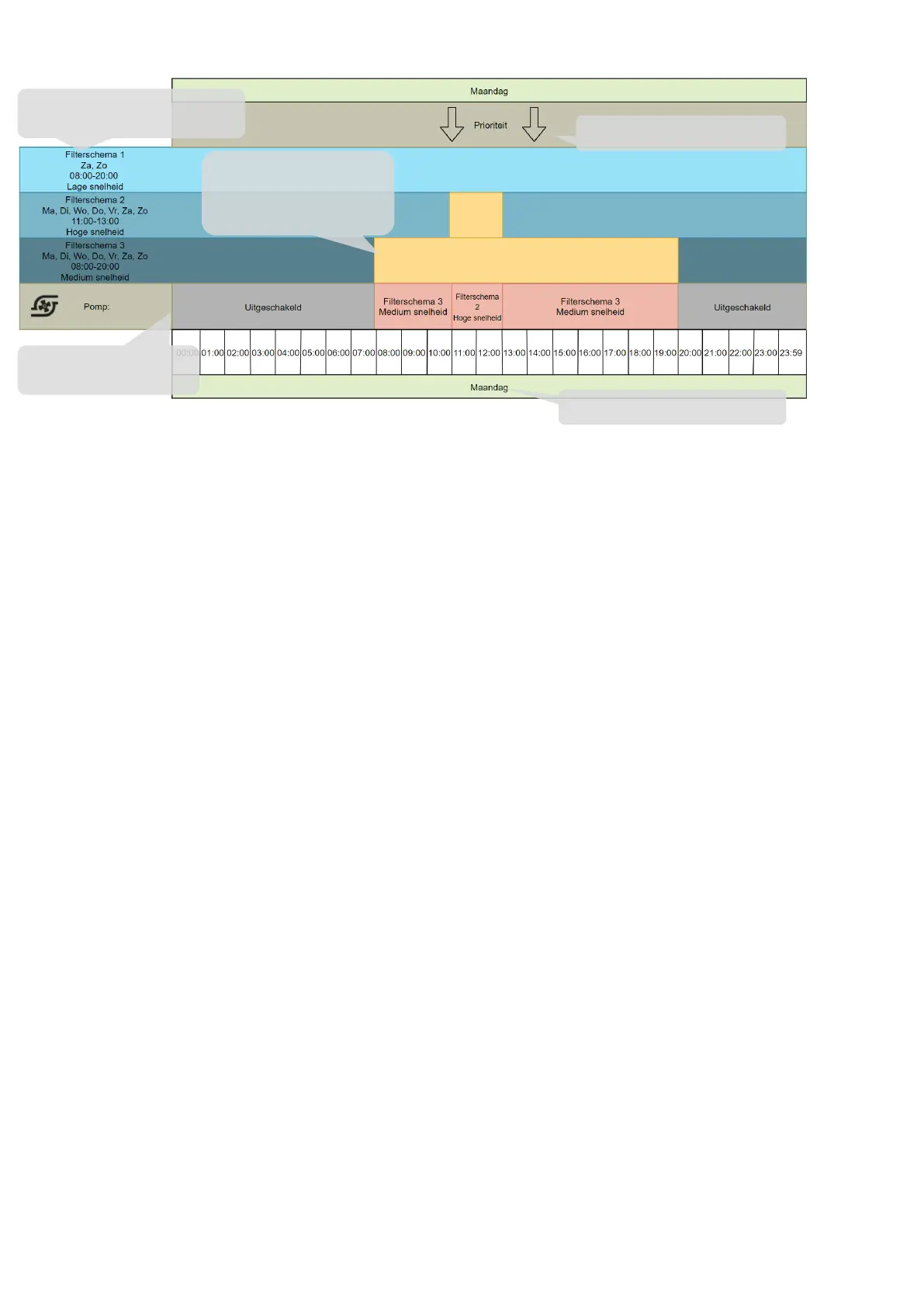
Example 1
Notes:
• Filter schedule 1 is set in this example, but because it is Monday and this schedule is selected for Saturday and Sunday, filter
schedule 1 does not affect the pump on a Monday.
• Filter schedule 2 is set from 11:00 a.m. to 1:00 p.m. Because priority runs from top to bottom (or from 1 to 3), the pump will run at
high speed from 11:00 a.m. to 1:00 p.m. It is selected for filter schedule 2. This is because it is selected for filter schedule 2.
• Filter schedule 3 is set from 08:00 to 20:00. Since there are no other filter schedules set with higher priority from 08:00 to 10:00,
the pump will run at medium speed, which is namely set for filter schedule 3. From 11:00 to 13:00, filter schedule 3 will no longer
have any effect, filter schedule 2 has a higher priority. At 14:00, the pump will follow filter schedule 3 again because filter schedule
2 has ended.
Here you can see what the
pump actually performs.
These are the adjustable filter schemes
as explained on page 37
Timeline & day in question
Active Filter Schedule: As seen
in the settings, this schedule is
active on Monday 08:00 until
Priority runs from top to bottom


 To Next Page