EPS NEXUS Manual V1.5.2 EN WWW.EPSBV.EU 28
5 Setting up and operating
5.1 Algemene bediening
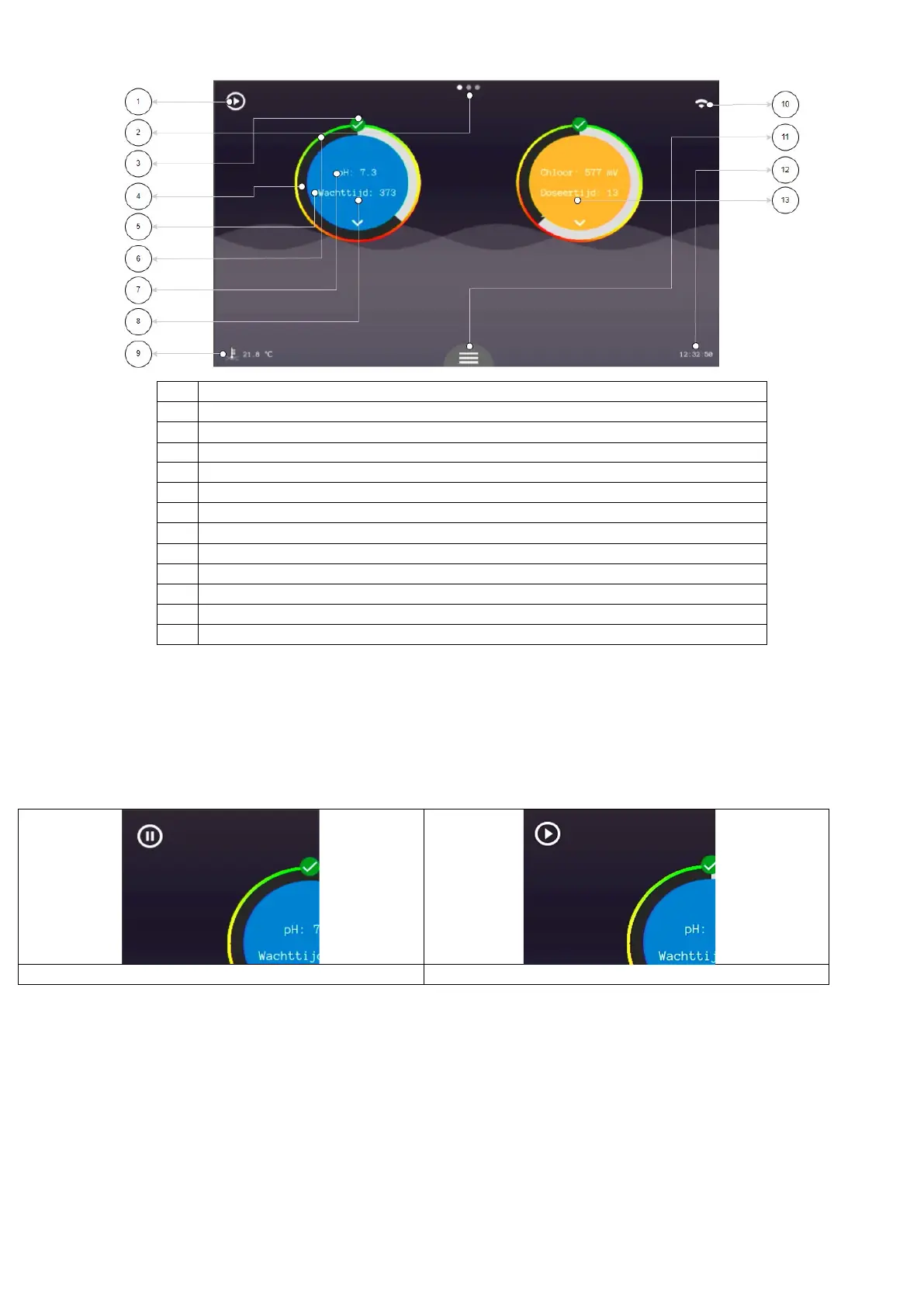
Pause/play button to stop full automation.
Status of the respective control
Pause time display/dose display
Pause time display/dose display
5.1.1 Pauze/play button
Pressing the button at the top left of the home screen will pause the entire system. All controls will be stopped until the user reactivates the
system. This feature is for quick stopping of automation to empty the filter basket of the filter pump, for example.
Caution! The controls stop immediately. If the heater is to be cooled when switched off you may not use this function or only briefly. This
depends on the type of heater, so always follow the instructions of the respective device.


 To Next Page