EPS NEXUS Manual V1.5.2 EN WWW.EPSBV.EU 49
1. Lighting configuration
In most situations, single color pool lights can simply be switched on and off with the various control options. For color spots, it may be
necessary to adjust the configuration.
Astralpool lumiplus RGB/Ignia RGB
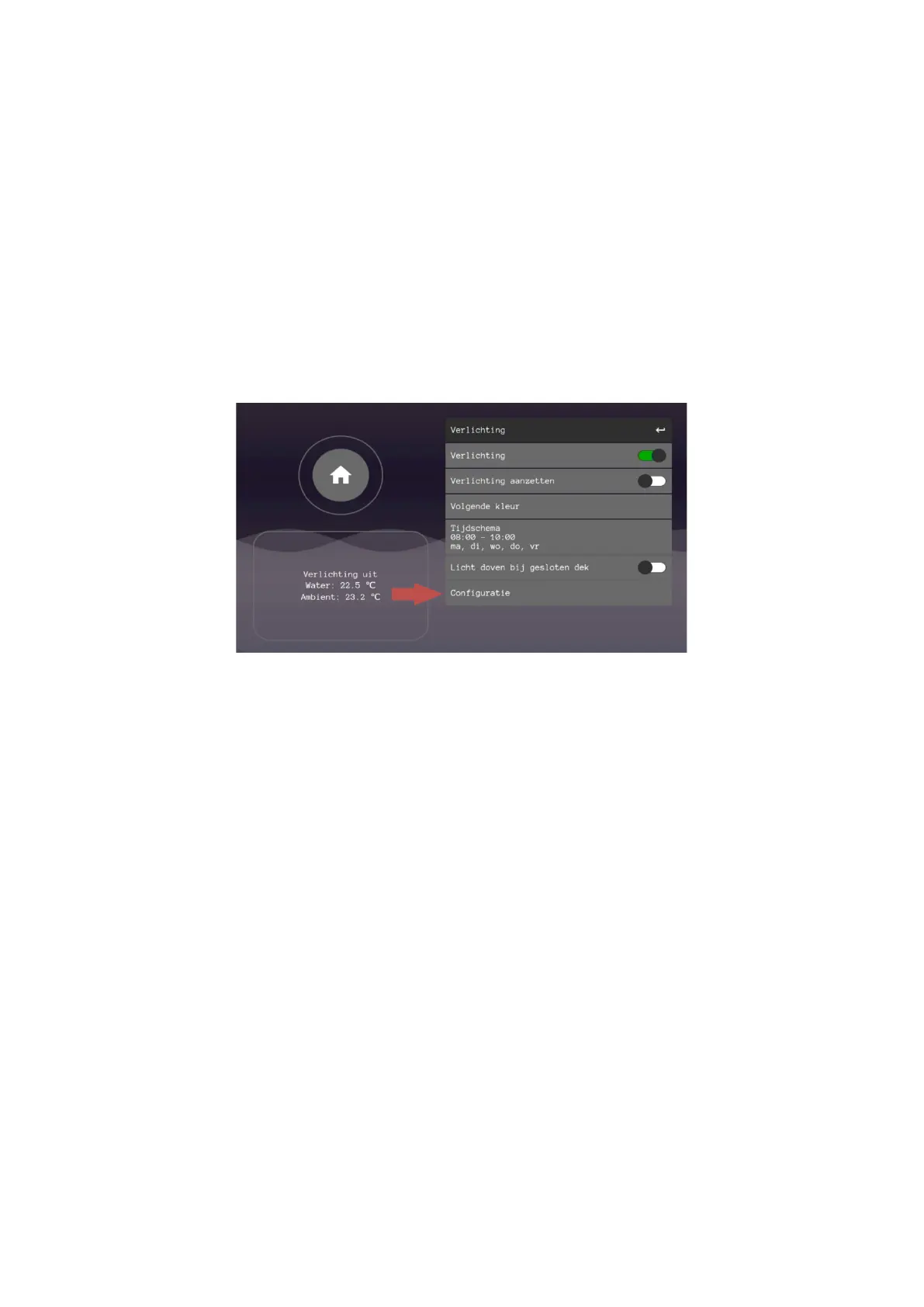
With the Astralpool lumiplus RGB and the Ignia RGB underwater spotlights, it is necessary to adjust the configuration in the system. To do
this, go to configuration and turn on 'STL-RGB'. You can now choose the lighting color.
A color can now be chosen from the lighting menu.
If several spotlights are installed and the spotlights are not all the same color, the lighting can be calibrated by switching on 'white' as the
selected color.
Universal RGB/Rotating RGB
In addition to the astral lumiplus and Ignia RGB underwater spotlights, alternatives to RGB underwater spotlights are numerous. In many
cases, an RGB spot can be switched to the next color by briefly interrupting the power supply and turning it back on.
For these lamps you can choose rotating RGB. This refers to an RGB spot that rotates through the different colors in a fixed way after a short
switch off and on (or a pulse). When the configuration 'rotating RGB' is chosen, the user can choose the different colors by pressing the next
color. A short pulse follows. If the pulse is not short or long enough, the pulse can still be adjusted in the lighting menu.
1. If desired, the lighting can also be set via a calendar. Then enter the desired days and time.
2. The function 'turn off light when closed deck' automatically ensures - after 5 minutes - that the pool lighting is switched
off when the pool cover is closed. The 5-minute delay allows you to keep a good view of the pool during deck closure
and for a short period afterwards.
3. If the installation does not have pool lighting, the user can switch off this control completely by means of the on/off
slider "Lighting".


 To Next Page