EPS NEXUS Manual V1.5.2 EN WWW.EPSBV.EU 31
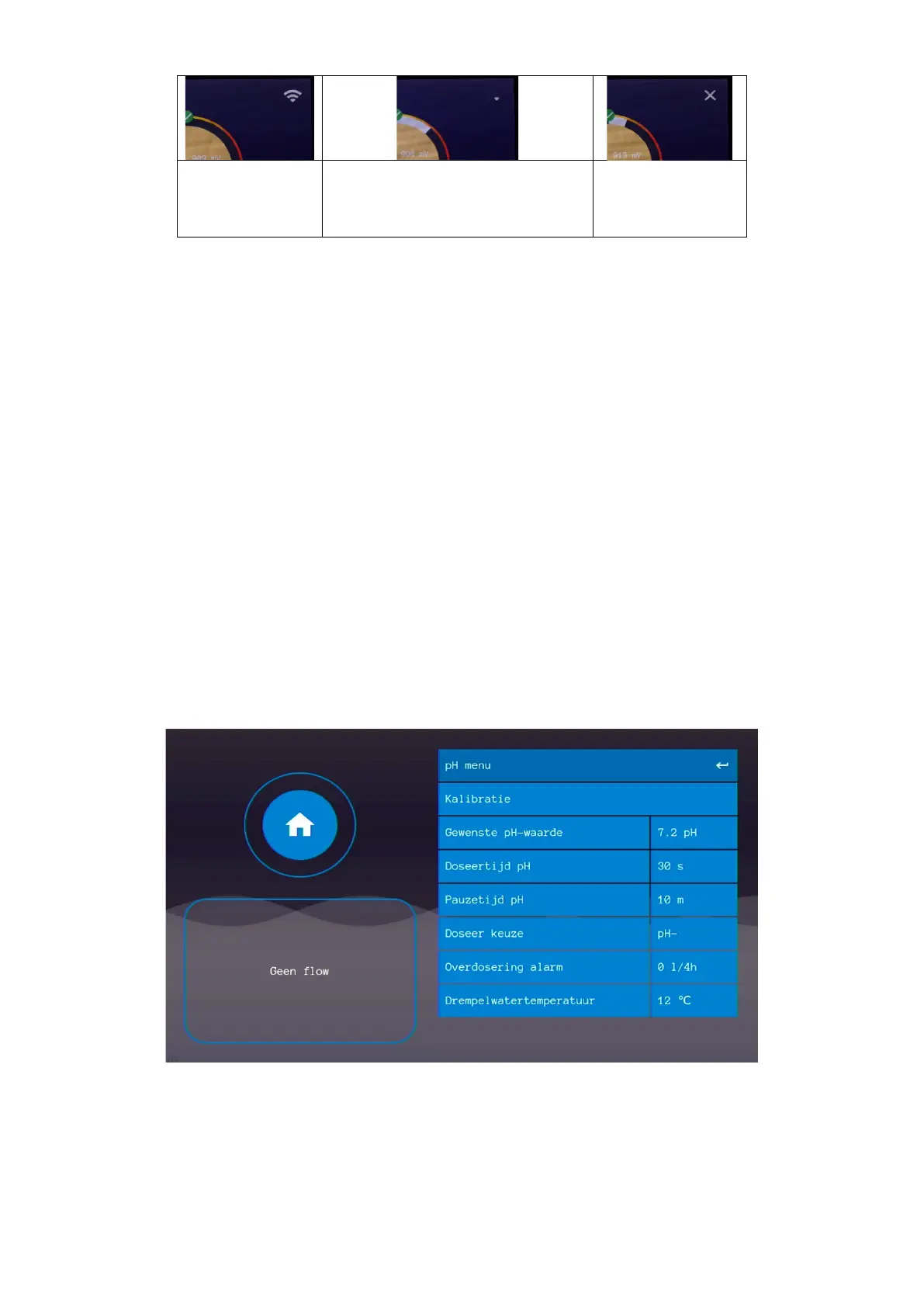
5.2.2 Connection status
To connect to the Internet, a network cable providing access to the Internet must be provided.
Connected, but no Internet. Check
possible firewalls or other ways in
which access to the Internet is
See Chapter 5 for connection and login instructions.
5.3 pH settings (#8)
• Desired pH value
The desired pH value for the pool water is entered here. The pump is activated at the appropriate times to keep this value constant within
tolerances.
• Dosing time pH
With this parameter, the dosing time of the pH pump can be set. This determines the size of a dose.
• Pause time pH
This is the time the system will wait after a dose before starting a new dose. The purpose is to give the dosed substances time to mix well
with the swimming water and thus influence the measurement. In this way, the system actually doses only when needed.
• Dosing choice
With this parameter it is possible to choose pH-min or pH-plus dosing. Corresponding correction fluid should of course be inserted. For pH-
min: technical sulfuric acid (never use hydrochloric acid!) and for pH-plus: sodium hydroxide.
• Overdose alarm
With this parameter the maximum permissible volume which may be dosed per 4 hours is entered. 0.00l/4h = dosing alarm OFF. This error
message can only be reset by restarting the system.
• Threshold water temperature
When a water temperature sensor is connected, the system can stop dosing if it falls below the set value. This is because cold water does
not require water treatment. This setting is connected to that of chlorine, so changing this setting causes the same thing to happen to the
chlorine settings.


 To Next Page