EPS NEXUS Manual V1.5.2 EN WWW.EPSBV.EU 16
Make sure the electrical connection is correct.
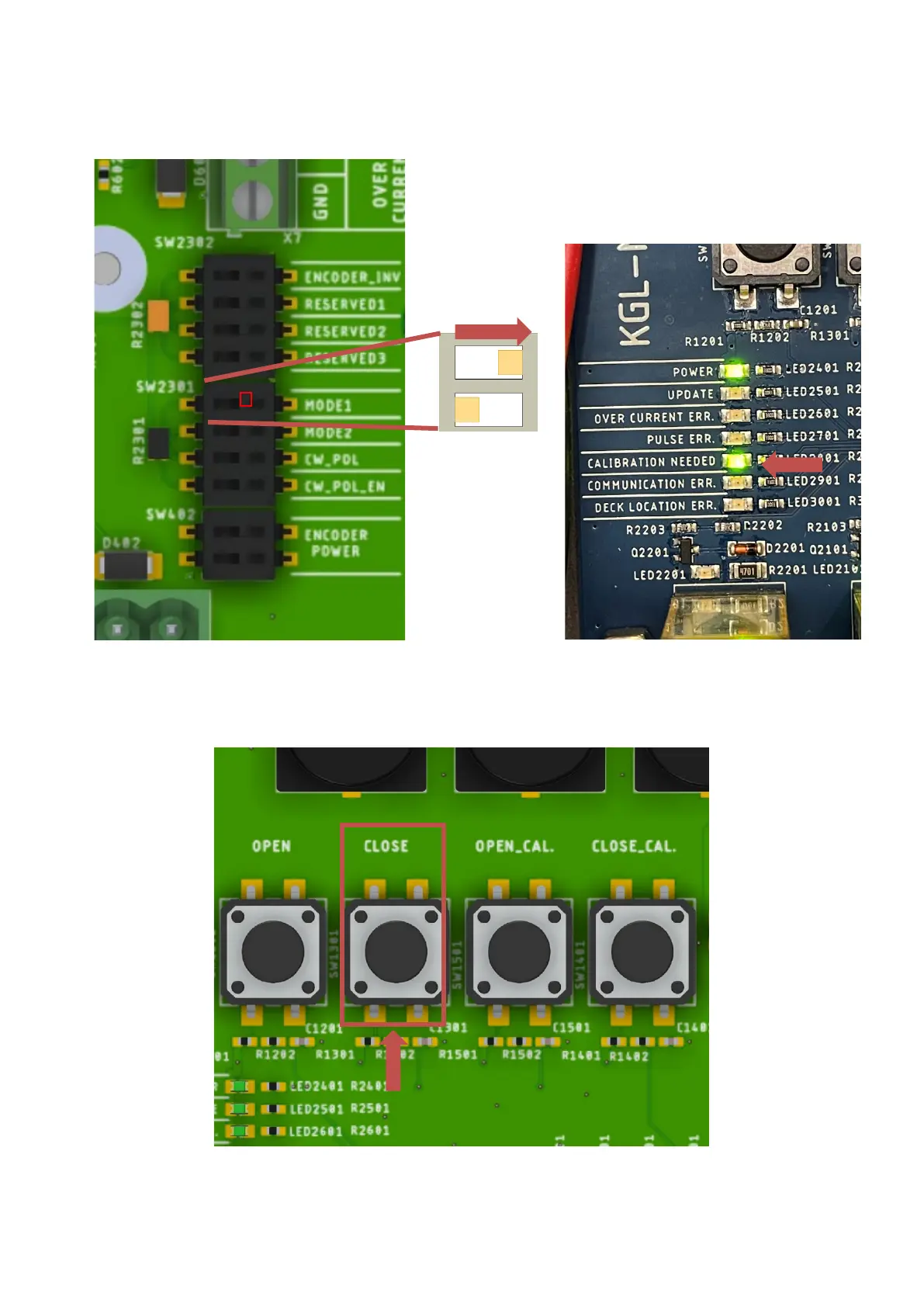
Turn on the NEXUS and set the indicated dipswitch as shown in the figure below. The calibration mode is then active.
If the "Calibration needed" light was not already on, it will come on now.
Check the direction of rotation of the motor. Press close and check that the cover rotates toward the close position.
If not, the + (RED) and - (BLACK) wires must be reversed.
Now that the motor is turning in the correct direction, the first thing to do is to determine the close position. Press the "CLOSE" button until
the close position is reached.


 To Next Page