EPS NEXUS Manual V1.5.2 EN WWW.EPSBV.EU 33
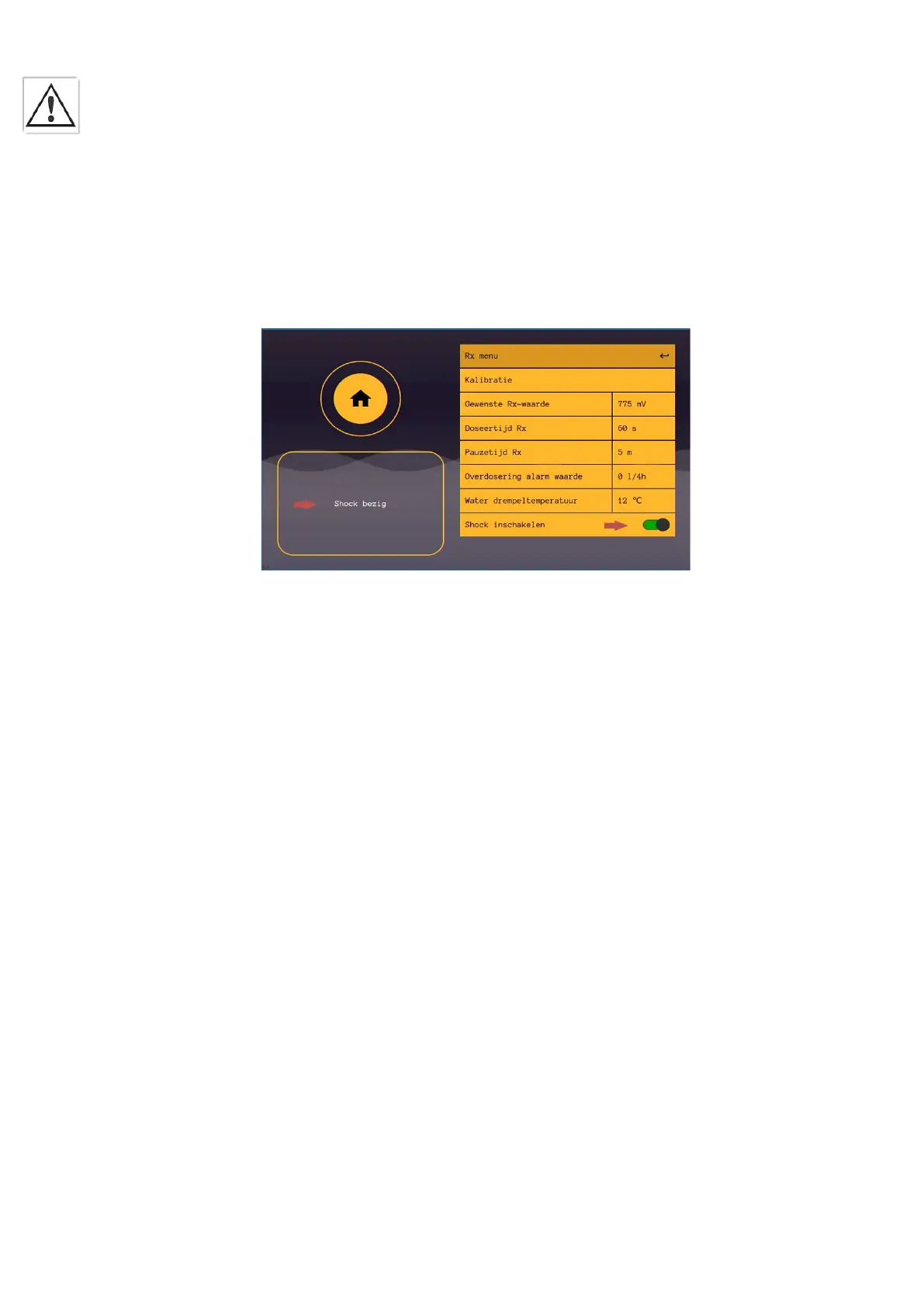
• Shock
The bottom button is for turning on the shock treatment. A shock treatment allows you to add a large amount of oxidant at once.
Caution! The pool should not be used for at least 24 hours.
The duration of shock treatment is determined by the size of the pool. The volume should be entered via General Settings > Control Panel >
Pin: 123 > Pool Volume.
Here you can set the pool volume. The default setting is 60 m3. Always press confirm.
When switching on the shock treatment, you will automatically return to the display screen. In the notification box, you will see a timer
counting down. This is the duration of the shock treatment. When you want to abort the treatment you can go back into the chlorine menu
and turn off the shock treatment.
5.5 Calibrating the pH and Rx sensors.
1) Go to the desired control on the main screen. Select pH or Chlorine.
2) Press calibration
3) Press the appropriate sensor (only one sensor available in this system).
4) Press start calibration and follow the on-screen instructions, then press ok
5) After the timer counts down, press 'ok' again and follow the instructions. In case of Rx calibration, the calibration is now complete
and you will see the condition of your sensor.
6) In case of pH calibration press 'ok', after the timer countdown press 'ok' again and you will see the condition of your sensor.
7) Calibration completed.


 To Next Page