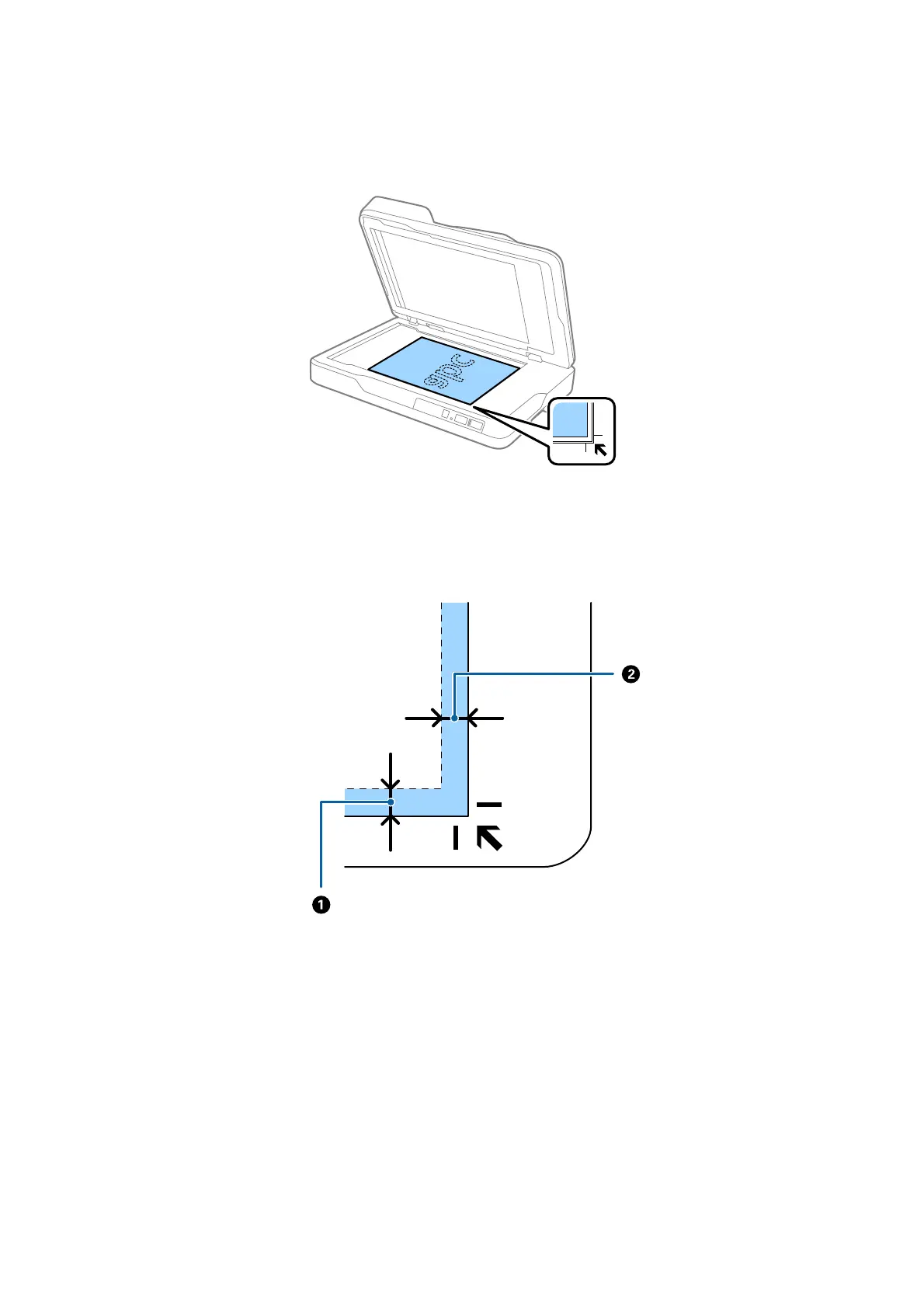
2. Place your original face down on the scanner glass making sure the upper corner of the side you want to scan
is against the corner of the scanner next to the arrow mark.
Note:
o e maximum size of the original you can scan is 216×297 mm (8.5×11.7 in.).
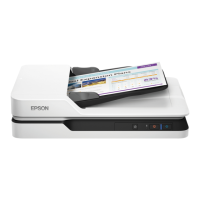
o You can avoid cropping by moving the original about 2.5 mm (0.1 inches) away from the top and side edges
indicated by
A
and
B
in the following gure.
User's Guide
Specications of Originals and Placing Originals
26



 To Next Page