Maintenance
Cleaning Outside the Scanner
Wipe o any stains on the outer case with a dry cloth or a cloth dampened with mild detergent and water.
c
Important:
o Never use alcohol, thinner, or any corrosive solvent to clean the scanner. Deformation or discoloration may occur.
o Do not let water get inside the product. is could cause a malfunction to occur.
o Never open the scanner case.
1. Press the
P
button to turn o the scanner.
2. Unplug the power code from the scanner.
3. Clean the outer case with a cloth dampened with mild detergent and water.
Cleaning the ADF
Aer using the scanner for a while, paper and room dust in the paper path may cause paper feed or scanned image
quality problems. In such cases, or when a message asking you to perform cleaning is displayed on your computer,
clean the ADF.
c
Important:
o Never use alcohol, thinner, or any corrosive solvent to clean the scanner. Deformation or discoloration may occur.
o Never spray any liquid or lubricant on the scanner. Damage to equipment or circuits may cause abnormal
operations.
o Never open the scanner case.
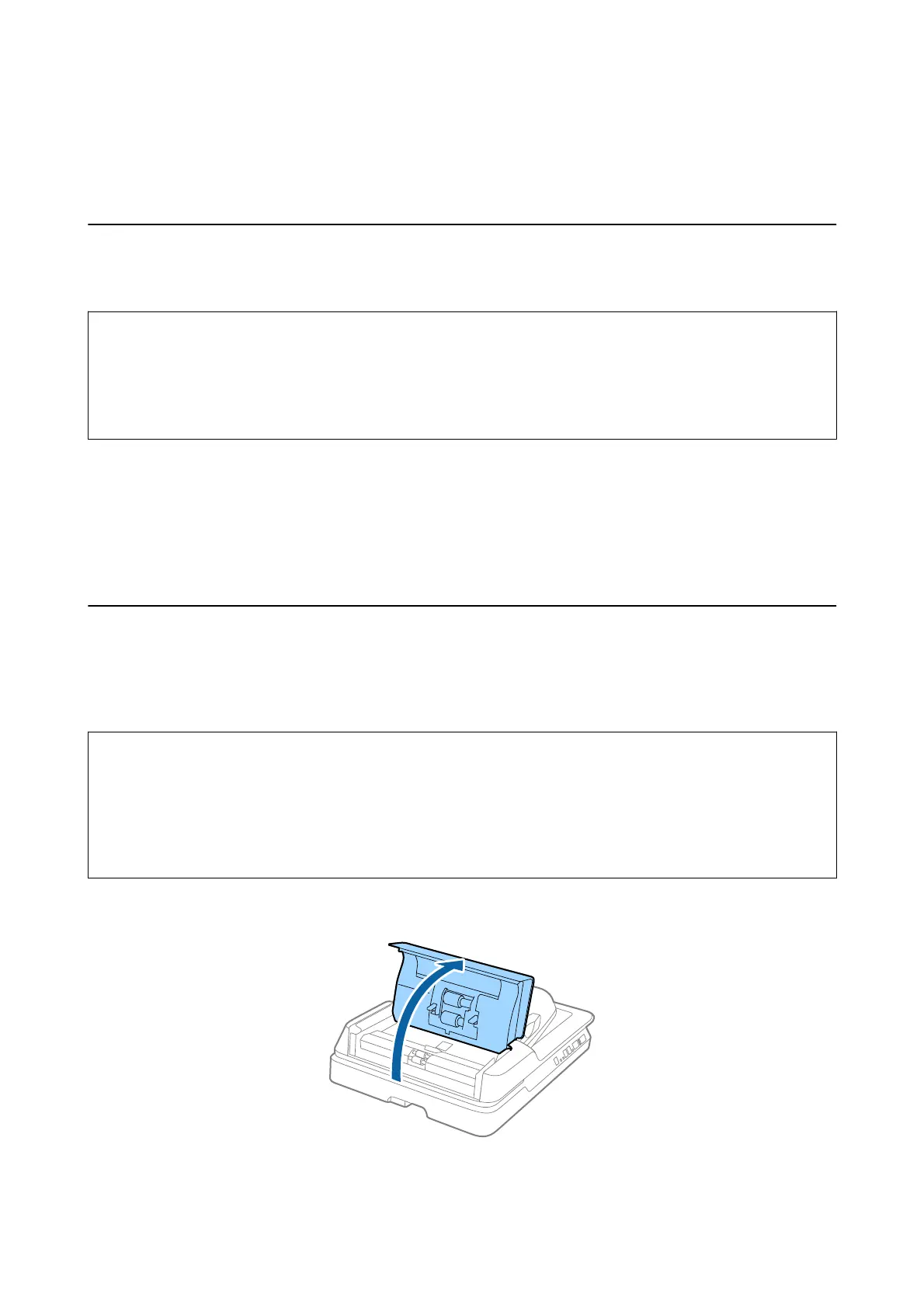
1. Open the ADF cover.
User's Guide
Maintenance
63



 To Next Page