c
Important:
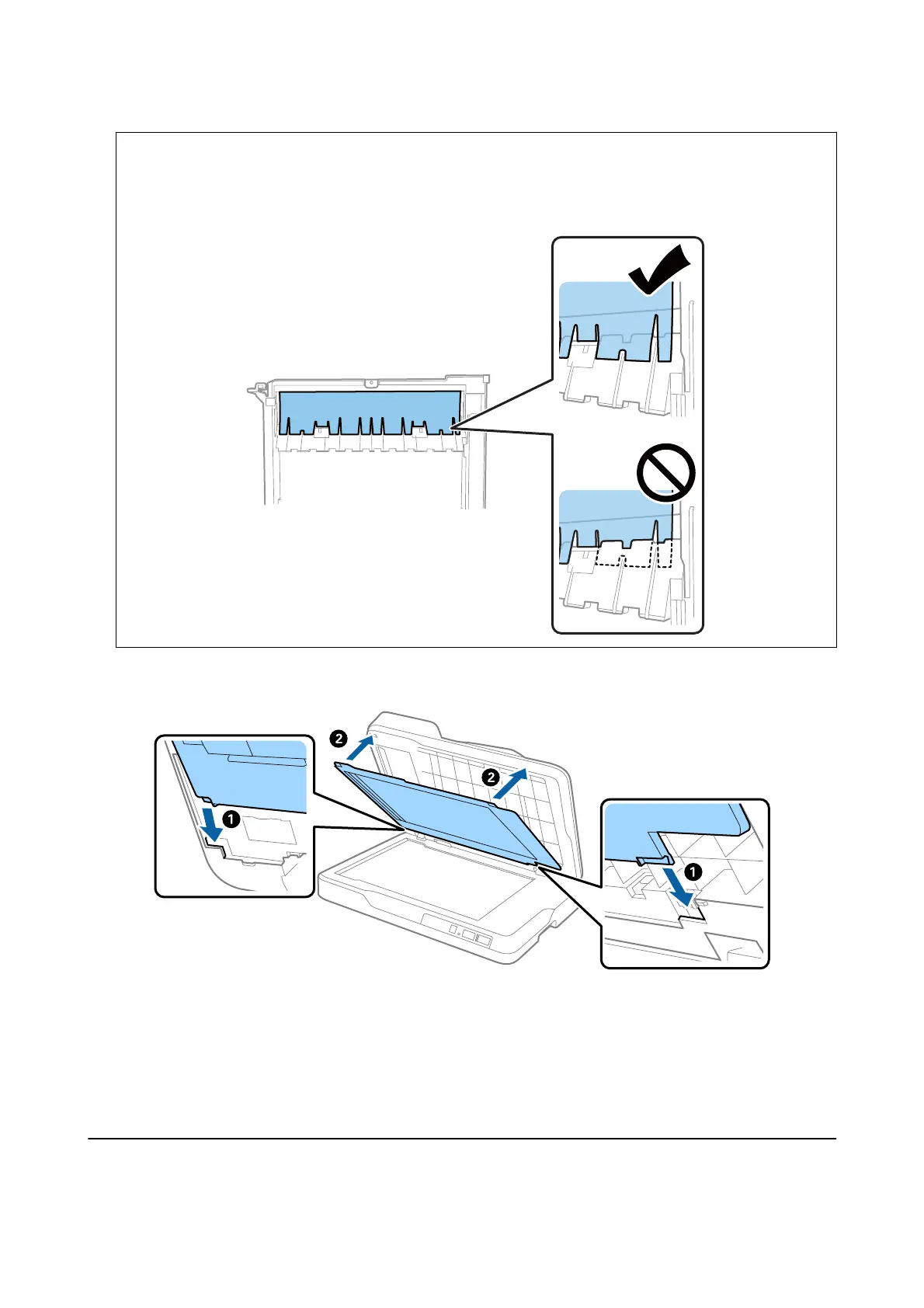
Do not wipe the clear part with too much force. Otherwise, the clear part may be damaged. If the clear part
bends in the wrong direction, it can cause paper feed problems.
7.
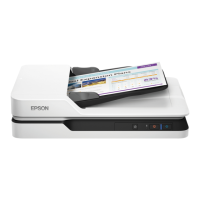
Attach the document mat.
8.
Close the ADF.
Related Information
& “Cleaning Kit Codes” on page 18
Cleaning the Scanner Glass
When the scanned images are smeared or
scued,
clean the scanner glass.
User's Guide
Maintenance
66



 To Next Page