Note:
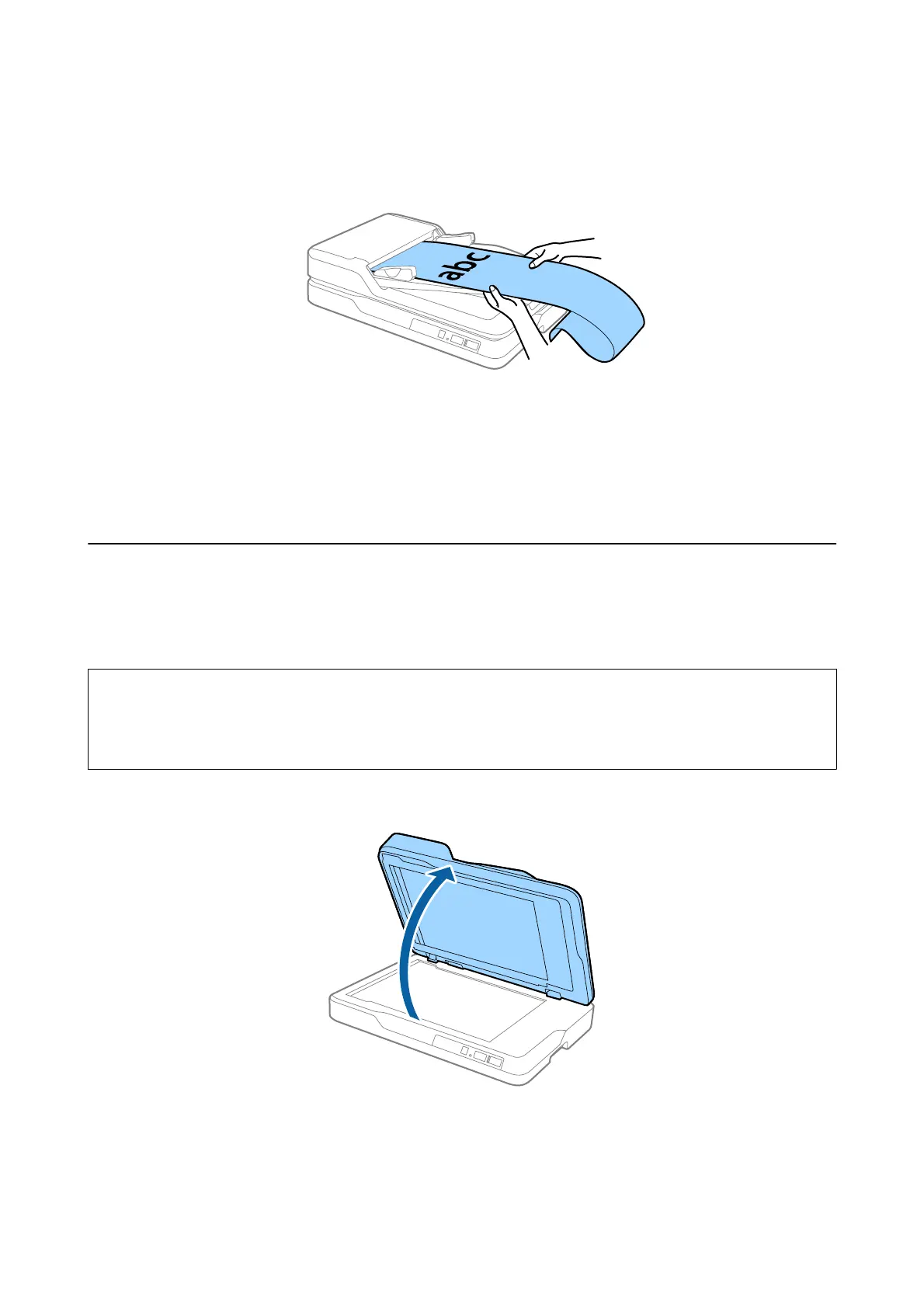
Support the long paper on the input side so that it does not drop out of the ADF, and the output side so that the ejected
paper does not fall from the output tray.
Related Information
& “Specications of Long Paper (for Single Sided Scanning Only)” on page 20
& “Cleaning the ADF” on page 63
&
“Cleaning the Scanner Glass” on page 66
Placing Originals on the Scanner Glass
Placing an Original
c
Important:
o Do not place heavy objects on the scanner glass and do not press the glass with too much force.
o Do not open the ADF wider than an angle of 70 degrees.
is
could damage the hinge.
1. Open the ADF.
User's Guide
Specications of Originals and Placing Originals
25



 To Next Page