Advanced Scanning
Creating Scanned Images to Suit Your Needs
Image Adjustment Features
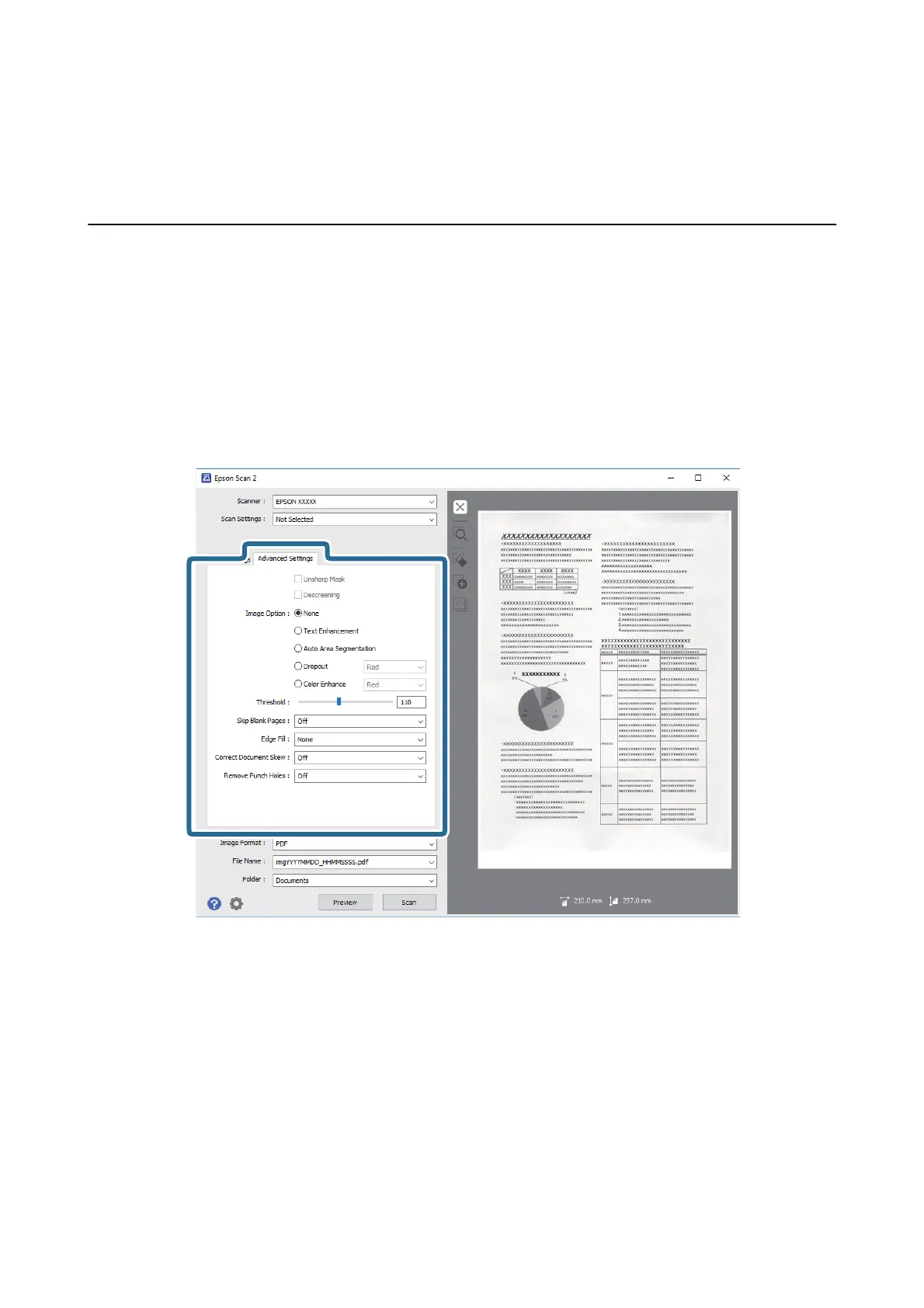
You can adjust scanned images using the features on the Advanced Settings tab in Epson Scan 2.
Except for a few features, you can check the adjustment results in the preview window.
Note:
Some items may not be available depending on other settings you made.
Related Information
&
“Unsharp Mask” on page 40
You can enhance and sharpen the outlines of the image.
& “Descreening” on page 41
You can remove moiré patterns (web-like shadows) that appear when scanning printed paper such as a
magazine.
& “Text Enhancement” on page 41
You can make blurred letters in the original clear and sharp. You can also reduce the oset or unevenness of the
background.
& “Auto Area Segmentation” on page 42
You can make letters clear and images smooth when performing black and white scanning for a document that
contains images.
User's Guide
Advanced Scanning
39



 To Next Page