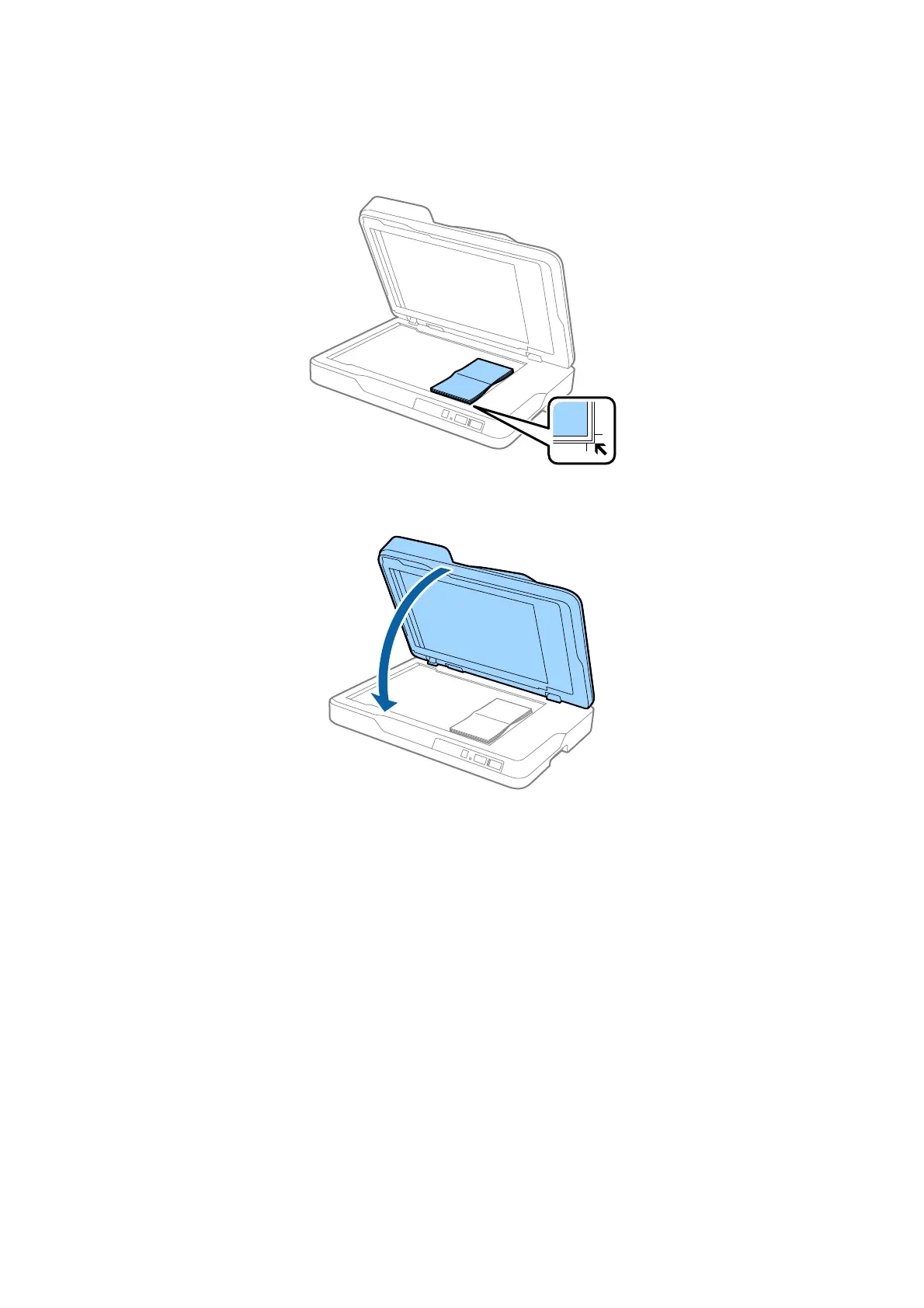
2. Place your thick original face down on the scanner glass making sure the upper corner of the side you want to
scan is against the corner of the scanner next to the arrow mark.
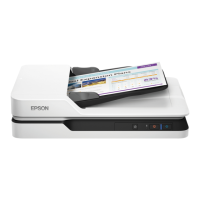
3. Close the ADF gently so that your original does not move.
Note:
If you scan originals over 10 mm (0.4 inch) thick, scan the original by leaving the ADF open and gently pressing down
on your original to atten it.
User's Guide
Specications of Originals and Placing Originals
28



 To Next Page