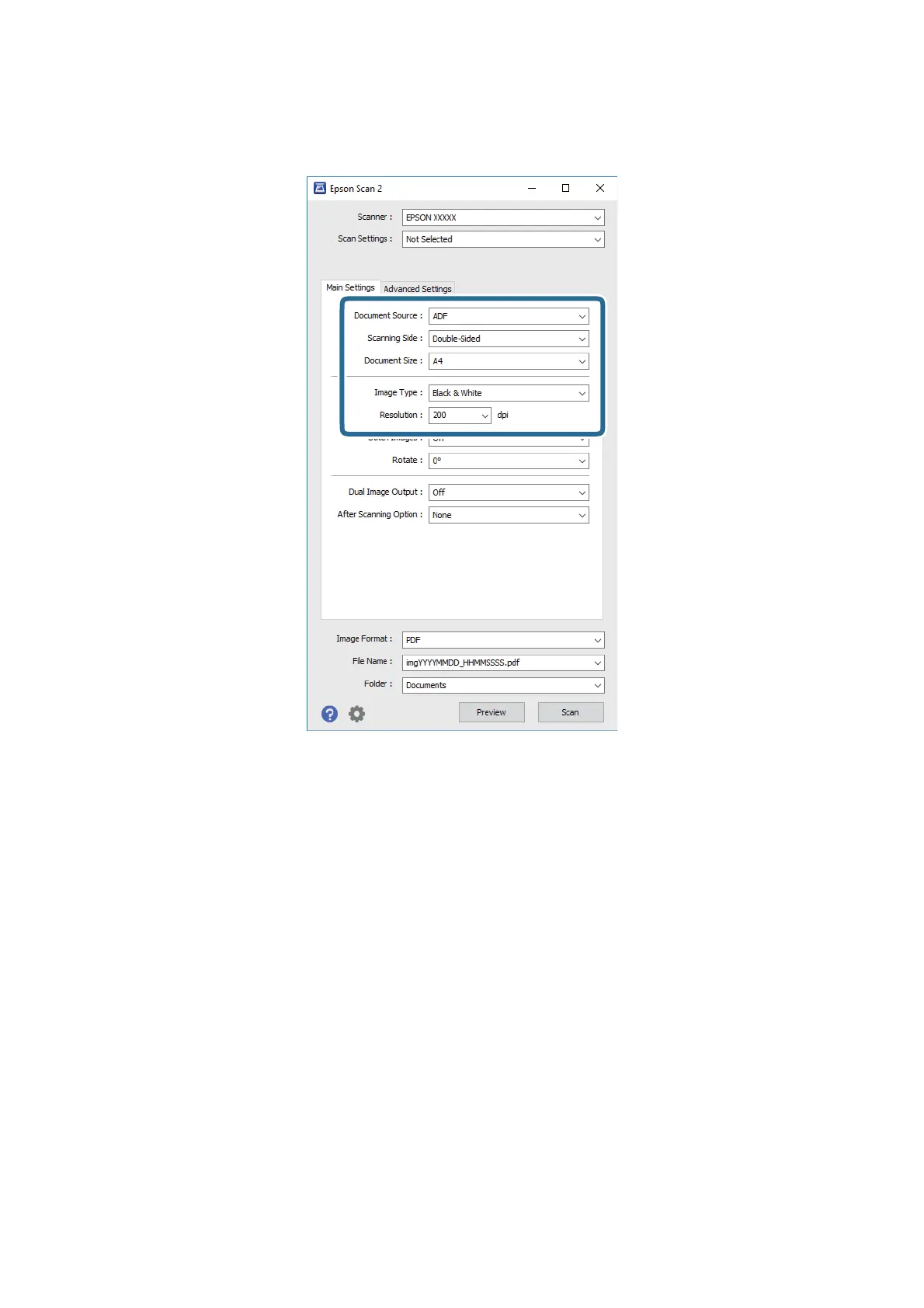
3. Make the following settings on the Main Settings tab.
o Document Source: Select the source where the original is placed.
o Scanning Side: Select the side of the original you want to scan when scanning from ADF.
o Document Size: Select the size of the original you placed.
o Image Type: Select the color for saving the scanned image.
o Resolution: Select the resolution.
4. Make other scan settings if necessary.
o You can preview the scanned image by click the Preview button. e preview window opens, and the
previewed image is displayed.
When you performed preview from the ADF, original is ejected from the ADF aer a preview is generated.
Place the ejected original again.
User's Guide
Basic Scanning
30



 To Next Page