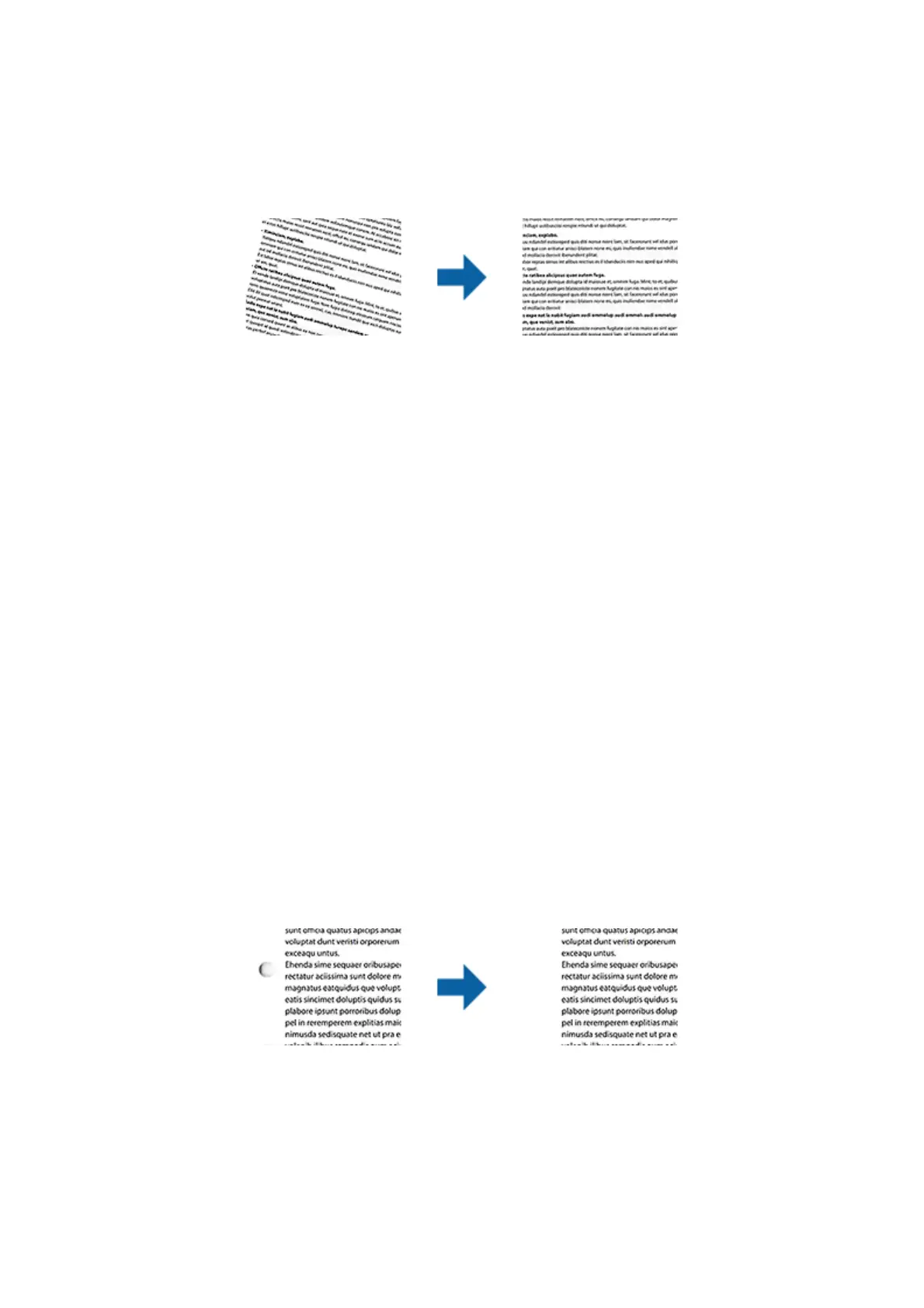
Correct Document Skew
You can correct the slant of the original.
O
e slant of the original is not corrected.
Paper Skew
Corrects the slant of originals that are fed askew.
Contents Skew
Corrects the slant of the content of the original that was printed at an angle and so on.
Paper and Contents Skew
Corrects the slant of the original that is fed askew as well as the content of the original.
Note:
o When using this feature, areas that are fed askew are corrected using white.
o To use this feature, set the Resolution on the Main Settings tab to 600 dpi or less.
o is feature may not be able to correct documents that have been over skewed.
o e eect of this feature cannot be checked in the preview window.
Remove Punch Holes
You can remove the shadows of holes on the scanned image when scanning originals with punched holes.
You can remove the shadows of round or square punch holes that are within a range of 20 mm (0.79 in.) from the
edges of the original.
Note:
o is feature is only available when you are scanning white or light colored originals.
o Depending on the scanned originals, the shadows of the punch holes may not be removed.
o e eect of this feature cannot be checked in the preview window.
User's Guide
Advanced Scanning
45



 To Next Page