Epson Stylus Pro 7700/7710/7700M/7710M/7900/7910/9700/9710/9900/9910/WT7900/WT7910/9890/9908/7890/7908 Revision I
DISASSEMBLY & ASSEMBLY Disassembly and Assembly Procedure 211
Confidential
4.4.2.8 Left Cover
1. Remove the Front Cover L (p207)
2. Remove the Maintenance Tank L. (p208)
NOTE: There is no Maintenance Tank (L) mounted for the Epson Stylus Pro
7700/7710/7700M/7710M/7900/7910/WT7900/WT7910/7890/7908.
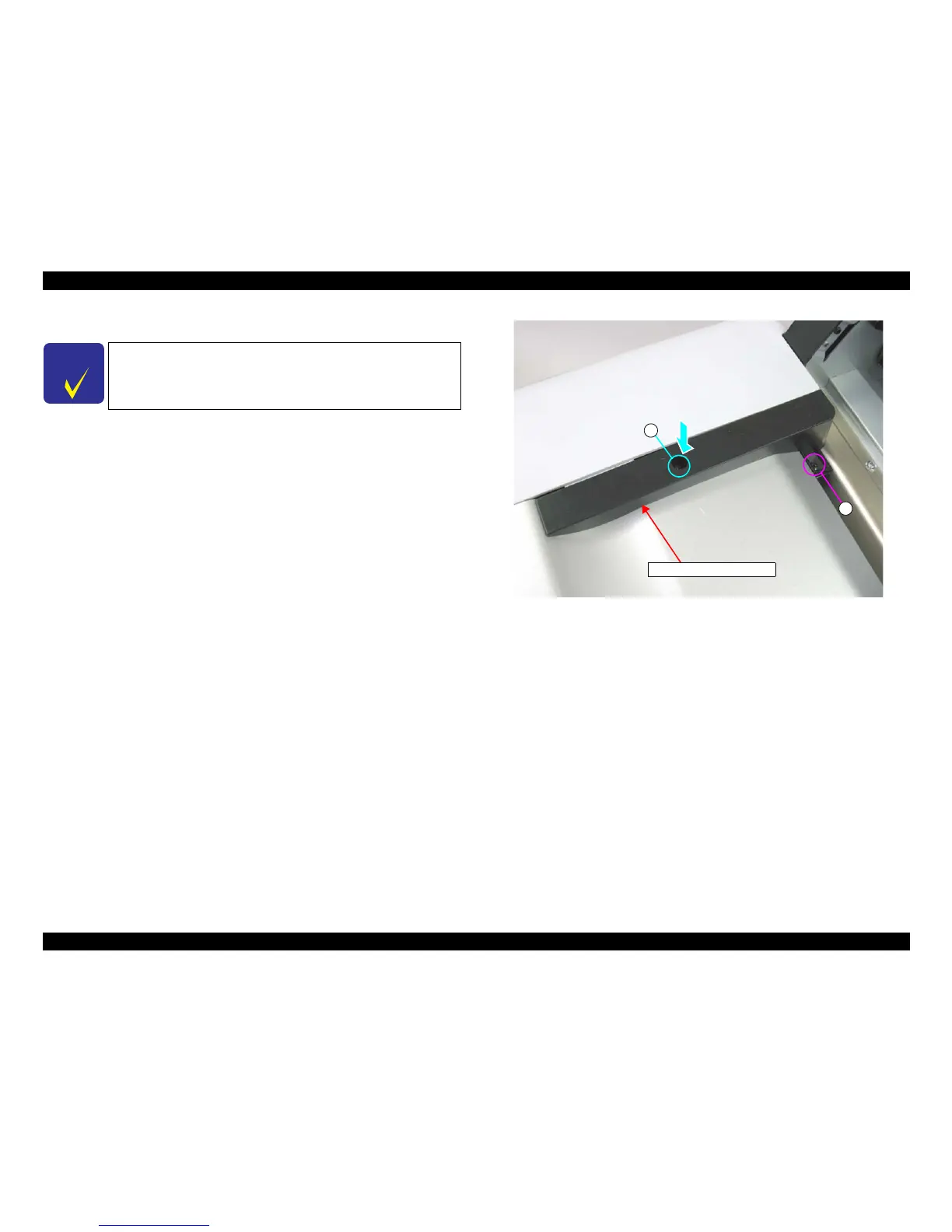
3. Remove the two screws that secure the Top Cover Support Base L, and remove the
Top Cover Support Base L.
A) Black, Phillips, Bind P-tite with S.W & P.W. M4x12: one piece
B) Black, Phillips, Bind machine screw M4x8: one piece
Figure 4-23. Removing the Top Cover Support Base L
C H E C K
P O I N T
When you do not replace the Left Cover, skip the step 1.
B
A
Top Cover Support Base L



 To Next Page
 Loading...









