Chapter 1 Product Overview
17
1
Battery Cover
Open this cover to install or remove the battery.
Belt clip
Use this clip to hang the printer on your belt.
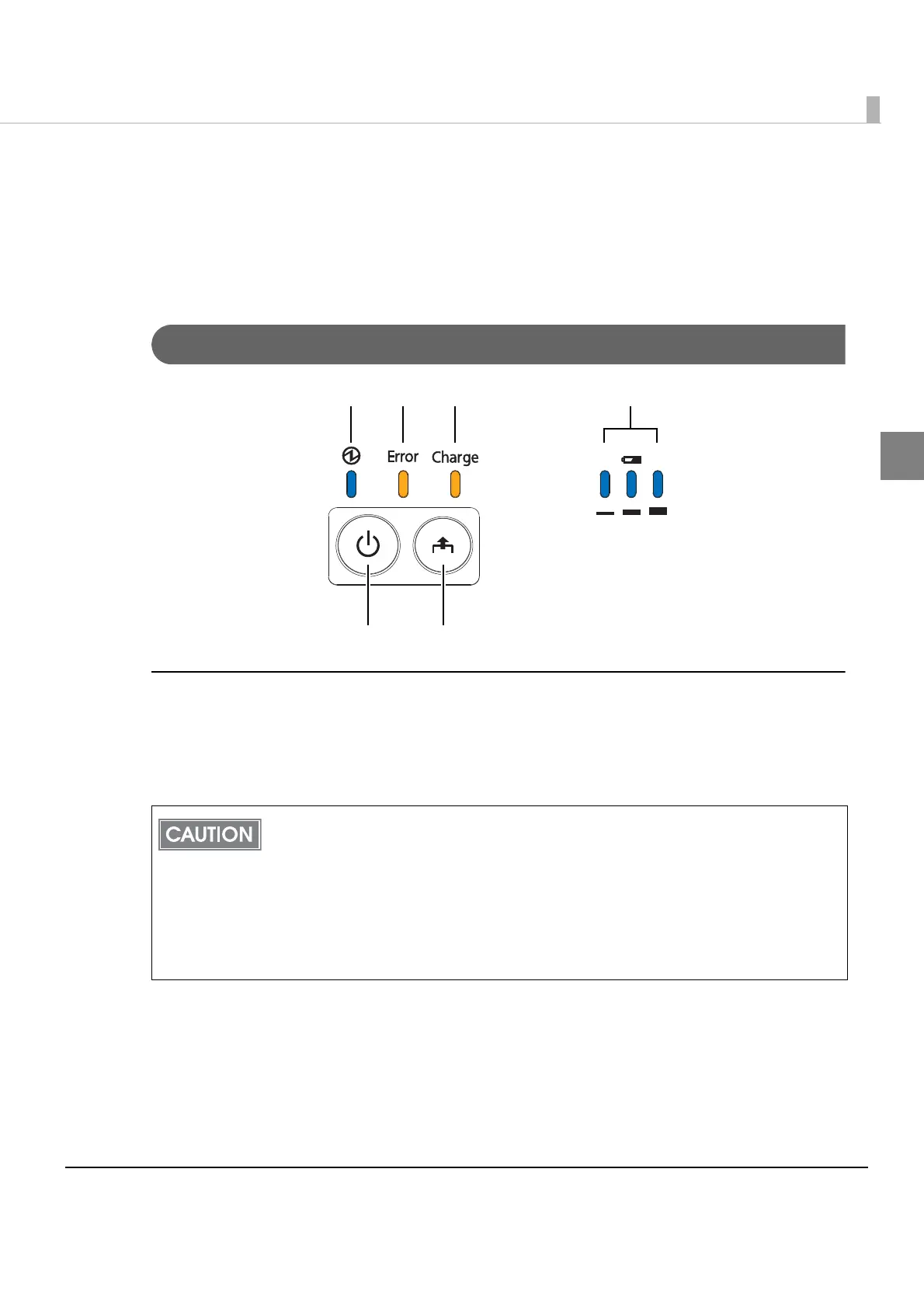
Control Panel
Buttons
Power Button
Press this button to turn the printer on. Press this button for 2 seconds or more to turn the printer
off.
After the power button is pressed, it takes the following time before the printer is
initialized. Establishing a wireless communication takes longer than the following.
IEEE802.11a/b/g/n: Approx. 10 sec. after the Power LED comes on.
Bluetooth: Approx. 2 sec. after the Power LED comes on.
The printer does not operate and the LEDs go out when the battery is not installed in the
printer even if the printer is connected to the optional AC adapter.
To turn the printer on immediately after turning the printer off, press the Power button
after the LEDs go off.
Power button Feed button
Power LED Error LED Charge LED Battery LED



 To Next Page
 Loading...