Operation 4. Password Setup
TP1 Rev.5 99
4. Password Setup
Setup a password to limit operators for the following menu.
TEACH mode ........ [Jog&Teach]-[Maintenance]
AUTO mode .......... [Main Menu]-[Program Mode...]
Follow the procedure below to set the password.
(1)
Turn ON the Controller.
(2)
Double click the <EPSON RC+ 5.0> icon on the desktop.
(3)
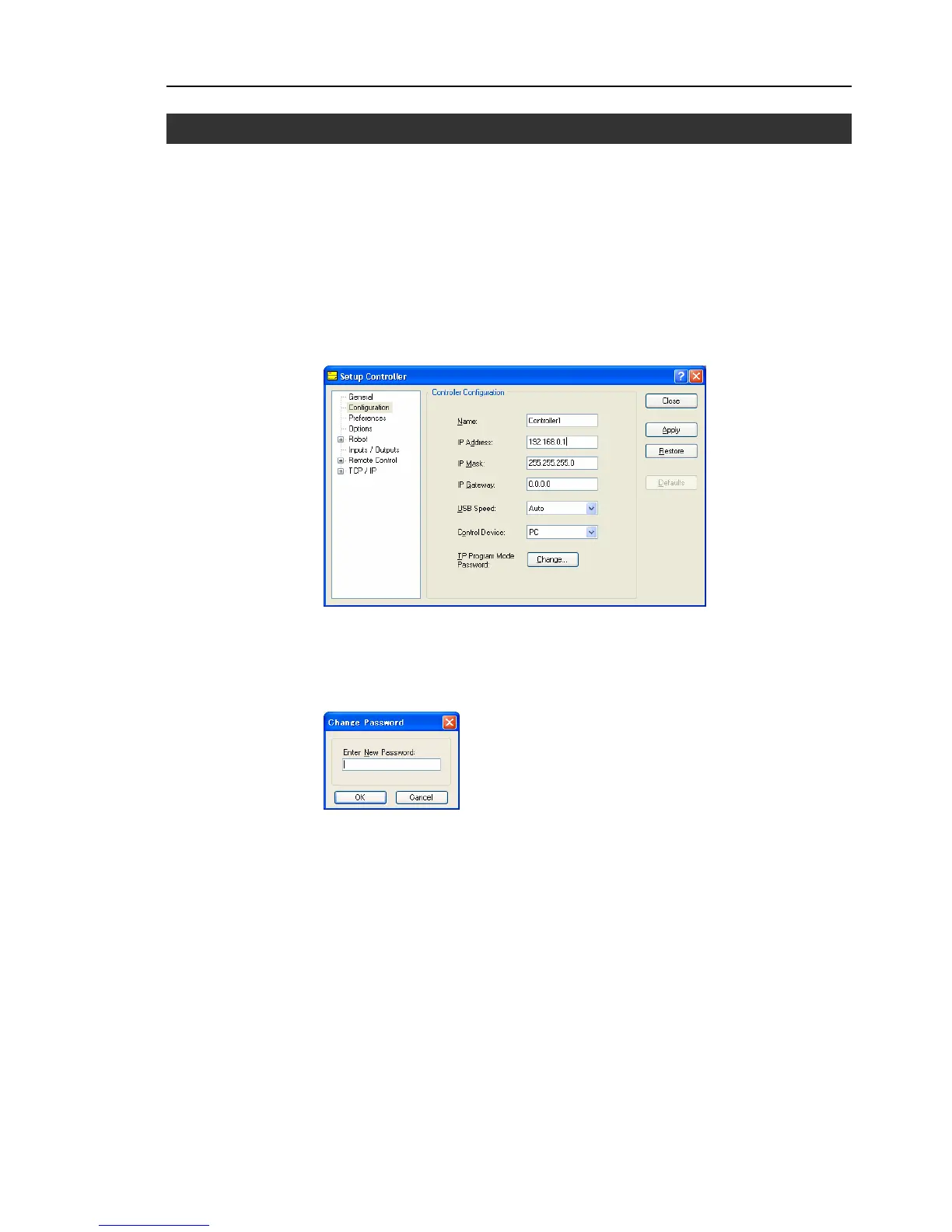
Select EPSON RC+5.0 menu-[Setup]-[Controller]-[Configuration] to display the
following page.
(4)
Click the <Change> button at “TP Program Mode Password.”
(5)
The following dialog appears.
Enter a password with 1 to 16 numerals from the keyboard and click the <OK>
button.
More than one letter is assigned to each key on the TP. If characters other than
numerals are used for the password, the password input will be complicated.
(6)
Click the <Apply> button and reboot the Controller.
)
NOTE



 To Next Page