Operation 2. TEACH Mode
36 TP1 Rev.5
2.2 Editing Points
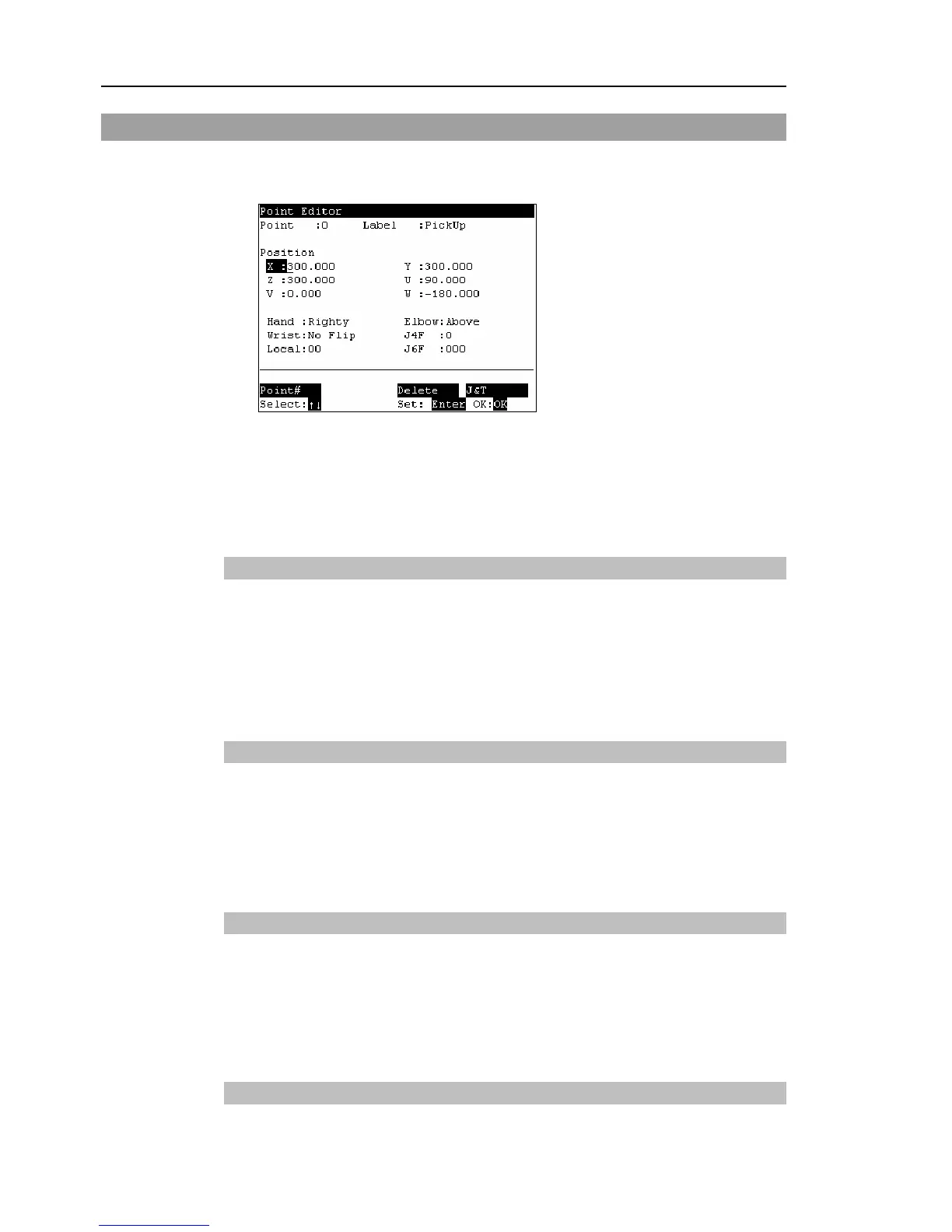
This section indicates settings in the [Point Editor] screen.
(1)
Press the <F1> key in the [Jog&Teach] screen. The following screen appears.
(2)
Set the data items currently displayed in the [Point Editor] screen. (See 2.2.1 to
2.2.4.)
(3)
Note down the robot position. (See 2.1.9.)
(4)
Back up the point data to a file. (See 2.1.10.)
2.2.1 Specifying Point No.
(1)
Specify the point number by changing the value in the [Point] using the <↑> and
<↓> keys.
Chang the point No. to change the indication at [Label].
(2)
Press the <Enter> key.
(3)
Press the <OK> key to apply the memory.
2.2.2 Changing Point Label
(1)
Press the <F1> key and move the cursor to [Label].
(2)
Enter the label name at [Label] to set the name.
(3)
Press the <Enter> key.
(4)
Press the <OK> key to apply the memory.
2.2.3 Changing Coordinate Data and Pose Flag
(1)
Press the <F2> key and move the cursor to [Position: X].
(2)
Move the cursor to each joint, and set the coordinate data/pose flag.
(3)
Press the <Enter> key.
(4)
Press the <OK> key to apply the memory.
2.2.4 Deleting Point Data
Press the <F3> key to delete the point data.



 To Next Page