Operation 2. TEACH Mode
TP1 Rev.5 57
2.7.3 Setting Righty / Lefty (E2 Series / G Sereis)
(1)
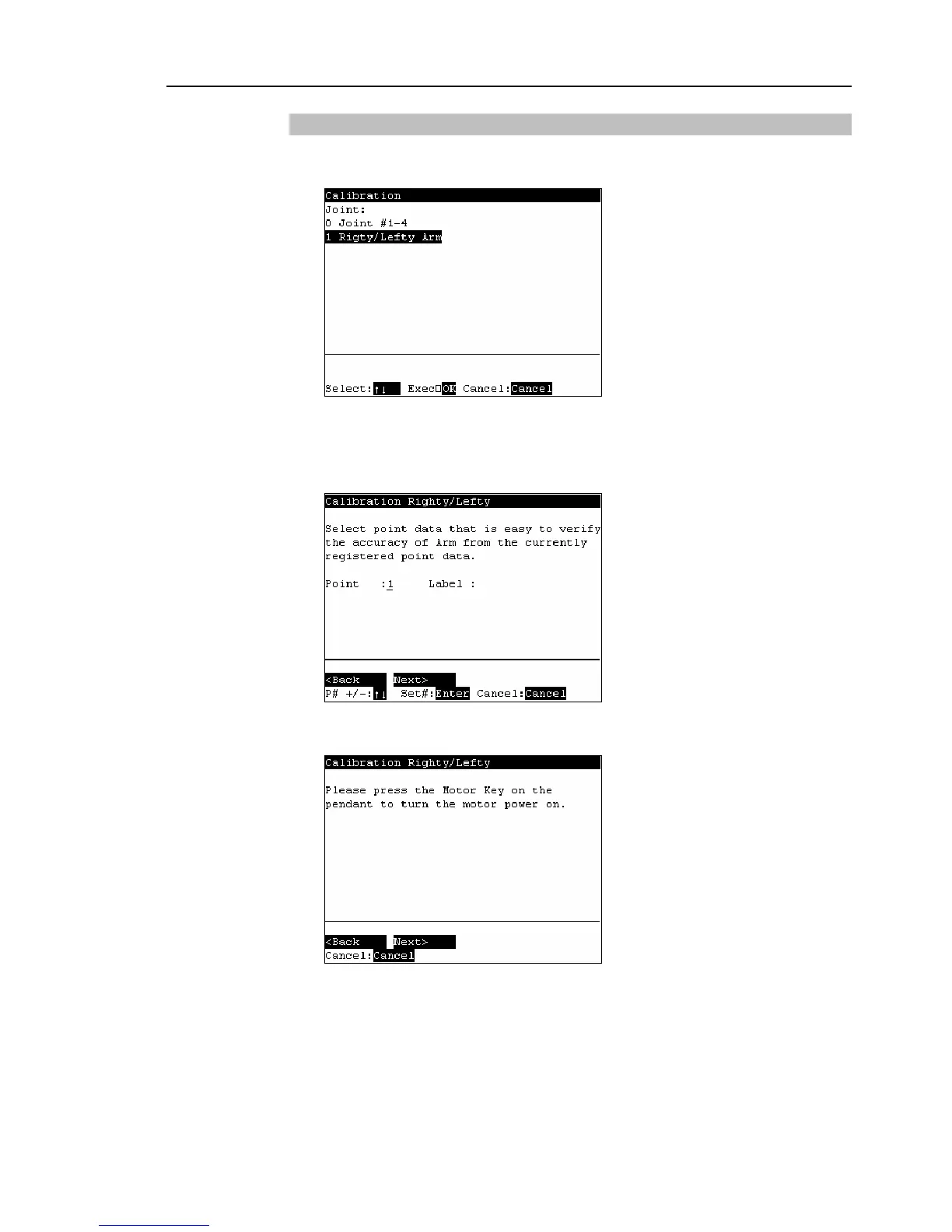
In the [Calibration] screen, move the cursor to “Righty/Lefty”, and press the <OK>
key.
(2)
The following screen appears. Select one of the point data in the accessible area
that is easy to verify the accuracy for both right and left arm orientations using the
<↑> and <↓> keys and press the <Enter> key.
Press the <F2>key.
(3)
The following screen appears. Press the <Motor> key to turn ON the motor.
Press the <F2> key.



 To Next Page