Operation 3. AUTO Mode
TP1 Rev.5 89
3.6.8 Restore System
Restores system files backed up in USB memory to the Controller.
(1)
Insert the USB memory into the Controller.
(2)
In the [Program Mode] screen, move the cursor to [7 System Restore...], and press
the <OK> key.
(3)
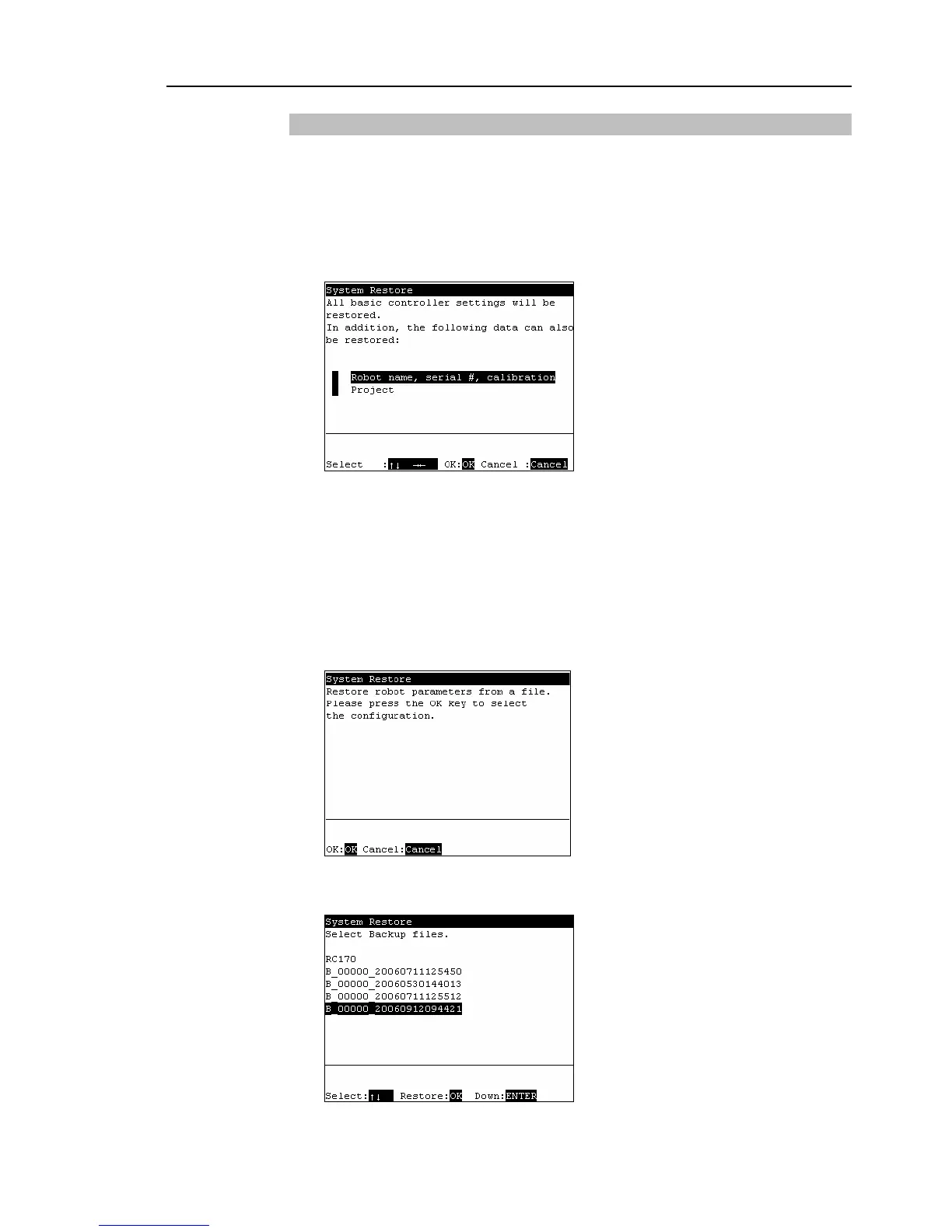
The following screen appears.
When you restore the robot name, serial number, and the calibration data with the
basic Controller settings, move the cursor to [Robot name, serial #, calibration] and
press the <→> key.
When you restore the project with the basic Controller settings, move the cursor to
[Project] and press the <→> key.
(4)
Press the <OK> key
(5)
The following screen appears. Press the <OK> key.
(6)
The following screen appears. Move the cursor to the desired folder.
Press the <Enter> key.



 To Next Page