Operation 3. AUTO Mode
70 TP1 Rev.5
3.1 Program Command Display
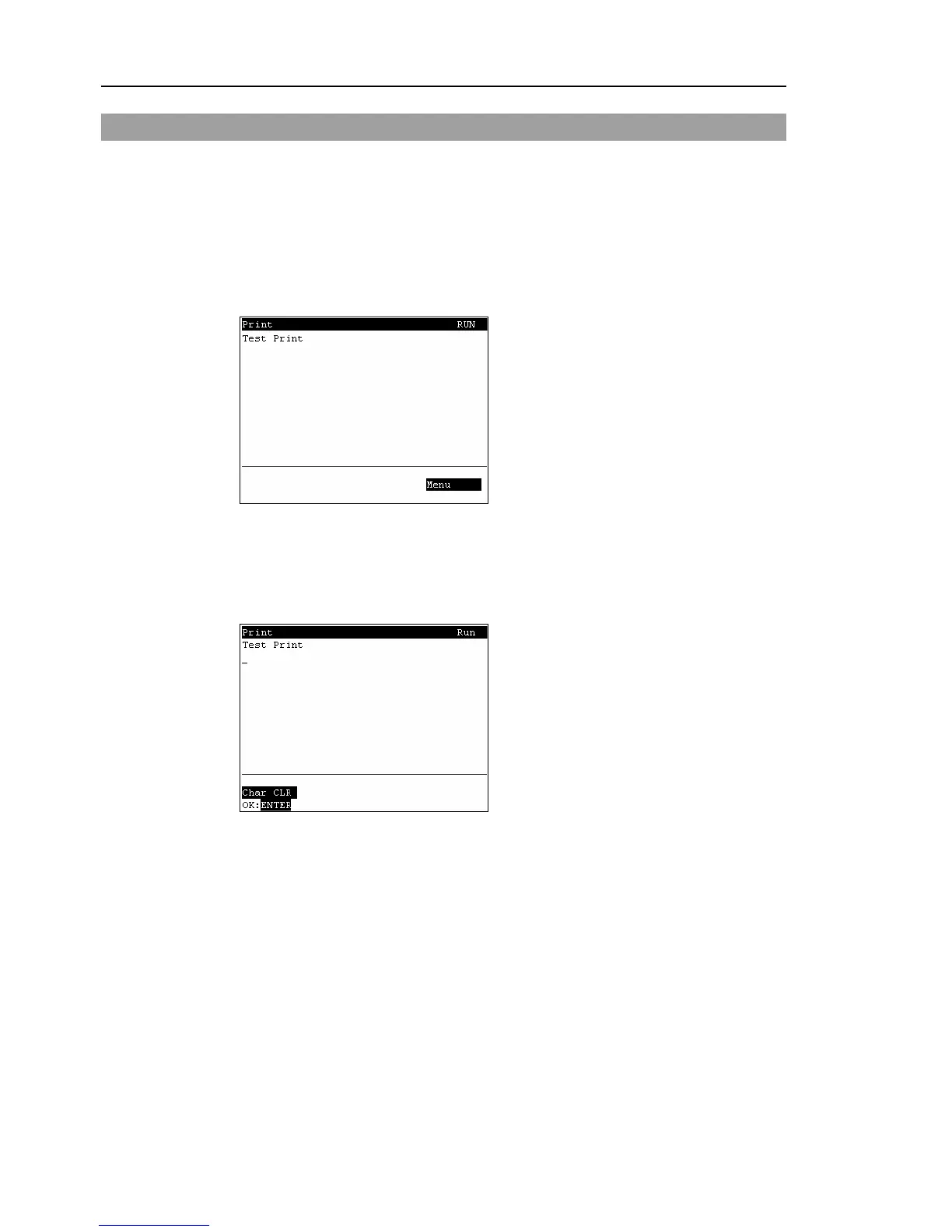
This screen displays messages from the program and requests responses.
The [Print] screen appears when the mode selector key switch is switched to “Auto”.
To display the [Print] screen from the [Main Menu] screen, move the cursor to [Print
Panel], and press the <OK> key.
When only a message appears
Program Example :
PRINT #24,“Test Print”
<F4>
The [Main Menu] screen appears.
When a message appears and a response is requested
Program Example :
PRINT #24,“Test Print”
INPUT #24,a$
Input the response to the message at the cursor position. (Characters or numerical
values)
<F1>
Deletes all entered characters or numerical values.
<F4>
The [Main Menu] screen appears.



 To Next Page