Operation 3. AUTO Mode
68 TP1 Rev.5
3. AUTO Mode
Switch the mode selector key switch to “Auto” to enter the AUTO mode. In this mode,
jog, teaching, operation commands, I/O commands, and other operations and commands
can be executed using the teaching pendant.
Note, however, that the program cluster cannot be executed.
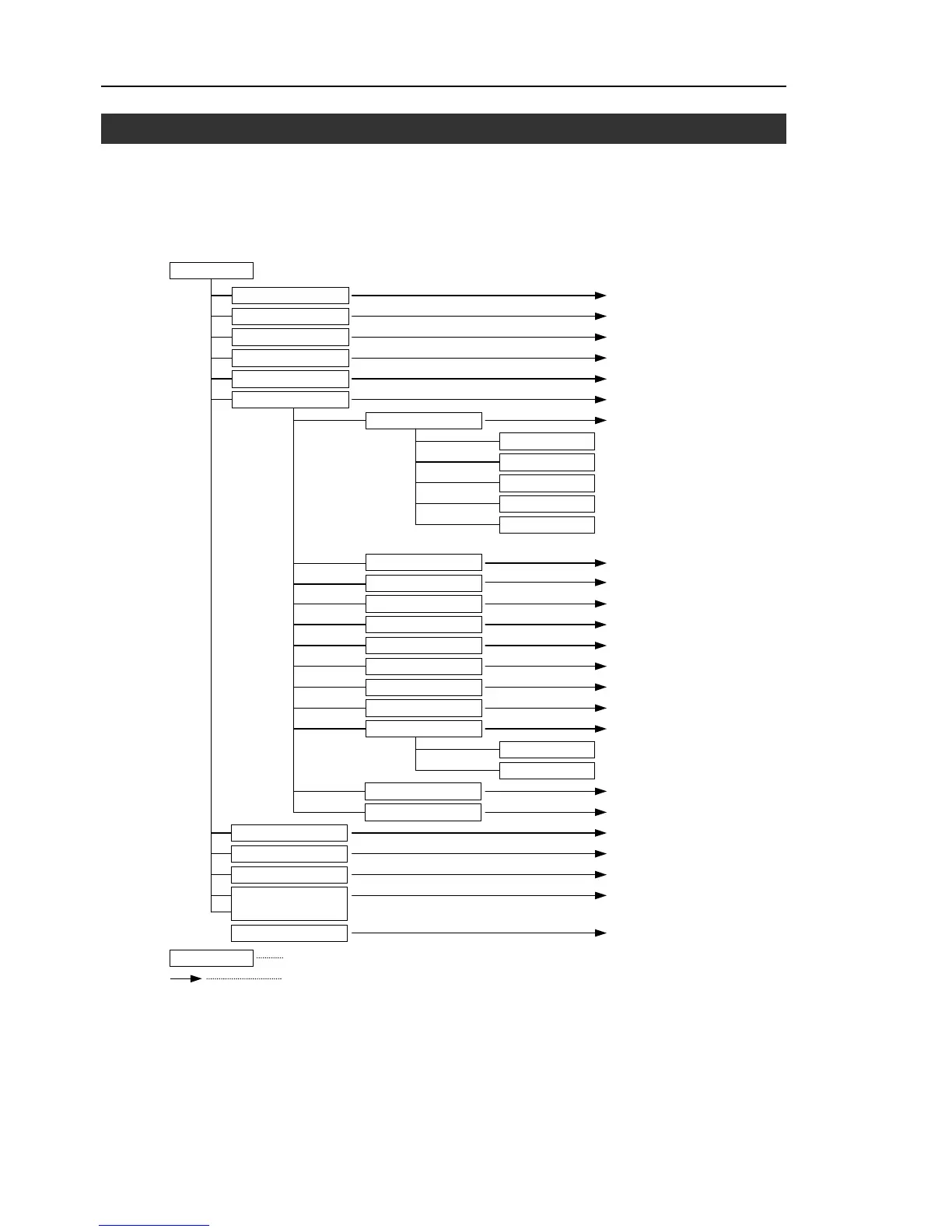
Screen name
Auto Mode
3.1 Program Command
3.2 I/O Monitor
3.3 Memory I/O Monitor
Open Program
3.4 Task Monitor
3.5 System History
3.6 Program Mode
3.6.1 Opening Programs
3.6.2 Building Projects
3.6.3 Backing up Projects
3.6.4 Restoring Projects
3.6.5 Importing Files
3.6.6 Exporting Files
3.6.7 Backing up the System
3.6.8 Restoring the System
3.6.9 Changing Speed
3.6.10 Configuration
3.6.11 Changing the Display
3.6.12 Updating the System
3.7 Backup/Restore
3.8 Saving Controller Statuses
3.9 Displaying Date and Time
See item
Buildin



 To Next Page