45 / 80
6 • Working with ERBECRYO 2
80113-401_V24023
2023-05
Selecting a program
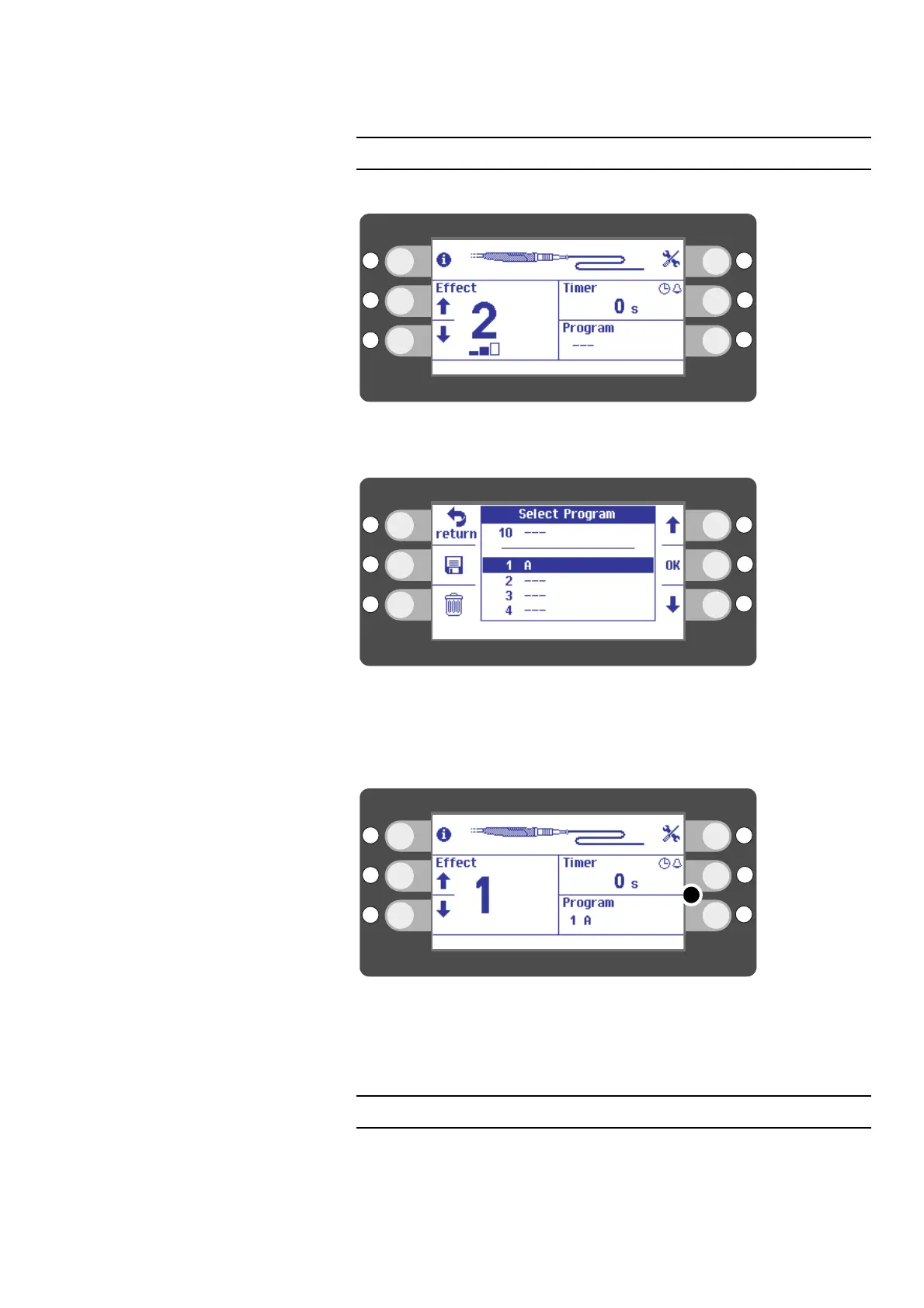
The effect and timer are saved in a program.
Fig. 6-12
1. Press the selection button next to Program on the display.
Fig. 6-13
2. Select a program with the selection buttons next to the up/down arrows. Exam-
ple: program A.
3. Press the selection button next to OK on the display.
Fig. 6-14
4. The name of the program is shown in segment (5) of the display. Example: pro-
gram A.
Saving a program
You can save the Effect and the Timer setting in a program
1. Select an effect and a timer setting.



 To Next Page