41 / 80
6 • Working with ERBECRYO 2
80113-401_V24023
2023-05
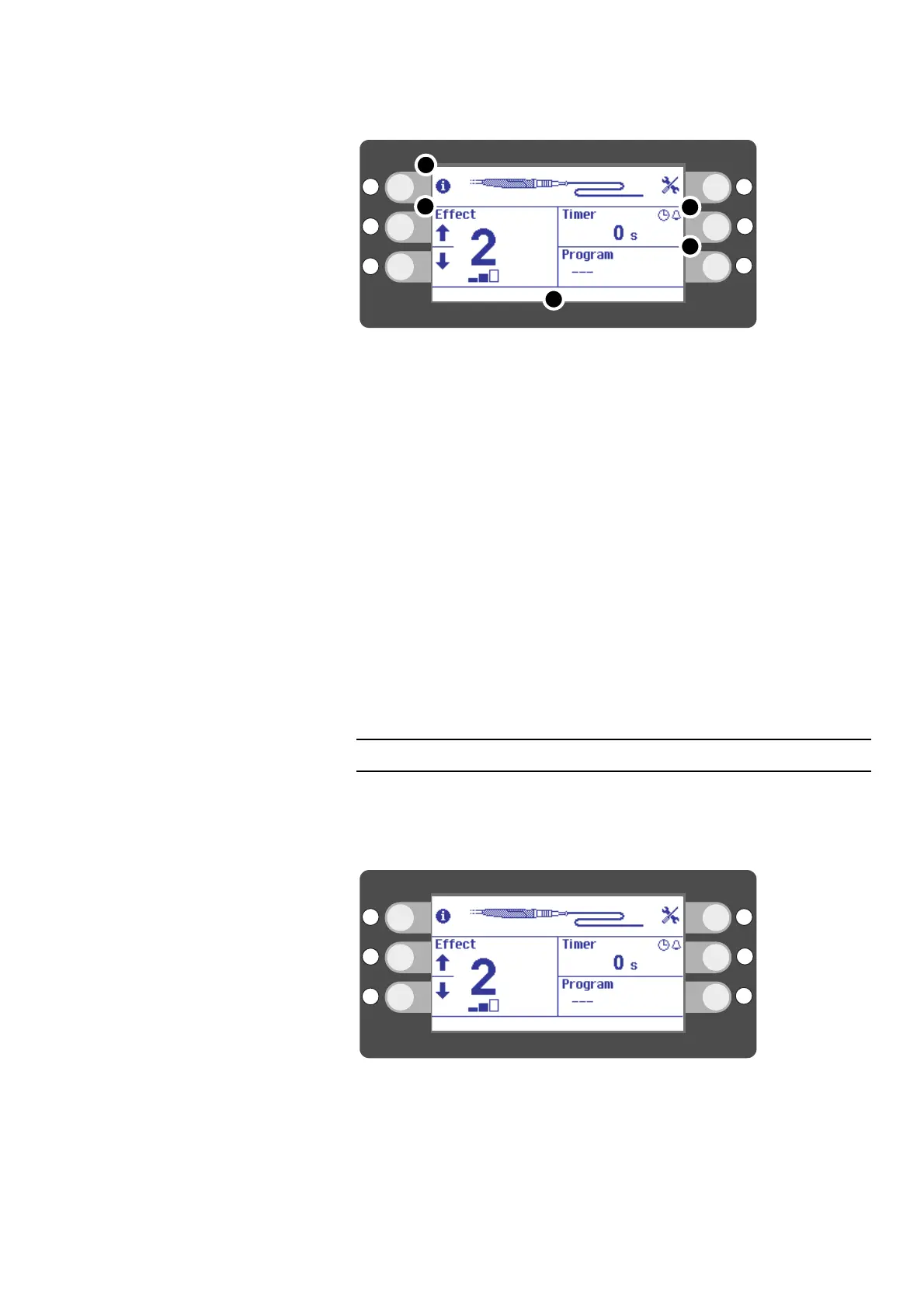
Main screen
Fig. 6-3
The instrument is equipped with a data carrier on which settings are saved. The in-
strument is detected. The settings are displayed on the main screen. You can work
with the settings or change them.
• In segment (1) of the display you will see an illustration of the instrument.
• In segment (2) of the display you will see the effects. By selecting the effect you
can influence the temperature of the probe tip. The higher the effect, the colder
the probe tip will be. The bars beneath the effect show how many effects are sup-
ported by the instrument. The current instrument supports three effects. Effect 2
has been set.
• In segment (3) of the display you will see status and error messages. They are
described in the Status messages, error messages chapter.
• In segment (4) of the display you will see the Timer. The timer provides various
options for measuring the freeze interval. The current setting is Count Up & Beep.
• In segment (5) of the display you will see the selected Program. With the current
setting, no program is selected. You can save the effect and the timer setting in a
program. 10 memory locations are provided.
Setting the effect, setting the timer
By selecting the effect you can influence the temperature of the probe tip. The greater
the effect, the colder the probe tip will be.
The bars beneath the effect show how many effects are supported by the instrument.
Setting an effect
Fig. 6-4
Press the selection button next to the up/down arrows to set an effect.
The effect is predefined for some instruments and cannot be changed.
Instead of setting an effect and a timer manually, you can also use programs in which
the effect and timer are saved. See: Selecting a program, Saving a program, Overwriting
a program, Deleting a program.



 To Next Page