6 • Working with ERBECRYO 2
48 / 80
80113-401_V24023
2023-05
Overwriting a program
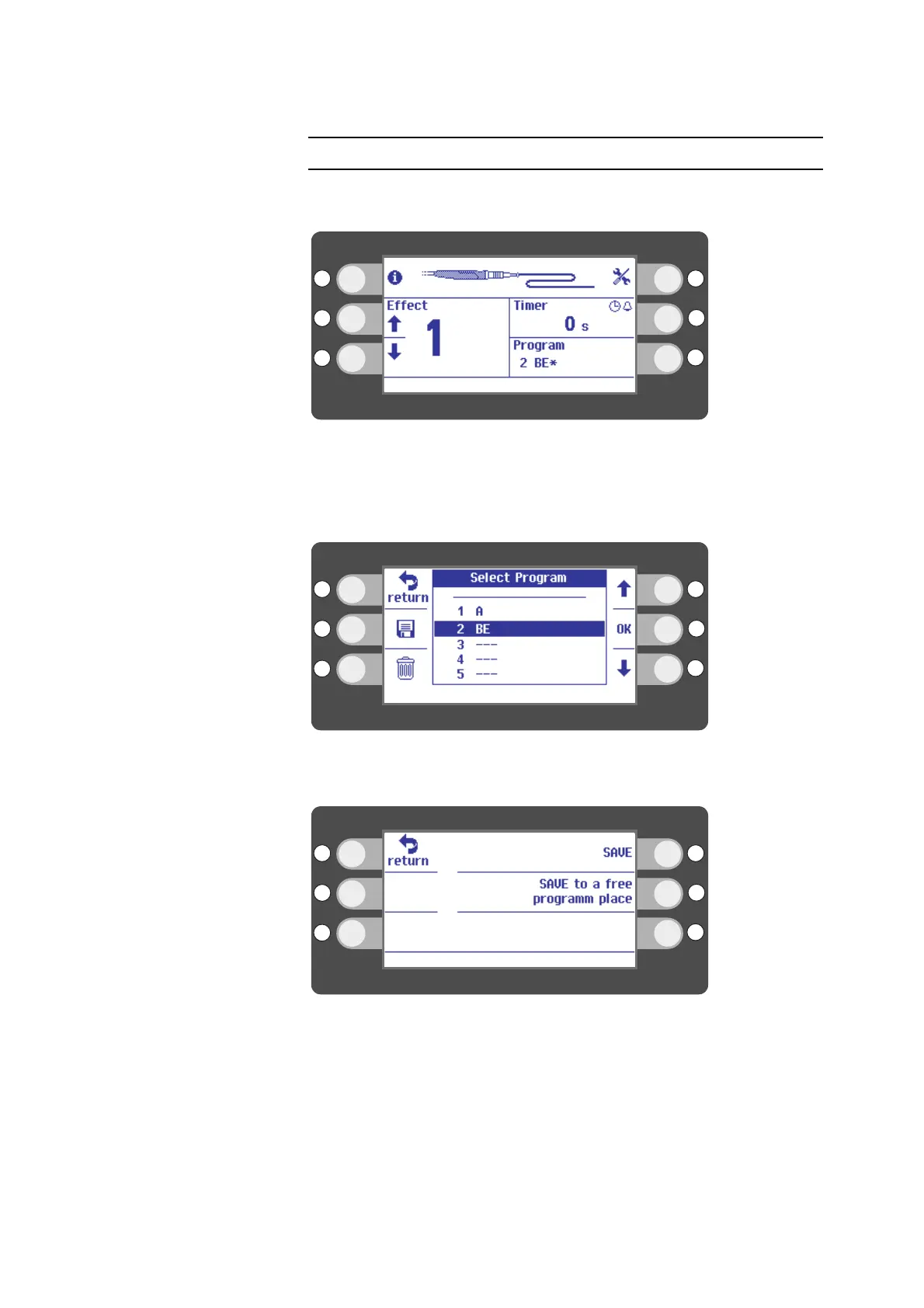
If you would like to keep the name of a program but change its settings, proceed as
follows.
Fig. 6-23
1. Select an effect and a timer setting. The asterisk next to the name of the program
shows that you have temporarily changed the settings.
2. Press the selection button next to Program on the display.
Fig. 6-24
3. Press the selection button next to the disk icon. The disk icon stands for "save".
Fig. 6-25
4. Press the selection button next to SAVE.



 To Next Page