47 / 80
6 • Working with ERBECRYO 2
80113-401_V24023
2023-05
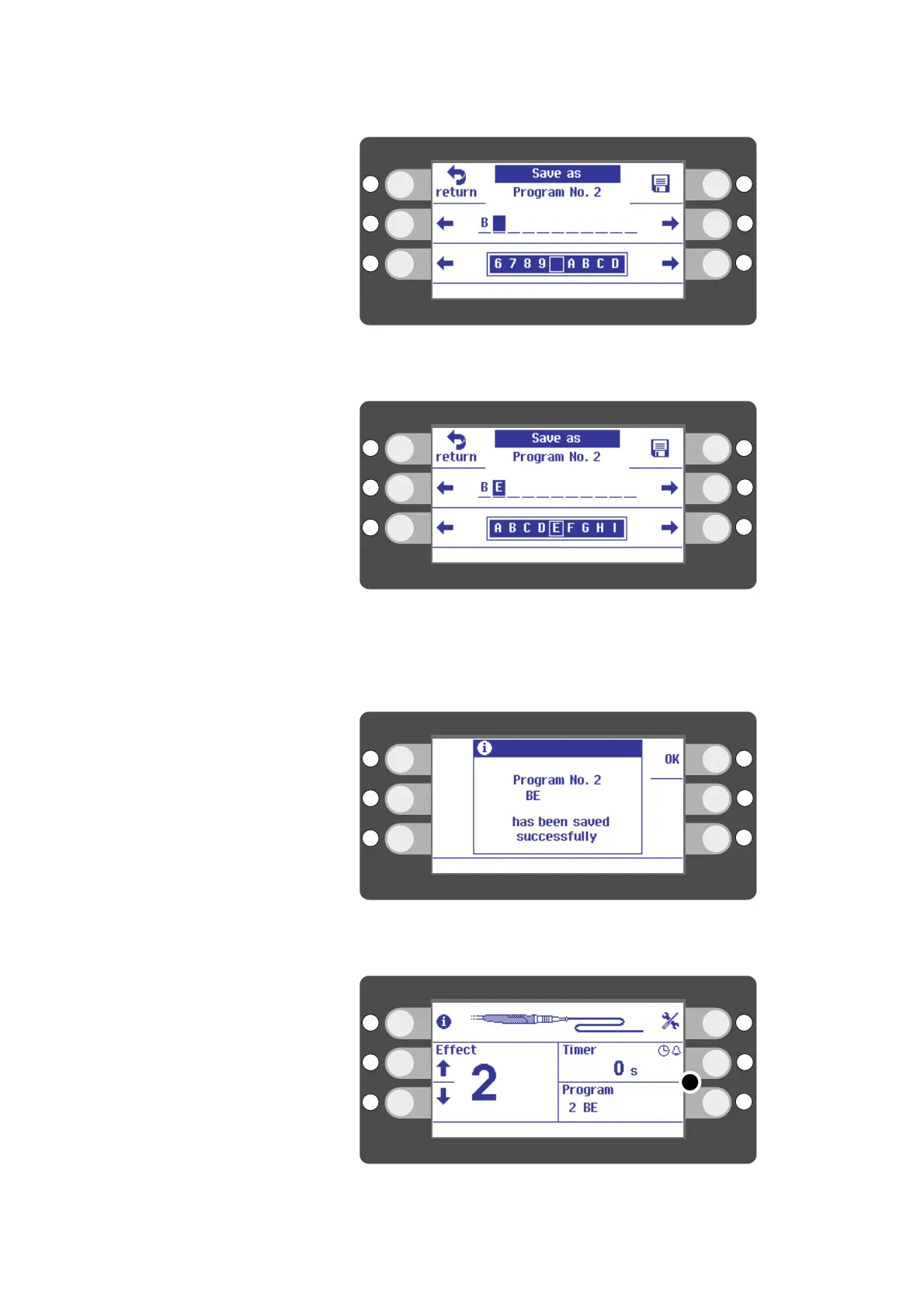
Fig. 6-19
7. Move the cursor one place ahead with the R2 selection button.
Fig. 6-20
8. Select the next letter or number with the L3/R3 selection buttons. Example: E.
9. When you have entered the name in full, press the selection button next to the
disk icon. The disk icon stands for "save".
Fig. 6-21
10. Press the selection button next to OK on the display.
Fig. 6-22
11. The name of the program is shown in segment
(5)
of the display. Example: program
BE
.



 To Next Page