6 • Working with ERBECRYO 2
50 / 80
80113-401_V24023
2023-05
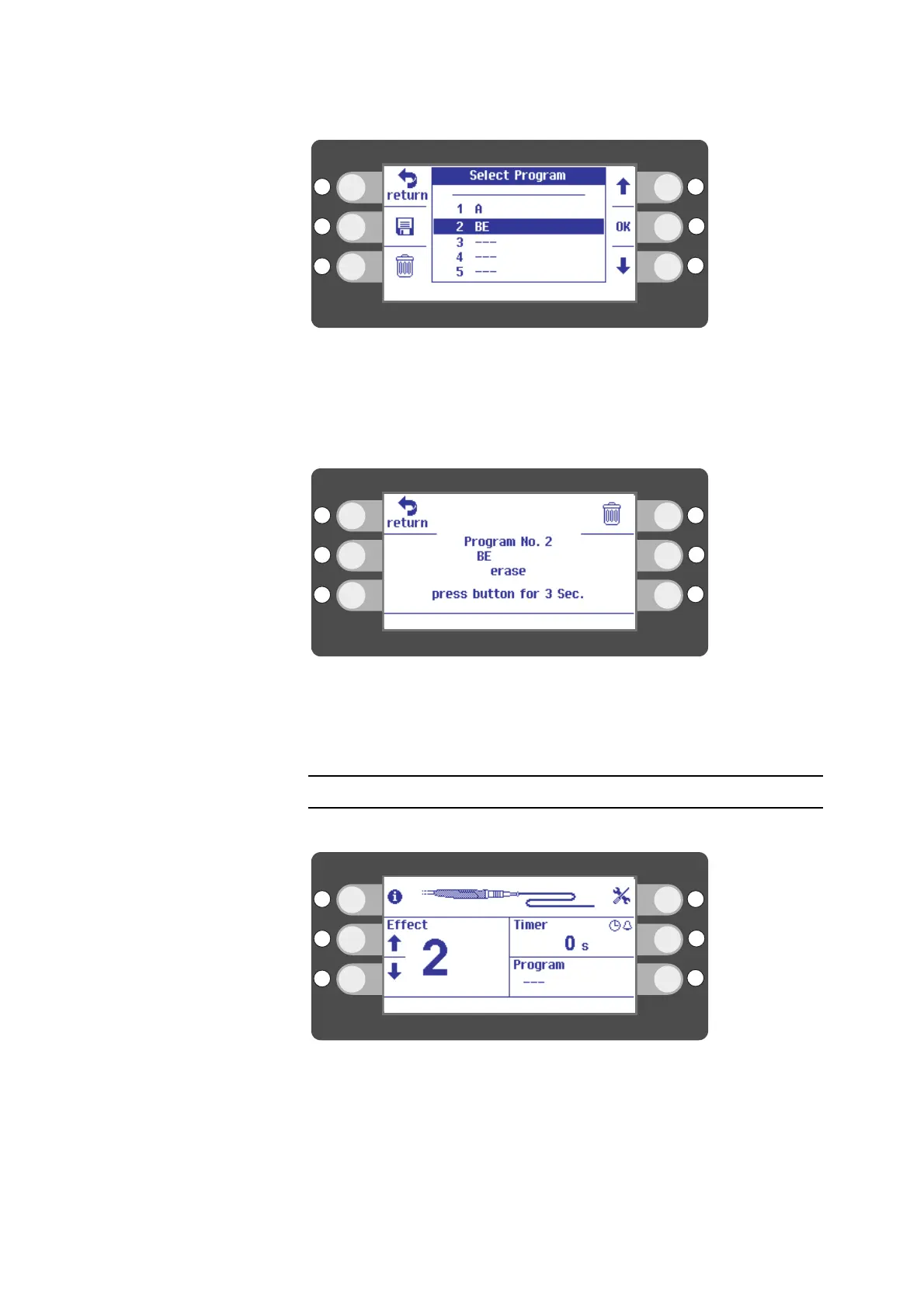
Fig. 6-30
2. Select a program with the selection buttons next to the up/down arrows. Exam-
ple: program BE.
3. Press the selection button next to the recycle bin icon. The recycle bin icon stands
for "delete".
Fig. 6-31
4. Press the selection button next to the recycle bin icon. The recycle bin icon stands
for "delete".
Calling up information on the instrument
The Probe display provides information on the connected instrument.
Fig. 6-32
1. Press the selection button next to the I icon. The I icon stands for "information".



 To Next Page