51 / 80
6 • Working with ERBECRYO 2
80113-401_V24023
2023-05
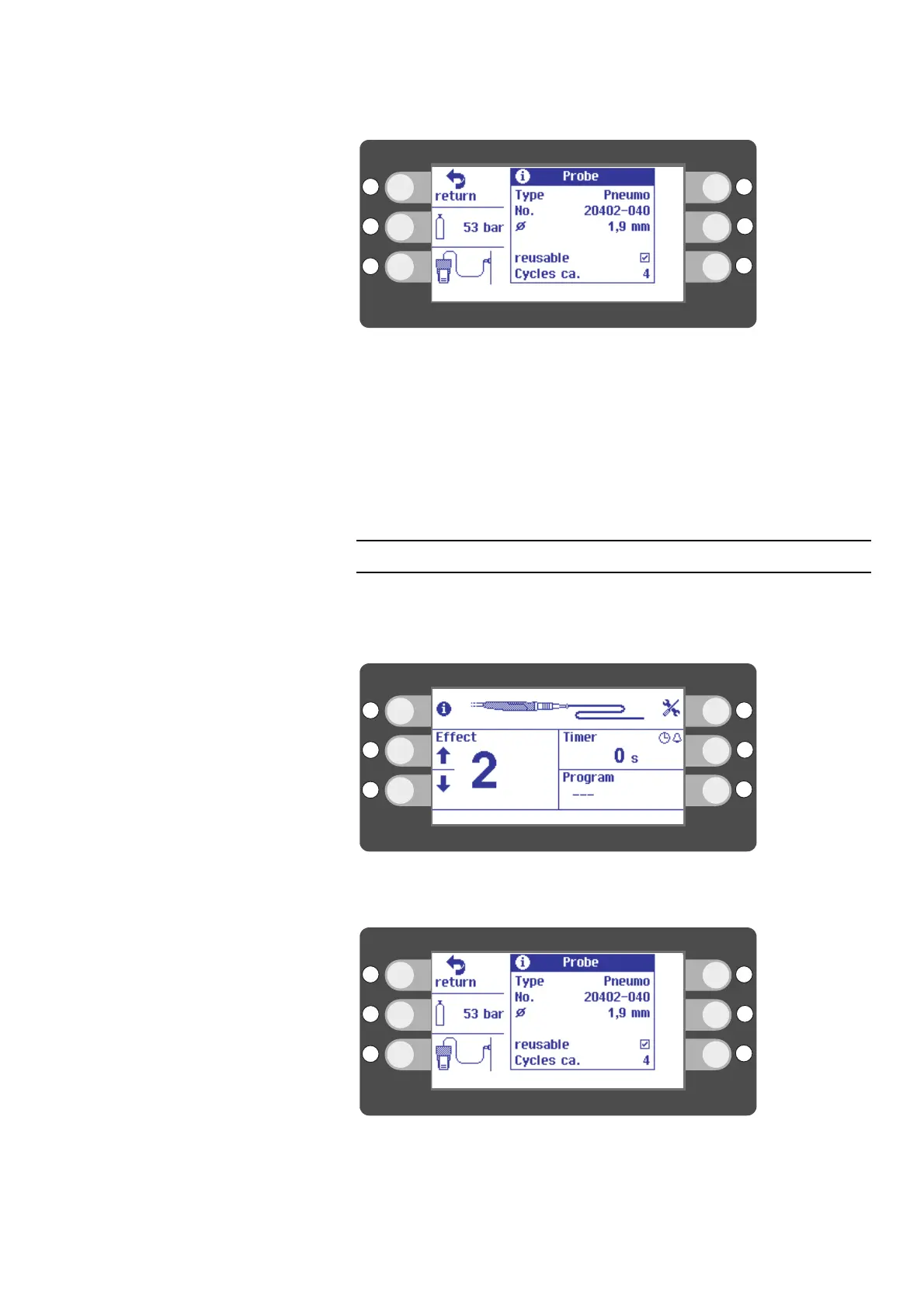
Fig. 6-33
2. Press the selection button next to return to go back to the main screen.
The number of Cycles lets you know how often the instrument has been reprocessed.
However, ERBECRYO 2 cannot count the actual number of times reprocessing has been
performed. It checks how often you have connected the instrument.
If the number of cycles is lost due to a malfunction, the following text is shown instead
of the number of cycles: unknown. In such cases, please inform Technical Service.
Checking input pressure
The Input pressure displays the pressure applied to the unit. The input pressure must
be between 45 - 65 bar. Activation is not possible outside of this range.
If the input pressure is outside of this range, the unit displays an error message.
Fig. 6-34
1. Press the selection button next to the I icon. The I icon stands for "information".
Fig. 6-35
2. Press the selection button next to the bottle icon.



 To Next Page