− 30 −
bi24d1ea
We are now going to copy the content of memory position 5 to position 50.
Use the positioning knob to scroll to the selected memory position, in this case
position 50.
Press YES.
WELD DATA MEMORY
44−
45 −
46 −
47 −
48 −
49 −
50 −
COPY
DATA SET 5 TO POSITION: 50
NO YES
Weld data number 5 has now been copied to memory position 50.
7.6 Name
To give a stored weld data set its own name, proceed as follows:
Select the memory
position you want to
name and press 2ND
FUNCTION. Then
press RENAME.
WELD DATA MEMORY
1 −
2 −
3 −
4 −
5 − (SAW)
6 −
7 −
SAW: CA: FE SOLID: 3.0 mm
30.0 V: 450 A: 50 cm/min
COPY RENAME
EDIT
2ND
FUNCT QUIT
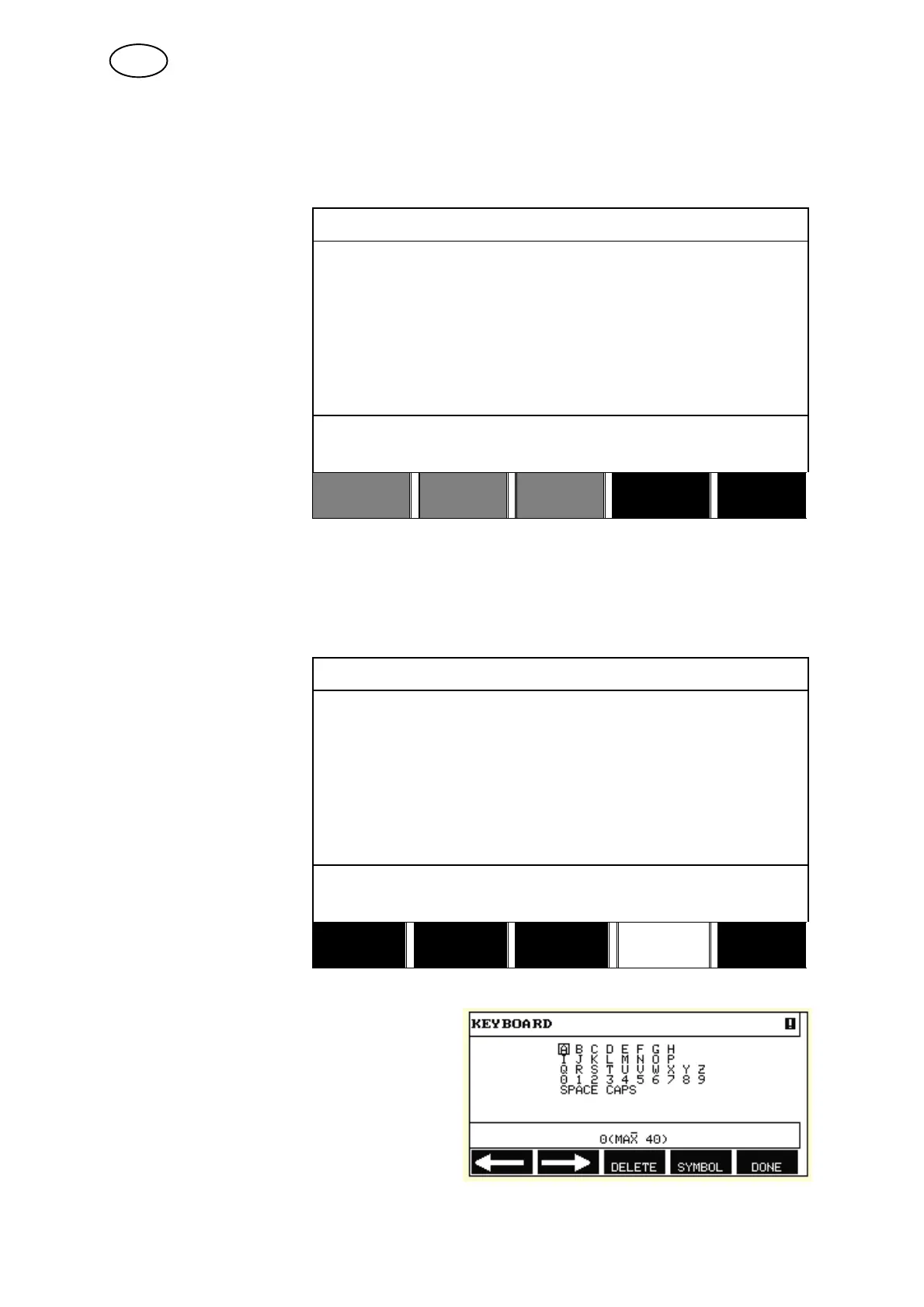
Here you have access to a keyboard that is used as follows:
S Position the cursor on the desired
keyboard character using the arrows
and the positioning knob. Press
DONE. Enter a complete text string
with a maximum of 40 characters in
this way.
S Press DONE to store. The alternative
you have named can now be seen in
the list.
GB



 To Next Page