• Adjusting the position of a drilling point (F p.132)
The positions of the various drilling points must be set before the centering of the lens.
a. Creating a drilling point
Press to create a new drilling point.
Select the type of drilling (drill-hole, slot or notch).
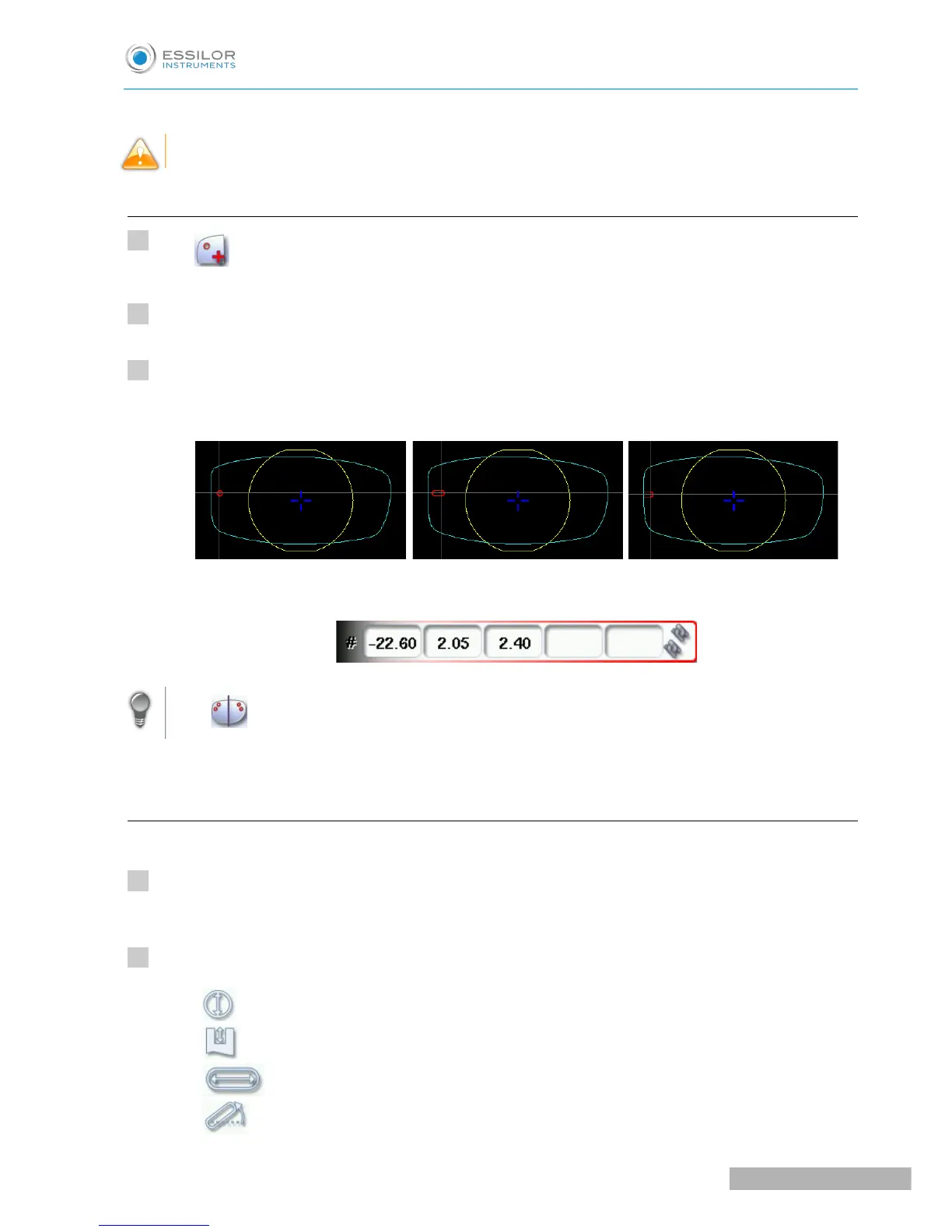
Press on the shape at the spot where you want to position the drilling point.
The drilling point created is displayed in red in the shape:
The drilling coordinates are displayed on the right of the work screen;
Press to copy the drilling points from the nasal area to the temporal area and vice-versa.
On the tracer, you can configure up to 6 drilling points per side (nasal and temporal) of a shape.
b. Dimensioning a drilling point
You can define a setting for each existing drilling point.
Press on the drill-hole, slot or notch to select it.
The drilling point is displayed in red in the shape.
Press a few seconds on the setting to be modified:
• Diameter
• Depth (for non-through holes)
• Length of slot or notch
• Angle of slot or notch



 To Next Page