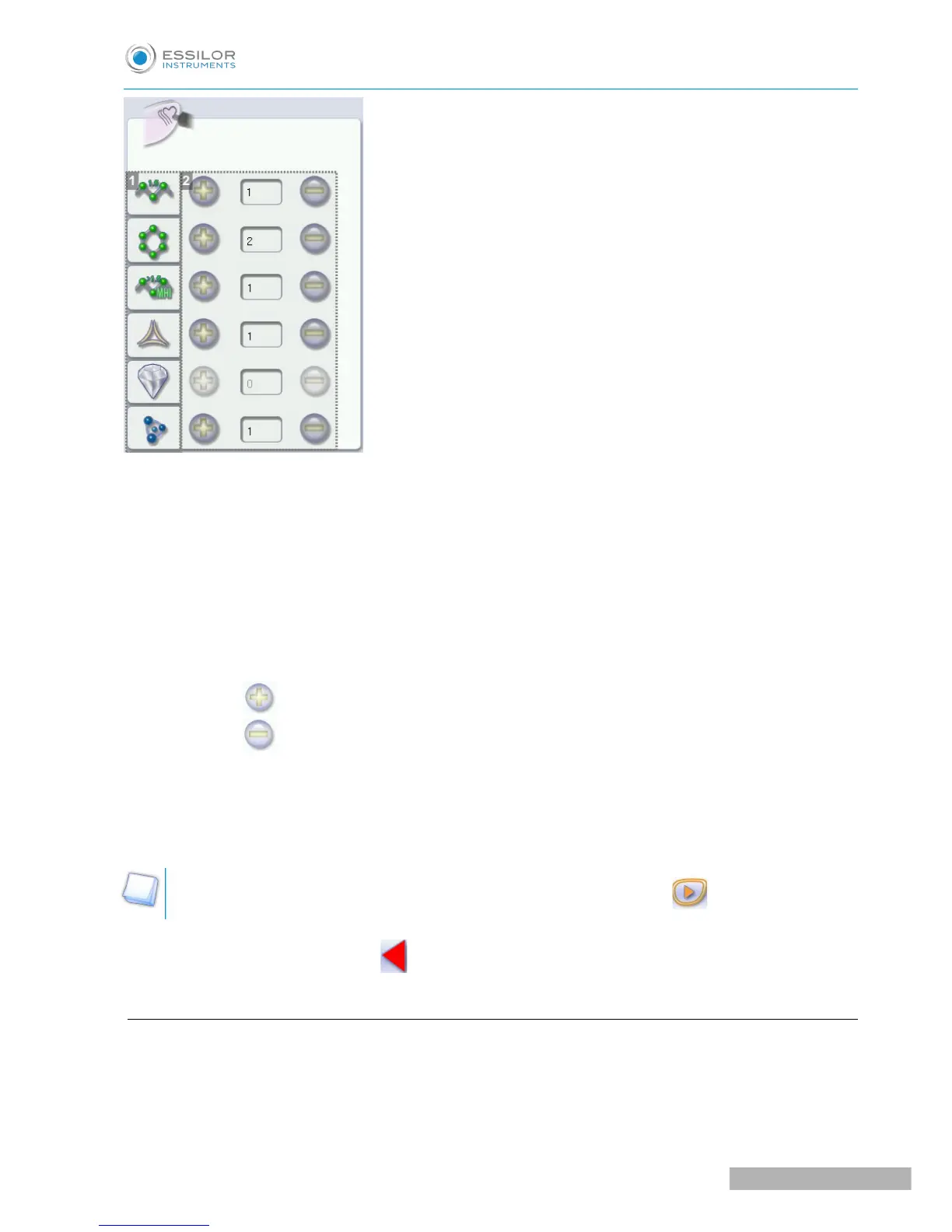
1. Lens materials
◦ Plastic
◦ Polycarbonate: it is recommended to set the value to 2 minimum.
◦ MHI
◦ Trivex
TM
◦ Tribrid
TM
◦ Glass: you cannot engrave glass.
2.
To adjust the number of tool strokes depending on the material :
◦ Press to increase the number of strokes.
◦ Press to reduce the number of strokes.
This screen allows to adjust the number of default strokes.
If two strokes are programmed by default for the plastic lens, each time you launch the engraving cycle for a
lens, the tool will make 2 strokes without stopping.
It is possible to carry out a third stroke after checking the lens by pressing .
Once the modification is made, press to return to the work screen.
g. Adjust the position of high-base bevel
After lens edging, if the position of high-base bevels seems consistently too far ahead or too far behind, you
can adjust it.



 To Next Page