5. Other languages
Press to display the other languages.
6. Confirm
Press to save the time.
Once the settings has been adjusted, press to go back to the work screen.
b. Connections
The connections are configured from the tracer. The screen which you access from the edger is only
available for consultation purposes.
To access this menu from your tracer work screen, select > > .
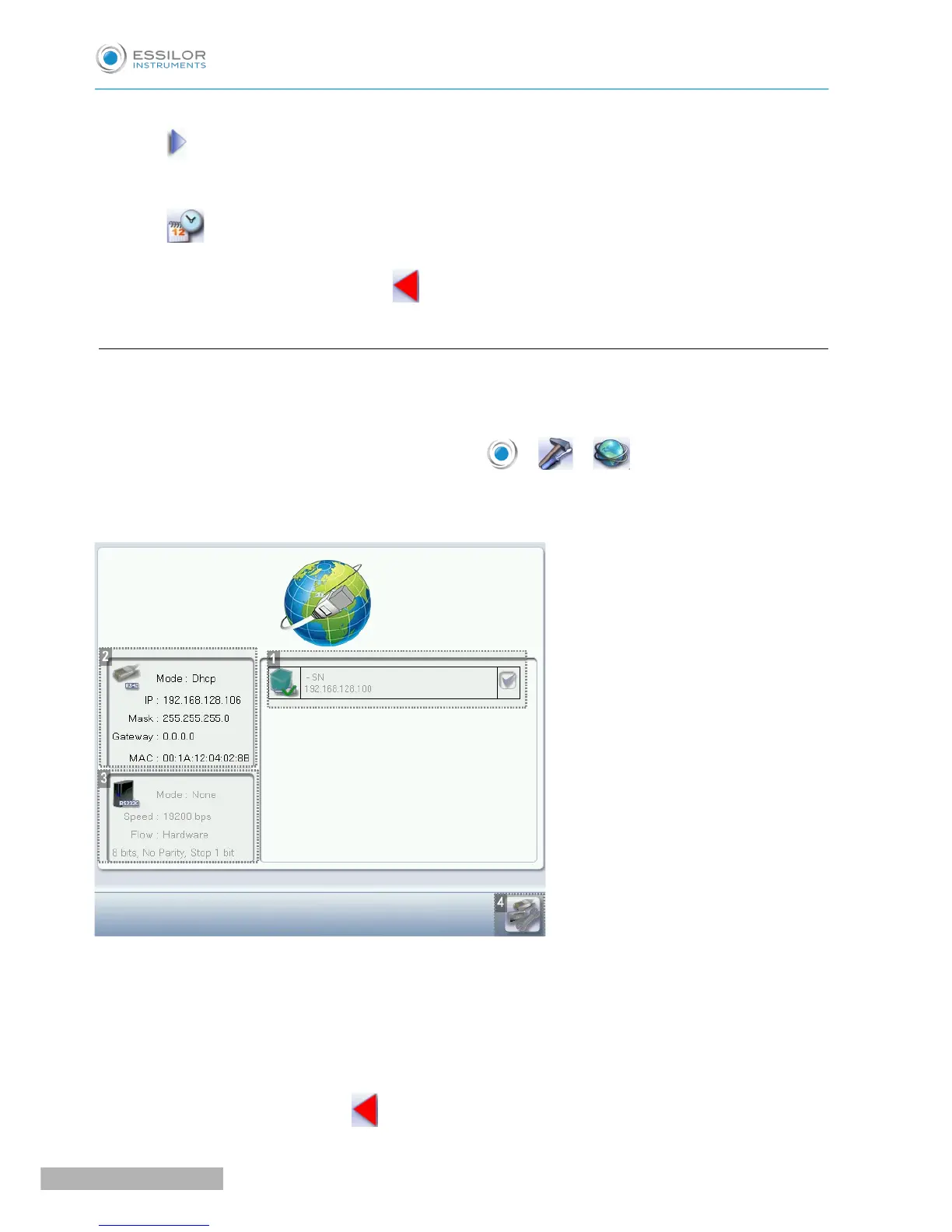
The following screen is displayed:
1. List of devices connected to the tracer
2. Settings linked to the configuration of the serial port
3. Settings linked to the configuration of the Ethernet port
4. Reinitialization of communication ports
Once the modification is made, press to return to the work screen.



 To Next Page