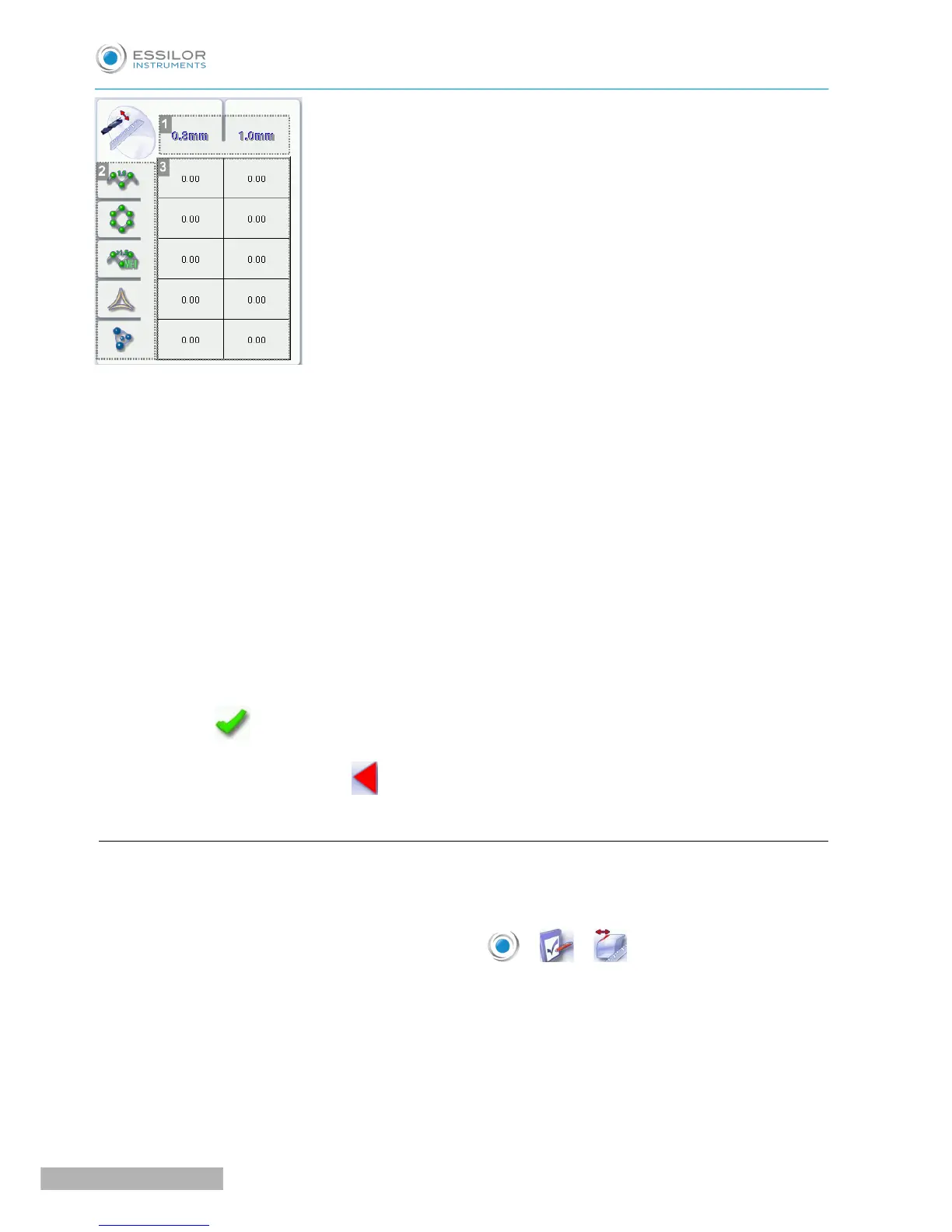
1. Drill bit diameters
0.8 mm or 1.0 mm.
2. Lens materials
◦ Plastic
◦ Polycarbonate
◦ MHI
◦ Trivex
TM
◦ Tribrid
TM
3. Increasing or reducing the default drill-hole diameter
a. Press the value to be modified.
> The numeric keypad is displayed.
b. Enter the new value.
◦ Negative value: the hole will be smaller
◦ Positive value: the hole will be larger
c. Press to confirm.
Once the modification is made, press to return to the work screen.
d. Adjusting the chamfer
After edging a lens, if a chamfer always seems too small or too big, you can adjust its size according to the
lens material.
To access that menu from your edger work screen, select > > .
The following screen is displayed:



 To Next Page