To access that menu from your edger work screen, select > > .
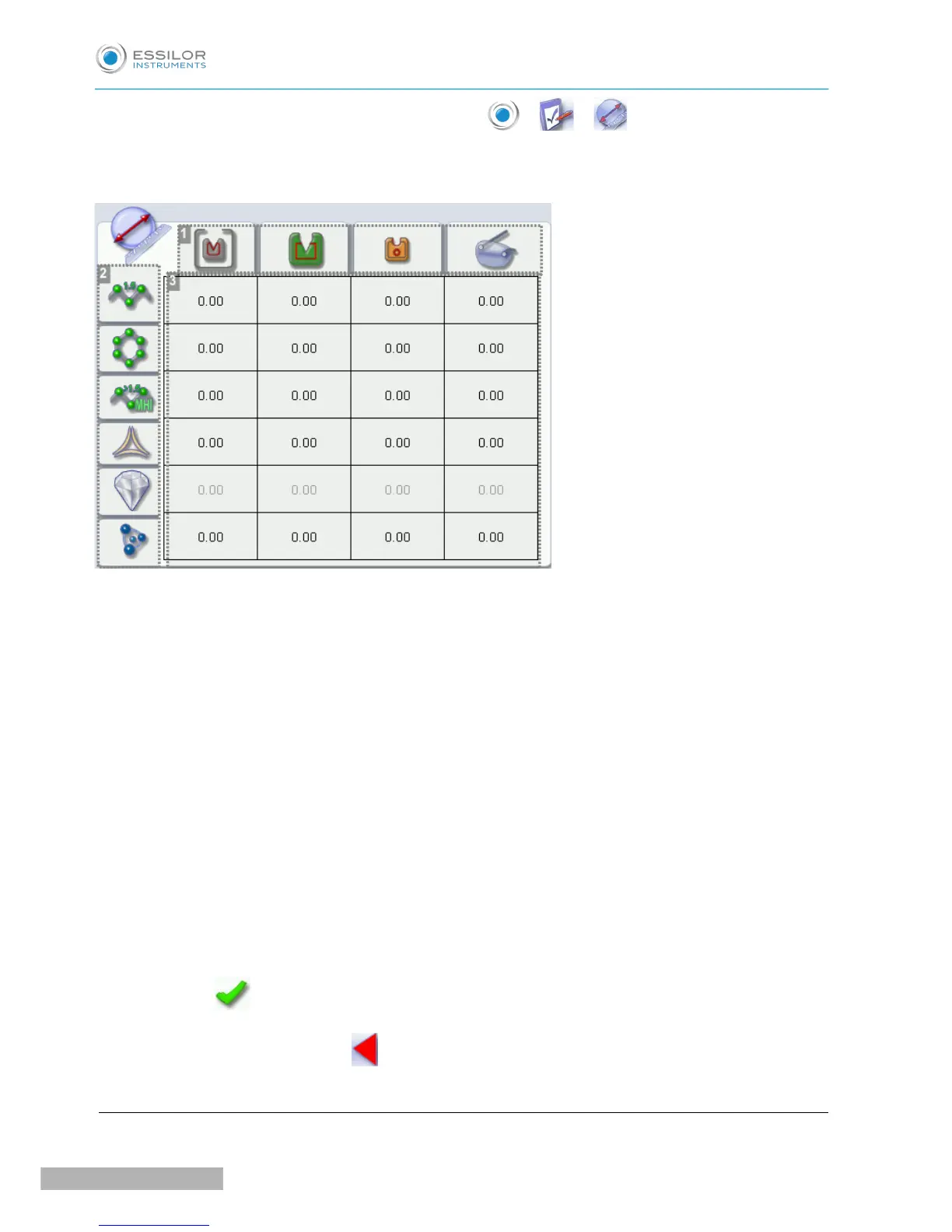
The following screen is displayed:
1. Types of frame
◦ Metal
◦ Plastic
◦ Optyl
◦ Drilled / Grooved / Flat
2. Lens materials
◦ Plastic
◦ Polycarbonate
◦ MHI
◦ Trivex
TM
◦ Glass (not available)
◦ Tribrid
TM
3. Adjust the lens diameter
a. Press the value to be modified.
> The numeric keypad is displayed.
b. Enter the new value.
◦ Negative value: the diameter will be smaller
◦ Positive value: the diameter will be larger
c. Press to confirm.
Once the modification is made, press to return to the work screen.
b. Adjusting the position of the bevel and groove



 To Next Page